

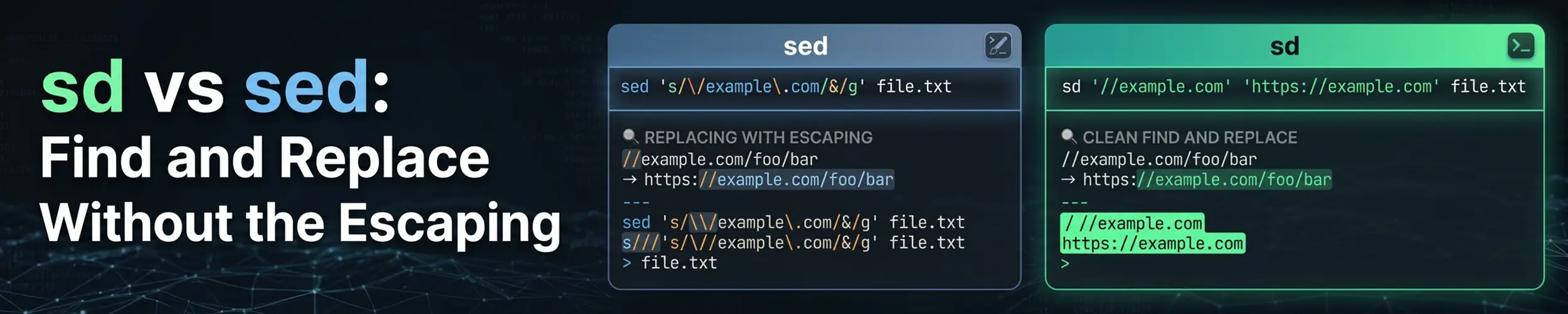
Most of what anyone asks sed to do is one substitution. And most of the difficulty in doing it is not the substitution — it is choosing a delimiter that does not appear in your text, remembering which characters need escaping in which regex dialect, and discovering that the command you tested on Linux does something different on a Mac. sd does substitution only, with one consistent syntax.
The short verdict. Worth having for interactive find-and-replace, especially anything involving paths or URLs, where sed’s delimiter problem is at its worst. But sd is a much smaller tool than sed — it cannot delete a line, print a range, or address a line number at all — and it has no backup option, so it edits in place with nothing to fall back on. Learn sed properly; keep sd for the substitutions.
What it changes
sed | sd | |
|---|---|---|
| Scope | A whole stream-editing language | Substitution, nothing else |
| Delimiter | You choose one, and escape it everywhere | None — two separate arguments |
| Regex dialect | POSIX BRE, or ERE with -E | One modern dialect, like Python or JavaScript |
| Replaces | First match per line unless you add /g | Every match, always |
| Capture groups | \1, or \(...\) in BRE | $1 and $name |
| In-place edit | -i, and -i.bak keeps a backup | In place by default, no backup |
| Same everywhere | No — GNU and BSD differ, notably -i | Yes |
| Already installed | Always | No |
That fourth row catches people in both directions. Coming from sed, sd replacing every occurrence without being asked is a pleasant surprise until it is not; going the other way, forgetting /g is the classic sed mistake.
Installing it
sudo apt install sd       # Debian, Ubuntu
sudo dnf install sd
sudo pacman -S sd
cargo install sd          # anywhere
sd --help # check your version's flags before scriptingThat last line is not filler. sd’s flags have been renamed between releases — literal-string mode is -F/--fixed-strings in current versions and was -s/--string-mode in older ones — and distribution repositories lag. Confirm what your build calls things once, then forget about it.
Translating what you already do
| sed | sd |
|---|---|
sed 's/foo/bar/g' file | sd foo bar file |
sed -i 's/foo/bar/g' file | sd foo bar file (in place already) |
sed 's|/usr/local|/opt|g' f | sd /usr/local /opt f |
sed -E 's/(\w+)@(\w+)/\2:\1/' f | sd '(\w+)@(\w+)' '$2:$1' f |
sed 's/foo/bar/Ig' f (GNU only) | sd '(?i)foo' bar f |
sed 's/\./,/g' f | sd -F . , f |
| Preview before writing | sd -p foo bar f |
| From a pipe | cat f | sd foo bar |
The third and sixth rows are the reason to bother. Rewriting a path with sed means picking a delimiter you hope is absent from both sides; with sd the two halves are ordinary shell arguments. And -F turns off regex entirely, which removes the whole class of “why did my dot match everything” bugs when you are replacing literal text.
To work across a project, pair it with the other Rust tools rather than looking for a recursive flag — it does not have one:
rg -l 'old-api.example.com' | xargs sd 'old-api.example.com' 'api.example.com'
fd -e py -x sd 'print (.*)' 'print($1)'
git ls-files | xargs sd -F 'TODO(kevin)' 'TODO(k)'Listing files with git ls-files is the safest of the three: it cannot wander into .git, node_modules or a build directory and rewrite something you did not mean to touch.
Where sed is still the right answer
- Anything that is not a substitution. Deleting lines (
sed '/^#/d'), printing a range (sed -n '10,20p'), inserting or appending,yfor transliteration — sd does none of it and is not trying to. - Line addressing.
sed '5,10s/a/b/', or acting only between two markers withsed '/BEGIN/,/END/s/.../.../'. This is sed’s real power and sd has no equivalent. - Only the first match. sed’s default; sd always replaces all of them.
- Backreferences in the pattern.
sed -E 's/(\w+) \1/\1/'collapses a doubled word. Rust’s regex engine has no backreferences by design — the price of its guaranteed linear-time matching. - Scripts, servers and containers. sed is POSIX and present on every system you will ever log into. A script that needs sd needs sd installed first.
- When you want a backup.
sed -i.bakleaves the original beside the edited file. sd does not, so preview with-por work in version control — and never run it in place on a config file you have not backed up.
The one habit worth forming
Run it with -p first, look at the output, then run it again without. It costs two seconds, and it is the only safety net sd has:
sd -p 'listen 80' 'listen 8080' /etc/nginx/nginx.conf   # look first
sd 'listen 80' 'listen 8080' /etc/nginx/nginx.conf # then do itQuick reference
sd find replace file        # replace every match, in place
sd -p find replace file     # preview, change nothing
sd -F 'a.b' 'a_b' file      # literal, no regex
sd '(?i)error' ERROR file   # case-insensitive via an inline flag
sd '(\d{4})-(\d{2})' '$2/$1' file   # capture groups as $1, $2
sd -A 'foo\nbar' 'baz' file # match across line boundariesRelated
- sed — the full stream editor, and the one that is always installed
- ripgrep vs grep — for finding which files to change
- fd vs find —
fd -xis the neatest way to run sd over a tree - awk — when the problem turns out to be about fields, not text