

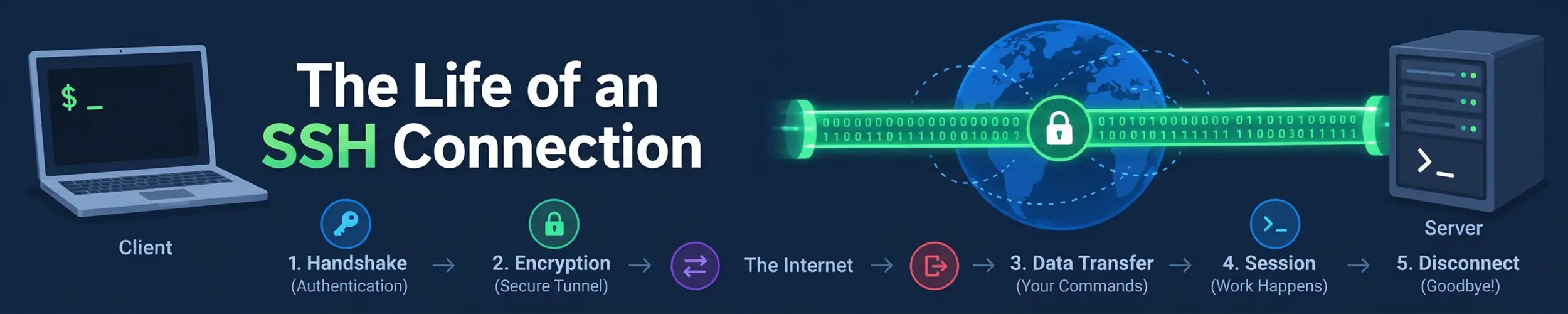
A deploy job that has connected to the same server for two years starts failing, a few times an hour, with kex_exchange_identification: read: Connection reset by peer. Other jobs on the same runner are fine, the firewall has not changed, sshd is running, the port is right, and the only recent change is that the server was upgraded to Ubuntu 26.04. Every page that message leads to says “firewall”. The runner reached sshd, and sshd refused it before saying hello, for a reason it wrote down on the server and did not tell the client. That is the shape of nearly every confusing SSH failure: the client is told the outcome of a stage, never the stage, and the party that made the decision is the only one that recorded why.
This page follows one connection through seven stages, from deciding which server to talk to, to the last exit status, with the line that names each stage in ssh -v and the line the server writes. It goes underneath ssh, which owns the commands, and SSH keys, which owns what a key pair is; it stops where The Life of a Login begins, at the handoff to PAM. Everything was measured on Ubuntu 24.04 with OpenSSH 9.6 and against OpenSSH 10.5 built from source, because the two differ in ways that matter: everything marked “since 9.8” is on Ubuntu 25.04 and later, and absent from a 24.04 server.
Seven stages, and six lines that name them. Nothing in an SSH connection is chosen by one side. Every stage is the intersection of two lists, resolved in the client’s order, and since 9.8 the server keeps a score between connections that the client never sees.
- Which server, and which configuration — both sides decide what conversation they are about to have, and this is the one stage that fails by succeeding.
- The connection and the banner — TCP, then a listener that may refuse you before a single protocol byte.
- Key exchange and the host key — two algorithm lists, the client’s order wins, and a decision the server never hears about.
- Who you are — a loop the server narrows at every step, and eight causes of one sentence.
- Channels — authenticated is not logged in; everything after is requests over one stream.
- Keeping it alive — the keepalive that does nothing for two hours.
- The end — an exit status that travels on the channel, and the hang that follows it.
The hinge is one command, read top to bottom. Run the connection once with a single -v and a harmless command, and look for these lines in this order. The first one that is missing or wrong is your stage:
ssh -v user@host true| Line | If it is missing, or followed by… |
|---|---|
debug1: Connecting to HOST [ADDR] port N. | A host, address or port you did not intend: stage 0. Run ssh -G host and read the top of the file. |
debug1: Connection established. | Missing, with Connection refused or timed out: stage 1, nothing you can fix from the client. Present, then banner line 0: Not allowed at this time or Exceeded MaxStartups: sshd’s listener refused you before the protocol began. Any other banner text: the port is not sshd. |
debug1: Remote protocol version 2.0, remote software version OpenSSH_X | You have reached sshd. The version decides the defaults on the far side. |
debug1: kex: algorithm: NAME and debug1: Server host key: TYPE SHA256:… | (no match) and Unable to negotiate: the two algorithm lists do not intersect, and each side logs the other’s list. A host-key warning, or a bare Host key verification failed. in a script: stage 2, decided on the client; the server sees only Connection closed … [preauth]. |
Authenticated to HOST ([ADDR]:N) using "METHOD". | Missing, with Authentications that can continue: repeating and Permission denied: stage 3, and the client cannot tell you why; only the server can. Too many authentication failures: you offered six keys before the right one. |
debug1: channel 0: new session, then your command’s output | open failed: administratively prohibited, PTY allocation request failed, subsystem request failed: you are logged in and a channel was refused, stage 4. |
debug1: Exit status N | Printed, and ssh still does not return: a background job holds the channel open, stage 6. Nothing printed and nothing moving: stage 5, and ss -tni shows a socket nobody is probing. |
On the server, check the log level before you read the log. At the default LogLevel INFO, a wrong key offered fewer than three times leaves exactly one line, Connection closed by authenticating user NAME … [preauth], because sshd only logs failures once half of MaxAuthTries is used up. Put LogLevel VERBOSE in a drop-in, reload, and then read journalctl -u ssh (-u sshd on Red Hat, and not _COMM=sshd: since 9.8 the process is called sshd-session). There is no retroactive logging, which is why this check comes first.
Stage 0 — Which server, and which configuration
Before a packet leaves, the client has to decide where it is going, as whom, and through what, and it decides by reading ~/.ssh/config and /etc/ssh/ssh_config under one rule from ssh_config(5): for each parameter, the first obtained value will be used. So a Host * block at the top of the file beats every specific block below it. Measured: a Host * block setting Port 2222 above a Host web block setting Port 2223 sent ssh web to port 2222, where a different server accepted the key and gave a prompt. Nothing failed. The first server logged Accepted publickey; the server the operator meant logged nothing at all. The only defence is to ask before you trust:
$ ssh -G web | grep -E '^(hostname|port|user|proxyjump)'
hostname localhost
port 2222
user alice
$ ssh -v web true 2>&1 | grep Connecting
debug1: Connecting to localhost [127.0.0.1] port 2222.ssh -G prints the configuration ssh will actually use for that name, after every Host and Match block has applied; the Connecting to line is the same fact from inside the connection. A -J on the command line replaces a ProxyJump in the file rather than adding to it, and a Match exec can flip a setting on one machine and not another, silently.
The server has a stage 0 of its own, with the same rule and a worse trap. Ubuntu’s packaged sshd_config begins, at line 12, with Include /etc/ssh/sshd_config.d/*.conf, and sshd_config(5) uses the same first-obtained-value rule. So PasswordAuthentication no appended at the bottom of the file loses to a cloud image’s 50-cloud-init.conf, which says yes. sshd -t passes; sshd -T shows the drop-in winning. And one edge under that: sshd -T reads the file, but a new connection is served from the listener’s copy of the configuration as of its last start or reload. Measured: the file said v3, sshd -T said v3, and a fresh connection got v1 until the listener was sent SIGHUP. Change the drop-in directory, verify with sshd -T, and reload; The Life of a Reload covers what that reload does and does not report.
Stage 1 — The connection and the banner
TCP connects, and ssh -v prints Connection established. If that line is missing, the failure is below SSH entirely: Connection refused means nothing is listening on that port (on Ubuntu 24.04 sshd is socket-activated, so it means systemd is not holding the socket either), and Connection timed out means the packets are not arriving, which is The Life of a Packet‘s territory. If the line is present, you have reached a listener, and what happens next depends on what that listener is.
The process listening on port 22 does not speak the protocol. It loads and checks the configuration, loads the host keys, listens, and enforces two limits; then it forks a per-connection process and hands the socket over. Since 9.8 that child is a separate binary, sshd-session, which itself runs the pre-authentication phase in sshd-auth since 10.0, and since 10.3 even the banner is written by sshd-auth (The Life of a Login has the history). What matters here is that the listener can refuse you before any of that happens, and it does so with a one-line banner and a closed socket.
The first limit is MaxStartups, default 10:30:100: with more than ten connections waiting to authenticate, the listener starts dropping new ones at random, with certainty at a hundred. Its process title, sshd: [listener] 2 of 10-100 startups, is the live counter. The second is PerSourcePenalties, on by default since 9.8 (July 2024) and absent from Ubuntu 24.04: when a pre-authentication child exits badly, the listener records a penalty against the client’s address — five seconds for a failed authentication, five for an invalid user (since 10.3), ninety for a crash — and refuses that address while the accumulated penalty exceeds fifteen seconds. Penalties add to the remaining time of an existing one, so three failures in half a second leave about fourteen seconds and enforce nothing; the fourth activates. On both refusals the client sees the same thing without -v, and something specific with it:
$ ssh -v -p 2223 deploy@host true
debug1: Connection established.
debug1: kex_exchange_identification: banner line 0: Not allowed at this time
kex_exchange_identification: read: Connection reset by peer
Connection reset by 203.0.113.9 port 2223

# on the server
srclimit_penalise: 203.0.113.9/32: activating ipv4 penalty of 19.332 seconds for penalty: failed authentication
drop connection #0 from [203.0.113.9]:57752 on [203.0.113.9]:2223 penalty: failed authenticationUnder load the banner line reads Exceeded MaxStartups instead and the server logs drop connection #N … past MaxStartups. And if something other than sshd holds the port, you still get Connection established., followed by that program’s output one banner line N: at a time; an HTTP server produces its entire error page. None of these is a firewall, and every one is a listener decision written in the server’s log at the default level.
Stage 2 — Key exchange and the host key
Both sides now send a list of the algorithms they support, and ssh_config(5) states the rule that resolves them: the selected algorithm is the first algorithm in the client’s list that the server also supports. The client’s order wins, which surprises people who have just upgraded a server for post-quantum key exchange: OpenSSH 10.0 (April 2025) made mlkem768x25519-sha256 the default, but a 9.6 client against a 10.5 server negotiates sntrup761x25519-sha512@openssh.com, the first entry in the older client’s list that the server still supports. Three commands answer three different questions here:
ssh -Q kex          # what this BUILD contains (includes algorithms it never offers)
ssh -G host | grep -i kexalgorithms   # what this CLIENT will propose, in order
sshd -T | grep -i kexalgorithms # what the SERVER will acceptWhen the lists do not intersect, both sides say so and each prints the other’s list: Unable to negotiate with … no matching key exchange method found. Their offer: …. It is the one stage-2 failure the server logs, and the offer is verbatim.
Then the server proves who it is, and the client decides whether to believe it. debug1: Server host key: ssh-ed25519 SHA256:… is the key offered; ~/.ssh/known_hosts is the memory it is checked against, and on Debian and Ubuntu that file is hashed (HashKnownHosts yes is the packaged default; upstream it is no), so grep hostname finds nothing. The lookups are ssh-keygen -F host, -F '[host]:2222' for a non-standard port, -l -F for the fingerprint and -R to remove; the address is not stored at all, because CheckHostIP defaults to no, so -F 10.0.0.5 finds nothing either.
Two facts about that memory are newer than most writing. Since 8.5 (March 2021) UpdateHostKeys is on by default: once you are authenticated, the server tells the client about all of its host keys and the client stores them silently, so a rotation done in the right order — add the new key, let clients connect, remove the old — produces no warning at all; the client logs known_hosts:3: Removed ED25519 key for host and carries on. The famous warning block is therefore a statement that no overlap happened: every key changed at once, which is what a rebuild or a restore produces, and Restoring a Linux Server owns that case. StrictHostKeyChecking accept-new accepts unknown hosts and still refuses changed ones. In a script, or under BatchMode yes, the whole block collapses to one line, Host key verification failed., with no fingerprint and no offending line number.
All of this is decided by the client. The server sees a connection that went away during key exchange and logs Connection closed by 10.0.0.5 port 47610 [preauth], the same line it writes for a dozen other things. For stage 2, do not look there.
Stage 3 — Who you are
Authentication is a loop, and the server narrows it at every step. The client asks for a method; the server answers with the methods that may still continue, and debug1: Authentications that can continue: publickey,password is that answer. The client’s PreferredAuthentications order applies only within what the server currently permits: a client preferring password first still tried publickey first, because the server’s first list contained nothing else. AuthenticationMethods publickey,password makes the server demand both; the client prints Authenticated using "publickey" with partial success and then asks for the password — a second factor, not a fallback.
A public-key attempt is two messages: a query, which the server logs as Postponed publickey, and a signature over the session identifier, logged as Accepted publickey; SSH keys explains why the signature proves anything. What it does not explain is the budget. MaxAuthTries defaults to six, and every key the client offers counts as one attempt. The client offers keys named in the configuration or at the default paths first, then everything else in the agent, so a laptop with ~/.ssh/id_ed25519 and five stray agent keys is fine; the failure needs the working key to live only in the agent at a path the configuration does not name — the company key on a hardware token:
debug1: Offering public key: decoy6@lab ED25519 SHA256:HAYO…
Received disconnect from 10.0.0.5 port 22:2: Too many authentication failures

# server
maximum authentication attempts exceeded for alice from 10.0.0.9 port 59240 ssh2 [preauth]
Disconnecting authenticating user alice 10.0.0.9 port 59240: Too many authentication failures [preauth]The same key was accepted one connection later when offered first. The fix everybody quotes, IdentitiesOnly yes, alone makes it worse — it stops the agent’s keys being offered, and the working key is only in the agent: measured, Permission denied (publickey). It needs IdentityFile as well; the public half on disk is enough for the agent to sign. Since 10.x each such failure also books a five-second penalty against your address, which is how stage 3 causes stage 1.
On the server, authorized_keys is read as the user, with privileges dropped, which produces two refusals the client cannot see. StrictModes refuses a key when the file or the directory is writable by others: Authentication refused: bad ownership or modes for file /home/alice/.ssh/authorized_keys. Debian and Ubuntu tolerate a group-writable path when the group contains only the owner, so chmod 770 ~/.ssh passes there and fails upstream. A file root wrote without a chown is refused differently: Could not open user 'alice' authorized keys …: Permission denied. Both, on the client, are Permission denied (publickey).
That sentence has at least eight causes: a key not in the file, a file with the wrong modes, a file root owns, an invalid user, an account not in AllowGroups, an expired certificate, a certificate for the wrong principal, and AuthorizedKeysFile none. The client prints the same three lines for all of them. The server names every one — Invalid user, not allowed because not listed in AllowUsers, Certificate invalid: expired, Failed publickey … SHA256: with the fingerprint it was offered — but the commonest, a wrong key offered once or twice, is named only at LogLevel VERBOSE. Certificates belong here because they are authorized_keys you do not distribute: a CA signs a user’s key with a principal list and an expiry, TrustedUserCAKeys names the CA, and a revocation list closes every door at once. Each refusal — wrong principal, expired, revoked — was a server-log line and a client Permission denied.
One more thing is decided here, and it is the security claim this page corrects. usermod -L locks the password: sshd’s own locked-account check sits, in auth.c, behind if (!options.use_pam && …), every distribution ships UsePAM yes, and so a locked user with a key logs straight in — measured, uid=1006(bob). A nologin shell stops the shell and nothing else: locked and nologin, the same account still opened ssh -N -L and forwarded traffic through the server. What sshd itself evaluates for every method is AllowGroups/DenyUsers and the key file, and SSH Access for a Small Team now offboards in that order. After the method succeeds, sshd hands the account to PAM’s account and session stacks, and everything from there to the shell is The Life of a Login.
Stage 4 — Channels
Authenticated to host is not “logged in”. From here on the connection is a single encrypted stream carrying channels, each opened by request and each refusable on its own: a session channel, on which the client then asks for a pty, a command or a subsystem; direct-tcpip for a local forward; forwarded-tcpip for a remote one; agent and X11 forwarding. A refusal here comes after a successful login and looks like one, on both sides:
Authenticated to host ([10.0.0.5]:22) using "publickey".
debug1: channel 2: new direct-tcpip
channel 2: open failed: administratively prohibited: open failed

# server
Accepted publickey for alice from 10.0.0.9 port 60450 ssh2: ED25519 SHA256:y2g2…
refused local port forward: originator 10.0.0.9 port 60450, target 127.0.0.1 port 5432PTY allocation request failed on channel 0 and subsystem request failed on channel 0 are the same shape, from PermitTTY and a missing Subsystem line. The second has a new victim: since 9.0 (April 2022) scp is a client for the sftp subsystem, so a server with no Subsystem sftp line breaks plain scp with subsystem request failed and not scp -O, which still runs the old remote scp -t. Agent forwarding is a channel type too, agent-connection, and that is the mechanical reason ssh tells you not to use -A through a shared bastion: anyone with your uid or root there can open that channel back toward your agent for as long as you are connected. ProxyJump instead opens a direct-tcpip channel through the bastion and authenticates both hops from your machine; the far server’s log shows your laptop’s key.
ControlMaster is the end of this stage taken to its conclusion: a second “connection” to the same host is a new channel on the first one. Measured, a plain connection took 0.206 to 0.246 seconds and a multiplexed one 0.012 to 0.057, the -v output of the second was four lines ending mux_client_request_session: master session id: 2, and the server logged four Accepted publickey lines for nine sessions. No key exchange, no authentication, no new server process, and no new server configuration: after a change and a reload, a fresh connection got the new value and a multiplexed one kept the old until the master exited. ssh -O check host tells you whether a master is running and ssh -O exit host ends it.
Stage 5 — Keeping it alive
An idle connection dies because something between the two machines forgets it, usually a NAT or firewall state table, and neither end is told. There are two shapes of frozen terminal and they need different tools. In the first, the far process is stuck but its kernel is fine: TCP is healthy, every packet is acknowledged, and nothing below SSH will ever notice; measured by stopping the server process, a default client was still waiting twenty seconds later. In the second, the path drops silently: the idle side has nothing to send, so it never retransmits and never learns; ss -tni on the client shows an established socket with rto:208 and no retransmissions, forever.
The option whose name promises to help does not. TCPKeepAlive yes is the default, and it sends its first probe after the kernel’s tcp_keepalive_time, which is 7200 seconds; sshd_config(5) notes that it is spoofable and describes its purpose as clearing ghost users, not keeping sessions up. The SSH-level probes are ServerAliveInterval on the client and ClientAliveInterval on the server, sent inside the encrypted channel: with an interval of two and a count of three the frozen client exited in 6.1 seconds with Timeout, server not responding. Upstream ClientAliveInterval defaults to zero, so a server never probes and every dropped laptop leaves an sshd: alice@notty orphan behind; the 300 that SSH Access for a Small Team sets is doing real work. Once the frozen side does have data to send, TCP gives up on its own after tcp_retries2 retransmissions, fifteen by default, which the kernel documentation puts at 924.6 seconds; that is the quarter of an hour people remember.
Rekeying also lives here, invisibly. RekeyLimit has a data default of one to four gigabytes depending on the cipher and no time default at all; the widely repeated “every hour” is wrong unless you set it. Measured with the limit forced down, each rekey is one more kex: algorithm: line in -v, and the server logs nothing about it even at VERBOSE.
Stage 6 — The end
The remote command’s exit status travels back as a channel message and becomes ssh’s own: exit 42 on the far side is 42 on yours. A command killed by a signal sends exit-signal instead, which -v shows as Exit status -1 and the shell sees as 255, the same 255 ssh uses for every failure of its own, so 255 on its own says nothing. Each direction of the channel closes separately: printf abc | ssh host 'wc -c; echo after' prints 3 and then after, because the remote command saw end of file on its input and kept running.
The hang everybody meets is a stage-6 fact. ssh host 'sleep 4 &' returns after four seconds, not at once, and -v shows why in the wrong order: Exit status 0 is printed, and then ssh waits, because the background process still holds the channel’s stdout and stderr open. Redirecting them ends the wait: 0.25 seconds. The two tools people reach for do not. nohup sleep 4 & took 4.25 seconds, because nohup only redirects output when it is a terminal and there is none here; setsid sleep 4 & took 4.26. The working forms are a redirect of all three descriptors, or nohup … >/dev/null 2>&1 &, where the redirect is doing the work. Whether a job survives the end of the connection is a separate question, and it belongs to the pty: a command started without one lived on after its client was killed, while What a Terminal Actually Is and The Shell, in Depth own what SIGHUP does to the other kind. And a ControlPersist master is a connection that outlives every terminal you closed; ssh -O exit is how it ends.
A worked diagnosis
Back to the deploy job from the top of the page: two years of clean connections from the same runner, then kex_exchange_identification: read: Connection reset by peer a few times an hour, only after the target moved to Ubuntu 26.04. Nothing in the message says which stage, so read the six lines:
$ ssh -v deploy@app01 true
debug1: Connecting to app01 [203.0.113.20] port 22.
debug1: Connection established.
debug1: kex_exchange_identification: banner line 0: Not allowed at this time
kex_exchange_identification: read: Connection reset by peer
Connection reset by 203.0.113.20 port 22Stage 0 is right. Stage 1 is where it stops, and it stops after Connection established., so the packets arrived and something accepted them; the banner line says who. Not allowed at this time is the listener’s refusal, and on OpenSSH 10.2 that means PerSourcePenalties, which the old 24.04 server did not have. The listener decided, so the listener’s log has the reason, and this one is written at the default level:
$ journalctl -u ssh --since -1h | grep -E 'penalty|maximum auth'
maximum authentication attempts exceeded for metrics from 203.0.113.9 port 40112 ssh2 [preauth]
maximum authentication attempts exceeded for metrics from 203.0.113.9 port 40118 ssh2 [preauth]
maximum authentication attempts exceeded for metrics from 203.0.113.9 port 40124 ssh2 [preauth]
maximum authentication attempts exceeded for metrics from 203.0.113.9 port 40130 ssh2 [preauth]
drop connection #0 from [203.0.113.9]:40140 on [203.0.113.20]:22 penalty: failed authentication
drop connection #0 from [203.0.113.9]:40146 on [203.0.113.20]:22 penalty: failed authenticationThere it is, and it is not the deploy job. A metrics scraper on the same runner is still using a key that was rotated out during the upgrade; its agent offers six stale keys, each connection ends in Too many authentication failures, its retry loop tries again a quarter of a second later, and on the fourth failure the accumulated penalty crosses fifteen seconds and the listener refuses the runner’s address — every job on it — for the next twenty. The deploy job’s only fault was sharing a NAT address with a broken sibling. The fix is the sibling’s key; if runners must share an address, PerSourcePenaltyExemptList 203.0.113.9 is the trade. Raising MaxStartups would have changed nothing, and the firewall was never involved.
Notice the shape, because it is the shape of the whole page. The client was told an outcome, reset, and nothing about the stage that produced it; the message leads to a cause inside the client’s own field of view, and the real cause was a decision the other party took about a third one. The listener wrote down why, at INFO. For a stage-3 failure the server writes it down too, but only if LogLevel VERBOSE was set before the failure; for stage 2 the server knows nothing and the client is the only witness; for stage 0 there is no failure to find, only a Connecting to line to read. The client is told the outcome of a stage, never the stage, and the party that decided is the only one that wrote down why. Diagnosis is naming the stage from the sequence of lines and then going to the decider — and making sure, today, that the decider is keeping notes.
Symptom, stage, command
| What you see | Stage | What names it |
|---|---|---|
| Logged in fine — to the wrong machine, port or user | 0 | ssh -G host | grep -E '^(hostname|port|user|proxyjump)'; the Connecting to line |
Connection refused / Connection timed out | 1, network | No Connection established. in -v; on the server ss -ltn | grep :22 |
kex_exchange_identification: read: Connection reset by peer | 1, listener | ssh -v … 2>&1 | grep 'banner line': Not allowed at this time (penalty, 9.8+) or Exceeded MaxStartups; server journalctl -u ssh | grep 'drop connection' |
Unable to negotiate … Their offer: … | 2, algorithms | The message is the far side’s list; compare ssh -G host with sshd -T |
REMOTE HOST IDENTIFICATION HAS CHANGED, or just Host key verification failed. in a script | 2, host key | ssh-keygen -l -F '[host]:port' against ssh-keygen -lf /etc/ssh/ssh_host_*.pub on the console; then -R |
Permission denied (publickey) with the right key installed | 3 | Server only: sshd -T | grep -i loglevel, set VERBOSE, then journalctl -u ssh -f for bad ownership, Invalid user, not allowed because, Certificate invalid, Failed publickey … SHA256: |
Too many authentication failures | 3 | ssh-add -l | wc -l; fix with IdentitiesOnly yes and IdentityFile |
open failed: administratively prohibited / PTY allocation request failed / subsystem request failed | 4 | You are logged in; sshd -T -C user=NAME,addr=IP | grep -iE 'allowtcpforwarding|permittty|subsystem' |
| Terminal frozen for minutes | 5 | Client: ss -tni state established '( dport = :22 )', a quiet socket means nobody is probing; set ServerAliveInterval 15. Server: ps -C sshd-session -o pid,args for NAME@notty orphans; set ClientAliveInterval |
ssh host 'cmd &' does not return | 6 | -v prints Exit status 0 and waits; redirect stdin, stdout and stderr |
Before you call it done
ssh -G hostread once for every host you rely on, andHost *at the bottom of the file, not the topLogLevel VERBOSEin/etc/ssh/sshd_config.d/on every server, before the failure you will need it for- Server changes in the drop-in directory, checked with
sshd -Tafter the reload, notsshd -tbefore it IdentitiesOnly yesandIdentityFilefor any host reached with a key that lives only in an agentServerAliveIntervalin the client config andClientAliveIntervalon the server, becauseTCPKeepAliveis not doing that job- Offboarding as key removal plus
AllowGroupspluspkill -u;usermod -Landnologinas extras, never as the mechanism - On a 9.8+ server, retry loops that fail authentication fixed rather than tolerated, or the shared address in
PerSourcePenaltyExemptList - Background jobs over ssh with all three descriptors redirected, and
ssh -O exitfor anyControlPersistmaster after a server change
Related reading
- ssh — Remote Access, Keys and Tunnels — the config file, the three forwarding shapes and the host-key warning
- SSH Keys: What Is Actually Happening — what the signature in stage 3 proves, and the agent
- SSH Access for a Small Team — who gets an account, and the offboarding order this page corrected
- The Life of a Login — from the PAM handoff to the shell, and the three sshd binaries
- What a Terminal Actually Is — the pty a session channel asks for, and what SIGHUP does to it
- The Shell, in Depth — hangup, exit status and background jobs, from the shell’s side
- The Life of a Packet — the connection tracking that forgets an idle flow
- The Life of a TCP Connection — the long one underneath stage 1 and stage 5: what refused, timed out and reset each prove, the accept queue that makes a connect succeed slowly, the forgotten idle flow from the sending side, and the fifteen-minute retransmit ladder
- Restoring a Linux Server — host keys that did not come back, and the warning that follows
- The Life of a Reload — what the sshd reload in stage 0 does and does not report
- The Life of a Log Line — why
-u ssh,-t sshdand_COMM=sshdreturn different lines