

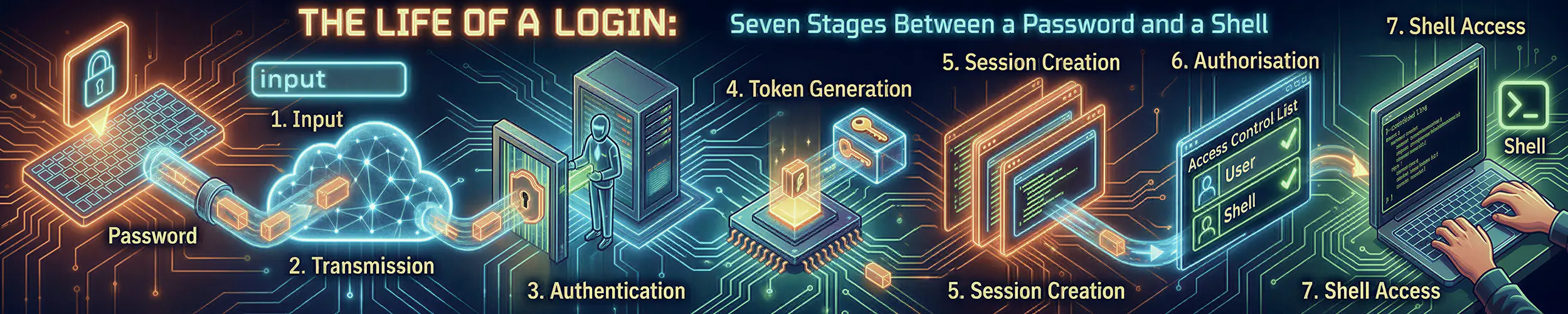
A deployment pipeline that has restarted an application over SSH for two years, as the service account that owns it, starts failing the week the hosts are rebuilt onto a newer release: systemctl --user restart myapp now returns Failed to connect to bus: No medium found. The report says logind is broken on the new image. It is not. The account logged in, got a shell and ran the command; what it did not get was the kind of session it used to get, and nothing in the shell’s environment says so. Between a password, or a key, and a shell sit seven stages and several configuration systems that do not know about each other, and they decide not just whether the login succeeds but what kind of session it is — the part nobody explains, and the part that generates the confusing bug reports.
This page goes underneath users, groups and root, which covers who the accounts are; this one covers what happens when one of them arrives. It follows an SSH login throughout, because that is where servers are logged into and where the stacks are clean enough to inspect; a display manager runs the same machinery, registering a session of its own before yours and usually adding a keyring module, and the differences are called out where they matter. What the kernel does to turn a process into a running shell is its own page; the credential model underneath, capabilities and SELinux included, is another. This page is about the path in.
The seven stages, and two questions that cut through them
- Something asks for authentication — and on a modern OpenSSH that is three separate binaries.
- PAM reads its configuration and runs the
authstack — the only stack that can be skipped entirely. - The user is looked up —
passwd,groupandshadowthrough the name service switch. - Credentials are verified — and the algorithm is chosen somewhere you are not looking.
- The
accountstack decides whether this account may log in at all, right now. - The
sessionstack builds the session — and decides what kind it is. - The session ends, and something decides what survives it.
Question one, which splits the spine. The account and session stacks always run; the auth stack does not. So if you got a shell, the account stack returned success — that is a definition, not a heuristic — and any symptom that survived into your shell belongs to stage 6 or later. But you can conclude nothing about the auth stack, because a public-key SSH login never runs it.
That is not a nitpick. It is the whole explanation for the most common confused report in this subject: “I added a lockout module / a nologin check / a second factor to common-auth and nothing happens over SSH.” Of course nothing happens. You are logging in with a key.
Question two, which resolves nearly every “my user services are broken”. Those symptoms — no XDG_RUNTIME_DIR, no keyring, no session bus, systemctl --user refusing to connect — are not several problems. They are one problem with several faces, and pam_systemd(8) states the cause in a single sentence: $XDG_RUNTIME_DIR is not set if the current user is not the original user of the session.
It is bound to the session, not to your uid. So one command decides it:
echo "$XDG_SESSION_ID"
loginctl session-status "$XDG_SESSION_ID"Read the Class: line. user means a full session with a service manager. Any -light class means logind registered you and deliberately did not start your service manager, so systemctl --user fails by design. No session id at all means whatever you are in never registered one.
Stage 1 — Something asks for authentication
PAM does nothing on its own. A program has to call it, and which program called it decides which configuration file gets read — the file is named after the service, not after the user or the method.
Start with the fact that invalidates the first command most people run.
sshd is three binaries now
OpenSSH 9.8, in July 2024, split the server into a listener called sshd and a per-session binary called sshd-session, so that the process listening on the network no longer contains the protocol implementation. OpenSSH 10.0 moved the user-authentication phase out again, into sshd-auth. The current release is 10.5, from August 2026. The release notes said some log messages would start being tagged with a different process name, and that is exactly what happened:
# What every stale article tells you to run. Returns almost nothing useful.
journalctl _COMM=sshd

# What actually catches the login
journalctl _COMM=sshd _COMM=sshd-session _COMM=sshd-auth
journalctl -u ssh -u sshd            # the unit name differs by distribution
journalctl SYSLOG_FACILITY=10 # everything logged as "auth"That first line silently returning nothing is the reason people conclude their PAM configuration is not being read. It is being read. The filter is looking at the wrong process.
What “PAM-aware” actually buys you
Two things hide in sshd_config‘s description of UsePAM, and both matter.
Its upstream default is no. Every distribution sets it to yes, so nobody notices — until somebody builds OpenSSH from source and cannot work out why their PAM configuration is inert.
And it enables PAM authentication only for password and keyboard-interactive logins, while enabling account and session processing for all authentication types. That asymmetry is question one from the box above, written into the manual page in one sentence that almost nobody reads carefully.
One machine, five different service files
| You ran | PAM service file |
|---|---|
su bob | su |
su - bob | su-l — a different file, and almost no article mentions it |
sudo -i | sudo — not su, not login |
| An SSH login | sshd |
| A console login | login |
Stage 2 — PAM reads its configuration and runs the auth stack
PAM opens the file named after the service, reads a list of modules, and calls them in order. The current implementation is Linux-PAM 1.7.2, and two things about that file have changed. The first breaks the standard instruction for finding it.
“It’s in /etc/pam.d/” is now a half-truth
Since Linux-PAM 1.7.2, the vendor directory is enabled by default. If a service file is absent from /etc/pam.d/, the library falls back to /usr/lib/pam.d/. Files in /etc/pam.d/ override same-named files elsewhere, so the layering is the familiar one — but the file you need to read may simply not be in /etc. openSUSE has already moved its packaged files there, and others will follow. Look in both:
ls -l /etc/pam.d/sshd /usr/lib/pam.d/sshd 2>&1
grep -r pam_systemd /etc/pam.d/ /usr/lib/pam.d/ 2>/dev/nullThe four control flags are shorthand, and that is why the file confuses you
Every introduction teaches required, requisite, sufficient and optional. Then the reader opens Debian’s common-auth, finds [success=1 default=ignore], which is none of those four, and concludes the documentation is wrong. It is not. The four names are abbreviations for bracketed forms, and the manual page gives the exact equivalences:
required   = [success=ok   new_authtok_reqd=ok   ignore=ignore default=bad]
requisite  = [success=ok   new_authtok_reqd=ok   ignore=ignore default=die]
sufficient = [success=done new_authtok_reqd=done               default=ignore]
optional = [success=ok new_authtok_reqd=ok default=ignore]Read that and the bracketed forms stop being mysterious. bad records a failure but carries on; die fails immediately; done succeeds immediately; ignore does not affect the result; and a bare number means skip that many modules, which is how a distribution writes “if this one worked, jump past the fallbacks”.
include and substack are also control values, and the difference between them is the detail most articles omit. Both pull in another file, but in a substack a done or die action stops only the substack; with include, it skips the rest of the enclosing stack too. That is precisely the distinction that decides whether the module you added runs.
Who owns these files
You are usually not supposed to edit these files by hand, and the reason differs by family in a way that is worth getting right, because the two big families fail in opposite directions.
Debian and Ubuntu: pam-auth-update does not overwrite your edits. It notices them and stops. Its manual page says local modifications make it change nothing further unless given --force, and even then your version is preserved as .pam-old. So the failure mode is the reverse of what people fear: nothing gets clobbered, but management quietly ceases, and the next package that ships a PAM profile silently fails to be wired in — a much harder bug to see than an overwrite.
Red Hat: authselect genuinely does overwrite, and says so in the file header. The supported route is authselect create-profile, or authselect opt-out to take the whole thing manual. Note the renaming: the minimal profile is now called local, the default since Fedora 40; RHEL 10 ships local, sssd and winbind, and authselect select minimal fails.
openSUSE is a third model: pam-config manages a set of included files and warns that manual changes to those are overwritten, but it does not touch service files such as pam.d/sshd. The documented escape is to replace the managed symlinks with real files.
Stage 3 — The user is looked up
Before anything can be verified, the account has to be found. That is the name service switch again — the same /etc/nsswitch.conf that decides how host names are resolved, but a different set of lines. Name resolution is DNS, All the Way Down; this stage is only about passwd, group and shadow. The configuration systemd now recommends looks like this:
passwd:  files systemd
group:   files [SUCCESS=merge] systemd
shadow:  files systemd
gshadow: files systemdnss-systemd is a normal part of the passwd line now. It resolves users that exist without being in a file at all — DynamicUser= services, users inside systemd-machined containers, foreign uid ranges — and it guarantees that uid 0 and uid 65534 always resolve, a quiet safety net for a broken /etc/passwd. It sits after files so that local accounts win.
[SUCCESS=merge] on the group line is doing real work. Without it the search stops at the first source that answers, so a user could only ever get supplementary groups from one place. With it, memberships from local files and from a directory are combined. If somebody’s group membership “is there in getent group but does not apply”, that flag, or its absence, is where to look first.
shadow is a real NSS database, which explains a thing people find odd: getent shadow as an ordinary user returns nothing, because hashes are not readable by you. It is also why pam_unix ships a small setuid helper, unix_chkpwd, whose entire purpose is to check a password without the calling application running as root.
getent passwd bob                  # whatever the whole switch says
getent -s files passwd bob         # only the local file
getent -s systemd passwd bob       # only nss-systemd
id bob # the merged group pictureThat pair of -s queries is the fastest way to find out whether a user is local, from a directory, or synthesised. On the directory side, SSSD is still the answer for enterprise logins, but its files identity provider is gone upstream and from RHEL 10, so id_provider = files now fails to start. And do not reach for nscd to cache these lookups: Fedora removed it in Fedora 35.
Stage 4 — Credentials are verified
The password is hashed and compared. The interesting question is which algorithm, and the answer has moved to a file most people do not associate with it. The old model was that you set sha512 as an argument on the pam_unix.so line. That is now the override, not the default. pam_unix‘s manual page states that the default hash is taken from ENCRYPT_METHOD in /etc/login.defs, and since shadow 4.14.0 PAM respects that choice rather than overriding it.
And the value there is generally no longer SHA-512. yescrypt is the default on Fedora, Arch, Debian and Ubuntu. You can settle it in one command, because the hash announces itself:
sudo getent shadow "$USER" | cut -d: -f2 | cut -c1-3
#  $y$  = yescrypt
#  $6$  = SHA-512
#  $5$  = SHA-256
grep -E '^ENCRYPT_METHOD|^SHA_CRYPT' /etc/login.defsUpstream shadow’s own default became SHA-512 only in 4.20.0. RHEL 10’s value is one I could not confirm, and it should not be assumed to have followed Fedora, because Red Hat has FIPS considerations Fedora does not. Run the command on your own machine.
Counting failures, or not counting them at all
The module that locks accounts after repeated failures is pam_faillock. Its predecessors, pam_tally and pam_tally2, were deprecated in Linux-PAM 1.4.0 and removed in 1.5.0 — the shared objects are not built, and any configuration referencing them fails. pam_cracklib went in the same release; use pam_pwquality.
The useful fact here is about defaults rather than modules. Red Hat systems lock accounts by default through faillock. Debian and Ubuntu lock nothing. The module is present in libpam-modules, but there is no faillock profile in /usr/share/pam-configs/ and nothing wires it into the stack. A stock Debian or Ubuntu server has no failed-login lockout whatsoever.
Three details its manual page states that get lost in retellings: it must appear in both the auth phase (as preauth, authfail and authsucc) and the account phase; options belong in /etc/security/faillock.conf rather than on the module line; and root is not locked unless even_deny_root is set. The counters live under /var/run/faillock/, so they do not survive a reboot.
faillock --user bob                 # the counter
sudo faillock --user bob --reset # clear it deliberatelyAnd remember question one: on a key-based SSH login, none of this runs.
Stage 5 — The account stack
Authentication answered “are you who you say you are”. The account stack answers a different question: “may this account log in, right now, here”. It runs for every authentication method, including keys, which is what makes it the reliable half of the hinge.
The nologin file, and which one it actually is
pam_nologin refuses non-root logins when a nologin file exists and prints its contents to the user. People name /etc/nologin. The one that fires in daily life is /run/nologin, because systemd-user-sessions.service creates it during boot and again during shutdown; that is the real explanation for not being able to log in during the last half-minute before a reboot.
The module provides both an auth and an account type, and distributions differ about where they place it. The consequence is worth stating explicitly: an auth-only placement does not block a public-key SSH login. If you are relying on a nologin file to keep people out during maintenance, check which stack it is in.
Password expiry is being dismantled upstream
The caveat first: this change is upstream, and your distribution has probably not shipped it yet. But the direction is settled. shadow-utils 4.19.0 deprecated a set of password-ageing features in December 2025 and 4.20.0 removed them, citing modern security standards — NIST’s guidance among them — that now prohibit periodic password expiration rather than requiring it. Concretely:
expiry(1)is removed, along withgroupmems(8)andlogoutd(8).- The fourth field of
/etc/shadow— minimum days between changes — is now ignored, and removed if present. - Fields 3, 5, 6 and 7 survive but are deprecated for future removal.
chageremains, but several of its options for setting a minimum password age are gone.login.defsno longer ships defaults forPASS_MAX_DAYSandPASS_WARN_AGE.- DES and MD5 were removed from
ENCRYPT_METHODin the same releases.
So “/etc/shadow has seven meaningful fields and expiry is how you enforce policy” is a sentence with a shelf life; if a compliance regime mandates ninety-day rotation, the tooling that implements it is being withdrawn by the people who wrote it. While you are in login.defs, note that its manual page says much of its historic functionality now belongs to PAM, and its cross-reference table tells you which command consults which setting: for ENV_PATH the answer is login and su — not sshd. Which brings us to the next stage.
Stage 6 — The session stack
Everything so far decided whether to let you in. This stage builds what you get, and it is where nearly everything has changed since 2023. One structural fact first, because it explains why session problems usually degrade rather than deny: session modules are conventionally marked optional. That is a convention, not a law — a module that cannot write /proc/self/loginuid inside a container does deny you outright — but the modules that commonly break are optional, which is why logind being unavailable does not lock you out.
logind registers a session — and picks its class
pam_systemd tells systemd-logind that a session exists. What almost nobody knows is that it also assigns the session a class, inferred from the PAM service name and from whether a terminal or display is known — and the class decides whether you get a user service manager at all.
There are eleven classes now, plus a pseudo-class, and the ones to understand are the suffixes:
| Class | What it means for you |
|---|---|
user | Full session. user@.service starts, so systemd --user runs and XDG_RUNTIME_DIR exists |
anything -light | Registered, but deliberately no service manager. systemctl --user fails by design |
greeter, lock-screen | The display manager’s own sessions, before and around yours |
background | No terminal — a cron job, an FTP transfer |
none | Not registered at all. No session scope, no user manager |
background-light, and sessions for non-root system users became user-light.That reclassification is the thing most likely to have broken something for you between one distribution release and the next. Cron jobs and service-account logins that used to pull in a full user service manager now do not, on purpose, because starting one for every background task was waste.
Session tracking also changed mechanism in 258. logind used to hold a FIFO open in the session leader and notice when it closed; it now uses pidfds, and the exit of the session leader stops the session immediately. Every explanation involving a FIFO describes removed code, and logout timing is now sharp where it used to have slack.
Your session also lands in a cgroup, and since 258 removed the legacy and hybrid hierarchies entirely, that is unconditionally cgroup v2; the XDG_SEAT in your environment names the one physical seat, seat0, that almost every machine has.
The one sentence from pam_systemd(8) that explains more login confusion than anything else on this page — question two in the box at the top — has a simple mechanism. The runtime directory belongs to the session, and a session belongs to the user it was created for. su and sudo change your uid inside somebody else’s session; you are simply no longer the user it is for, so the variable is deliberately withheld, and the whole cluster follows as a chain: no XDG_RUNTIME_DIR → no session bus socket → systemctl --user cannot connect → the keyring and the user units are missing too. One fault with five faces, and not a bug. If you need a real session for another user, ask for one — machinectl shell bob@ or an actual login — rather than repairing the environment by hand.
Where PATH actually comes from
This gets asked constantly and answered incompletely. Five layers can set it, later ones winning:
- The daemon’s own compiled-in default.
sshdhas one. ENV_PATHandENV_SUPATHinlogin.defs— consulted byloginandsu, and not by sshd. This alone explains a great many “it works on the console and not over SSH” reports.pam_env, reading/etc/security/pam_env.confand/etc/environment.- The shell’s own files —
/etc/profile,/etc/profile.d/*,~/.profile,~/.bash_profile. The only layer most people think about. - For
sudo,secure_pathin sudoers, which overrides everything above it.
And the trap: ~/.pam_environment no longer works. pam_env‘s user_readenv option defaults to off, and the feature has been deprecated since Linux-PAM 1.5.0 pending removal. Advice to put variables there, once the right answer because it applied to graphical sessions too, now silently does nothing.
limits.conf versus systemd, settled
The folklore is that these two fight and systemd wins. They do not fight. They govern disjoint sets of processes, and the boundary is simply who forked what.
pam_limits calls setrlimit on the process running the PAM stack. Your login shell is forked from that process and inherits, and so does everything you launch from it. Meanwhile your shell lives in a session-N.scope, and scopes cannot carry rlimits at all: a scope manages processes systemd did not create, so it can carry kill settings and cgroup controls but not LimitNOFILE=. For your interactive shell, pam_limits wins uncontested, because systemd is not playing.
systemd --user and everything beneath user@UID.service is a different branch of the process tree. PID 1 forks it; it is not descended from the PAM process. Its limits come from DefaultLimit*= and from the unit, and limits.conf reaches it only if your distribution put pam_limits into /etc/pam.d/systemd-user. That varies, and it is checkable:
ulimit -n                                              # your shell
systemd-run --user --pty --wait bash -c 'ulimit -n'    # a user unit
grep limits /etc/pam.d/systemd-user 2>/dev/null # is it wired in?Two different numbers from the first two commands means you have found the boundary rather than a bug. System services never see limits.conf at all, deliberately.
The last-login line moved
That “Last login: …” banner is a session module, and pam_lastlog was deprecated in Linux-PAM 1.5.3 and is no longer built by default. Fedora 43 migrated to pam_lastlog2, with a SQLite backend safe past 2038; Debian and openSUSE got there earlier, and Ubuntu simply removed the module from its login configuration. “Your last-login line comes from pam_lastlog reading /var/log/lastlog” is now wrong on four of the five distributions most readers use.
Stage 7 — The session ends
You log out, and KillUserProcesses= decides whether the processes you left running are killed. Upstream it defaults to yes. On Debian and Ubuntu it defaults to no — and that difference is compiled in at build time rather than written in a configuration file, which is exactly why grepping /etc/systemd/logind.conf finds nothing and people conclude the upstream default applies. Several distributions no longer ship that file at all; local changes belong in a .conf.d/ drop-in. Rather than trusting any table, ask the machine:
systemd-analyze cat-config systemd/logind.conf | grep -iE 'killuser|removeipc'
loginctl show-user "$USER" | grep -i lingerThe escape hatch is loginctl enable-linger, which starts a user manager at boot and keeps it after logout. That is the supported way to run something as yourself without staying logged in, and on a machine where KillUserProcesses is yes it is the only way short of a system service.
Two related things that stale writing gets wrong. UserTasksMax= no longer exists in logind.conf; per-user task limits are a TasksMax= drop-in on user-.slice now. And RemoveIPC= defaults to yes both upstream and on Debian, so the claim that SysV shared memory is only cleaned up on Red Hat systems is wrong.
How to watch all this happen
The stacks will narrate themselves if you ask, and this is what a page cannot give you, because it requires a running machine.
# Make the modules talk. Add debug to the module line, temporarily.
#   session  optional  pam_systemd.so debug=1
#   auth     required  pam_unix.so    debug

# Watch a login happen, on all three OpenSSH binaries
journalctl -f _COMM=sshd _COMM=sshd-session _COMM=sshd-auth

# What kind of session am I actually in?
loginctl session-status "$XDG_SESSION_ID"
loginctl show-session "$XDG_SESSION_ID" -p Class -p Type -p Remote -p Scope

# Where did I land in the cgroup tree?
systemd-cgls /user.slice

# Force the auth stack to run, to prove whether it normally does
ssh -o PreferredAuthentications=password you@host

# Run a PAM stack without a real login
pamtester sshd "$USER" authenticateThe second-to-last command is worth dwelling on. If your auth stack behaves differently when you force password authentication than on an ordinary login, you have just proved your ordinary logins are not running it. That is question one from the opening box, answered in one command.
A worked diagnosis
Back to the deployment pipeline from the top of the page: a command over SSH as the service account, two years of working, hosts rebuilt onto a newer release last week, and now every deployment fails:
$ ssh svc-app@host 'systemctl --user restart myapp'
Failed to connect to bus: No medium foundThe reported conclusion is that logind is broken on the new image. Work the stages instead. The command ran, which means there was a shell — so by the hinge, the account stack returned success and the fault is stage 6 or later. And the symptom is on the list that collapses into one question.
$ ssh svc-app@host 'echo "id=$XDG_SESSION_ID rt=$XDG_RUNTIME_DIR"; \
                     loginctl session-status "$XDG_SESSION_ID" | head -6'
id=47 rt=
svc-app (985)
     Since: Tue 2026-09-01 09:14:02 UTC
    Leader: 3312 (sshd-session)
     Class: user-light
      Type: tty
State: activeThere it is, in the Class: line. The session exists and is active — logind is fine. But the class is user-light, and a -light class does not pull in user@.service. There is no user service manager, no runtime directory, and therefore no bus to connect to. Nothing is broken; the behaviour changed on purpose.
Why this account and not a person’s? Look at the uid: 985. It is a system user, created by the package rather than by hand, and systemd 258 reclassified sessions for non-root system users from user to user-light precisely so that cron jobs and service-account logins stop starting a full service manager each time. The old hosts predated that release. Nobody changed anything; the machine did.
$ sudo loginctl enable-linger svc-app
$ ssh svc-app@host 'systemctl --user restart myapp'
$ # and it returns nothing, as it shouldLingering starts the user manager at boot and keeps it running independently of logins, which is what this workload always needed — it was getting one by accident before. The alternative, and arguably the better one, is to stop running it as a user unit at all and make it a system service with User=svc-app.
Note what would have happened without the class line. Every plausible next step — restarting logind, checking dbus, comparing package versions, reinstalling systemd — investigates a healthy component. The environment of a shell does not tell you what kind of session it is in. Only logind knows, and you have to ask it. That is the general lesson, too: getting in and getting a session are different achievements, the auth stack is the one that might not have run at all, and the differences that matter — whether processes are killed at logout, whether lockout is wired up, which hash is in use — are set at build time or in generated files, so no table can be trusted across distributions. systemd-analyze cat-config, loginctl session-status, getent -s and the first three characters of a shadow hash answer all of them in seconds, on the actual machine, correctly.
Related reading
- Users, Groups and Root — the introduction this page sits underneath
- Permissions and Privilege, Properly — what those credentials mean once you have them
- What Happens When You Run a Program — fork, exec and the dynamic linker: the step this page stops short of
- DNS, All the Way Down — the other half of
nsswitch.conf - SSH Keys — the authentication method that skips stage 2 entirely
- The Life of an SSH Connection — the long one on the stages before this page begins: everything sshd decides between the TCP connection and the moment it asks PAM about you