

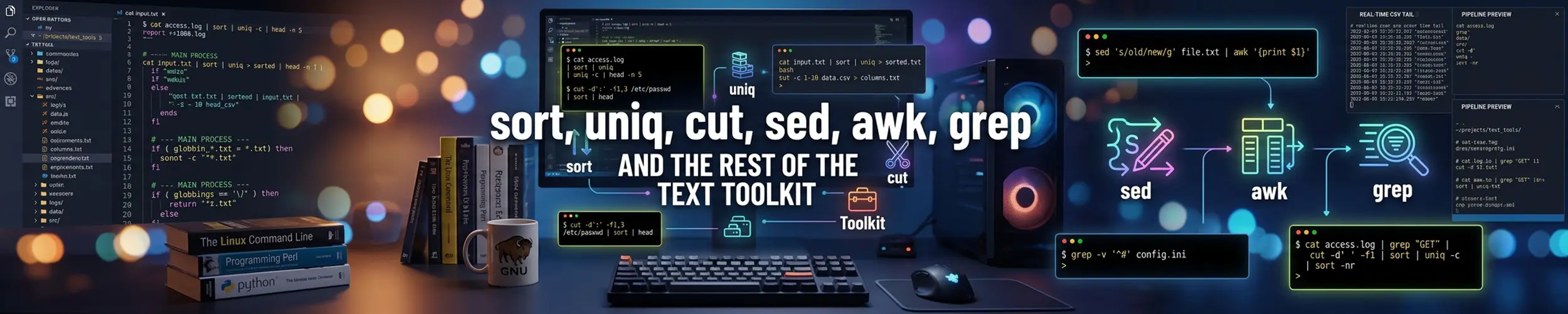
grep finds lines, sed edits them and awk understands columns. Everything else is done by a dozen small commands that each do one thing — and the reason to learn them is not any one of them individually, but what they do when chained together.
Start with one pipeline
sort | uniq -c | sort -rn | headCount how often each distinct thing appears, put the commonest first, show the top ten. That fragment answers a startling proportion of real questions — which IP is hammering the server, which error dominates the log, which user makes the most requests — and everything below is either feeding it or refining it.
awk '{print $1}' access.log | sort | uniq -c | sort -rn | head
grep -o 'ERROR .*' app.log | sort | uniq -c | sort -rn | head -20
cut -d: -f7 /etc/passwd | sort | uniq -c | sort -rnuniq only collapses adjacent duplicate lines. It does not know about the rest of the file. Run it on unsorted input and you get almost everything back, which looks like the command silently not working — it is the single most common mistake with these tools. Always sort first, or use sort -u when you only want the distinct values and not the counts.
sort
| Flag | Does |
|---|---|
-n | Numeric. Without it, 10 sorts before 9. |
-h | Human sizes — sorts 1K 2M 3G correctly. Pairs with du -h. |
-r | Reverse. |
-u | Unique — sort and deduplicate in one pass. |
-k2 | Sort on the second field, not the whole line. |
-t: | Use : as the field separator. |
-V | Version sort: 1.9 before 1.10. |
-o file | Write back to the same file safely. |
du -h --max-depth=1 /var | sort -h        # biggest directory last
sort -t: -k3 -n /etc/passwd               # by UID
sort -u ips.txt -o ips.txt                # deduplicate in place, safely
ls -1 backup-* | sort -V # 1.10 after 1.9sort -o file file is safe; sort file > file is not, because the shell truncates the file before sort reads it. That is one of the classic ways to lose data to a pipeline.
On very large files, LC_ALL=C sort is often several times faster and gives a stable byte order rather than a locale-dependent one — worth doing whenever the output feeds another program rather than a human.
uniq
sort f | uniq            # collapse duplicates
sort f | uniq -c         # ...with a count
sort f | uniq -d         # ONLY the lines that appear more than once
sort f | uniq -u         # ONLY the lines that appear exactly once
sort f | uniq -i # ignore case-d is the one people never reach for and should. “Which entries are duplicated” is a common question — duplicate usernames, duplicate hostnames in a config, the same key defined twice — and this answers it directly.
cut, and when not to use it
cut -d: -f1 /etc/passwd          # usernames
cut -d: -f1,7 /etc/passwd        # two fields
cut -d, -f2-4 data.csv           # a range
cut -c1-8 file                   # by character position
cut -d: -f2 --complement file    # everything EXCEPT field 2
cut is fast and exact when the delimiter is a single, consistent character — /etc/passwd, simple CSV, colon-separated output. It has one significant weakness: it treats every delimiter as significant, so a column separated by runs of spaces is beyond it. ls -l | cut -d' ' -f5 returns nothing useful.
For anything whitespace-aligned, use awk, which collapses runs of spaces automatically:
ls -l | awk '{print $5, $9}'     # size and name — cut cannot do this
ps aux | awk '{print $2, $11}'tr
tr 'a-z' 'A-Z' < file            # change case
tr -d '\r' < dos.txt > unix.txt  # strip Windows line endings
tr -s ' '                        # squeeze runs of spaces into one
tr ' ' '\n'                      # one word per line
tr -cd '[:print:]\n' < f         # delete everything unprintable
tr works on characters, not strings, and reads only from standard input — it takes no filename. The two uses that come up constantly are stripping carriage returns from files that have been near Windows, and turning a line into a list of words so the count-and-rank pipeline can work on it:
tr -s ' ' '\n' < essay.txt | tr 'A-Z' 'a-z' | sort | uniq -c | sort -rn | headwc, head and tail
wc -l file                  # lines — prints the filename too
wc -l < file                # just the number, for use in a variable
wc -w file                  # words
head -20 file
tail -20 file
tail -n +2 data.csv         # everything FROM line 2 — skips a header
head -n -1 file             # everything EXCEPT the last line
tail -F /var/log/app.log # follow, and survive log rotationTwo forms worth committing to memory. tail -n +2 means “start at line 2”, which is how you drop a CSV header before sorting. And tail -F rather than -f when watching a log: lowercase follows the open file and goes silent forever when logrotate replaces it, while capital-F reopens the path and keeps working.
The ones you forget exist
| Command | Does |
|---|---|
column -t | Aligns columns into a readable table. Try | column -t -s, on a CSV. |
comm | Compares two sorted files: only in A, only in B, in both. |
join | A relational join on a shared field, like SQL. |
paste | Glues files together side by side. |
nl | Numbers lines. |
tac | cat backwards — last line first. |
rev | Reverses each line’s characters. |
shuf | Random order, or -n 5 for a random sample. |
split | Chops a huge file into manageable pieces. |
fold -w 80 | Wraps long lines. |
column -t is the quiet favourite: it turns any ragged whitespace-separated output into aligned columns, which makes a wall of text readable in one keystroke. comm is the right answer to “which of these hosts is in the old list but not the new one”, and beats writing a script every time.
Worked examples
# Top 10 IPs in an access log
awk '{print $1}' access.log | sort | uniq -c | sort -rn | head

# Which shells are actually in use
cut -d: -f7 /etc/passwd | sort | uniq -c | sort -rn

# Hosts in the old inventory but not the new one
comm -23 <(sort old.txt) <(sort new.txt)

# Requests per hour from an Apache-style log
awk '{print $4}' access.log | cut -c2-15 | sort | uniq -c

# A readable view of a CSV
column -t -s, report.csv | less -S

# Duplicate email addresses in a list
cut -d, -f2 users.csv | tr 'A-Z' 'a-z' | sort | uniq -d

# The five largest things in a directory, readably
du -h --max-depth=1 . | sort -h | tail -5Gotchas
uniqwithoutsortsilently does almost nothing. The one to check first when a count looks wrong.sortis alphabetic by default.10comes before9. Use-n, or-hfor sizes with suffixes.- Locale changes the sort order. The same command can produce different output on two machines.
LC_ALL=Cmakes it deterministic. sort f > fempties the file. Usesort -o f f.uniq -cpads its counts with leading spaces, which then breakscut -d' 'downstream. Follow it withawk, orsed 's/^ *//'.cutcannot handle aligned columns. If the separator is “some spaces”, the tool is awk.tail -fgoes deaf after log rotation. Use-F.
Quick reference
sort | uniq -c | sort -rn | head     # count and rank — learn this one
sort -u file                         # distinct values
sort -h                              # human-readable sizes
sort -t: -k3 -n                      # by the third colon-separated field
uniq -d                              # only the duplicates
cut -d: -f1                          # a field, with a single-character delimiter
awk '{print $5}'                     # a column, when spaces are ragged
tr -d '\r'                           # strip Windows line endings
tail -n +2                           # skip a header row
tail -F                              # follow a log through rotation
column -t # align it so a human can read itRelated
- awk — for anything with columns that cut cannot reach
- grep — what usually starts the pipeline
- sed — for editing rather than selecting
- Reading Logs — where these pipelines actually earn their keep