

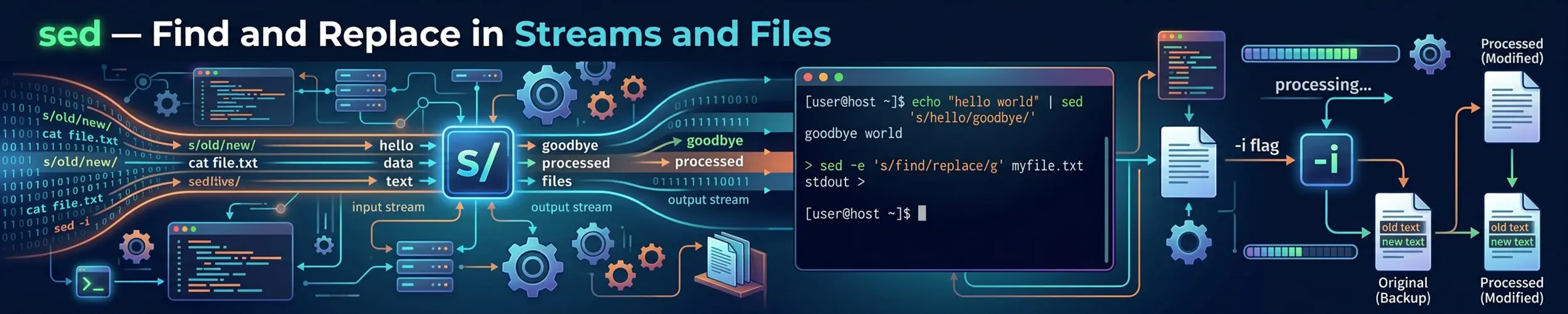
sed is a stream editor: it reads text line by line, applies the edits you specify, and writes the result out. It is how you change text without opening an editor, which makes it indispensable in scripts, pipelines, and anywhere you need to modify a hundred files at once.
sed can do a great deal, but ninety per cent of real-world use is one operation: substitution.
Substitution
sed 's/old/new/' file.txtRead that as substitute old with new. By default it replaces only the first match on each line and prints the result to standard output — the file itself is untouched.
sed 's/old/new/g' file.txt      # every match on each line
sed 's/old/new/2' file.txt      # only the second match on each line
sed 's/old/new/gi' file.txt # every match, case-insensitive| Flag | Effect |
|---|---|
g | Global — replace every match on the line, not just the first |
i | Case-insensitive matching |
N | Replace only the Nth match |
p | Print the line — useful with -n |
w file | Write changed lines to a file |
The delimiter is not special
/ is conventional, not required. Any character works, and choosing a different one saves you from escaping:
# Painful
sed 's/\/usr\/local\/bin/\/opt\/bin/' file

# Same thing, readable
sed 's|/usr/local/bin|/opt/bin|' file
sed 's#/usr/local/bin#/opt/bin#' fileAnyone who has written the first version once never writes it again. Use | or # whenever paths are involved.
Editing files in place
sed -i 's/old/new/g' file.txt              # GNU / Linux
sed -i.bak 's/old/new/g' file.txt # keep file.txt.bak as a backupThis is where portability bites. GNU sed (every Linux distribution) takes an optional suffix attached to -i. BSD sed (macOS) requires an argument, even an empty one:
sed -i '' 's/old/new/g' file.txt # macOS / BSD — note the empty ''Run the GNU form on a Mac and you get an unhelpful error about an unterminated command. Run the BSD form on Linux and sed treats '' as a filename. There is no single invocation that works on both, which is why portable scripts either test for the platform or avoid -i entirely:
sed 's/old/new/g' file.txt > file.tmp && mv file.tmp file.txtAlways preview before using -i. Run the command without it first and look at the output. In-place editing has no undo, and a pattern that matches more than you expected will quietly mangle the file.
Addresses: choosing which lines
Put an address before the command and sed only acts on matching lines.
sed '3s/old/new/' file            # line 3 only
sed '2,5s/old/new/' file          # lines 2 to 5
sed '5,$s/old/new/' file          # line 5 to the end
sed '/^#/s/old/new/' file         # only on lines starting with #
sed '/BEGIN/,/END/s/old/new/' file    # between two markers
sed '/^#/!s/old/new/' file # on lines NOT starting with #$ means the last line, and ! negates any address. Regex addresses are often more robust than line numbers, because line numbers change the moment someone edits the file.
Other commands worth knowing
sed '/^$/d' file                  # delete blank lines
sed '/^#/d' file                  # delete comment lines
sed '3d' file                     # delete line 3
sed '2,4d' file                   # delete a range

sed -n '10,20p' file              # print only lines 10-20
sed -n '/error/p' file            # print matching lines (like grep)
sed -n '$=' file                  # count lines (like wc -l)

sed '2i\Inserted before line 2' file
sed '2a\Appended after line 2' file
sed '3c\Replacement for line 3' file-n suppresses the automatic printing of every line, which is what makes p selective rather than duplicating output. sed -n '...p' is the standard idiom for extracting.
Chain several operations with -e, or separate them with semicolons:
sed -e 's/foo/bar/g' -e '/^$/d' file
sed 's/foo/bar/g; /^$/d' fileCapture groups
Parentheses capture part of the match; \1 through \9 reference them in the replacement.
# Swap two comma-separated fields
sed -E 's/(\w+),(\w+)/\2,\1/' names.txt

# Reformat a date from YYYY-MM-DD to DD/MM/YYYY
sed -E 's/([0-9]{4})-([0-9]{2})-([0-9]{2})/\3\/\2\/\1/' file

# Wrap every line in quotes
sed 's/.*/"&"/' file& in the replacement means “the entire match”, which saves defining a group when you want to keep everything and add something around it. Escape it as \& if you need a literal ampersand.
As with grep, sed defaults to basic regular expressions, where (, ), + and {} need escaping. Use -E for extended syntax and save yourself the backslashes.
Recipes
# Strip comments and blank lines from a config
sed -E '/^\s*#/d; /^\s*$/d' /etc/ssh/sshd_config

# Trim trailing whitespace across a project
find . -name "*.py" -exec sed -i 's/[[:space:]]*$//' {} +

# Change a config value in place, safely
sed -i.bak 's/^Port 22$/Port 2222/' /etc/ssh/sshd_config

# Remove ANSI colour codes from captured output
sed -E 's/\x1b\[[0-9;]*m//g' logfile

# Print a specific line
sed -n '42p' file

# Delete everything after a marker
sed '/^### END/,$d' file

# Replace only on lines that also match something else
sed '/production/s/debug=true/debug=false/' config.iniThat last pattern — an address plus a substitution — is the one that makes sed genuinely better than a blunt find-and-replace. It lets you change a value only in the context where it matters.
Gotchas
Special characters in the replacement
&, \ and the delimiter all have meaning in the replacement text and must be escaped. If you are substituting in a value that came from a variable, this is a real hazard — a password or path containing a slash will break the command or, worse, produce silently wrong output.
Regular expressions are greedy, with no lazy option
.* matches as much as it possibly can, and POSIX regex has no .*? equivalent. To match up to the first occurrence of a character, use a negated class instead:
sed -E 's/^([^:]*):.*/\1/' /etc/passwd # everything before the first colonsed works one line at a time
A pattern cannot match across a line break in normal operation, because sed only ever holds one line. Multi-line editing is possible using the hold space and commands like N, D and P, but it is genuinely difficult to read. If you need it, reach for perl -0777 -pe, awk, or Python instead. Knowing when to stop using sed is part of using it well.
Do not parse structured formats with sed
HTML, XML, JSON and YAML have nesting and escaping rules that line-based regex cannot honour. It will appear to work on your sample and fail on real input. Use jq for JSON, yq for YAML, and a real parser for markup.
Quick reference
sed 's/old/new/' f         # first match per line
sed 's/old/new/g' f        # all matches
sed 's|/a/b|/c/d|' f       # alternative delimiter
sed -i.bak 's/a/b/g' f     # in place, with backup (GNU)
sed -i '' 's/a/b/g' f      # in place (macOS/BSD)
sed '/^#/d' f              # delete comment lines
sed '/^$/d' f              # delete blank lines
sed -n '10,20p' f          # print a line range
sed -n '$=' f              # count lines
sed -E 's/(a)(b)/\2\1/' f  # capture groups, extended regex
sed '5,$s/a/b/' f # from line 5 onwardRelated commands
- grep — finds lines; sed changes them.
awk— better when the data has fields and you need arithmetic or logic.tr— simpler and faster for single-character translation or deletion.cut— extracting columns, where sed would be overkill.- find — pairs with sed to edit many files at once.