

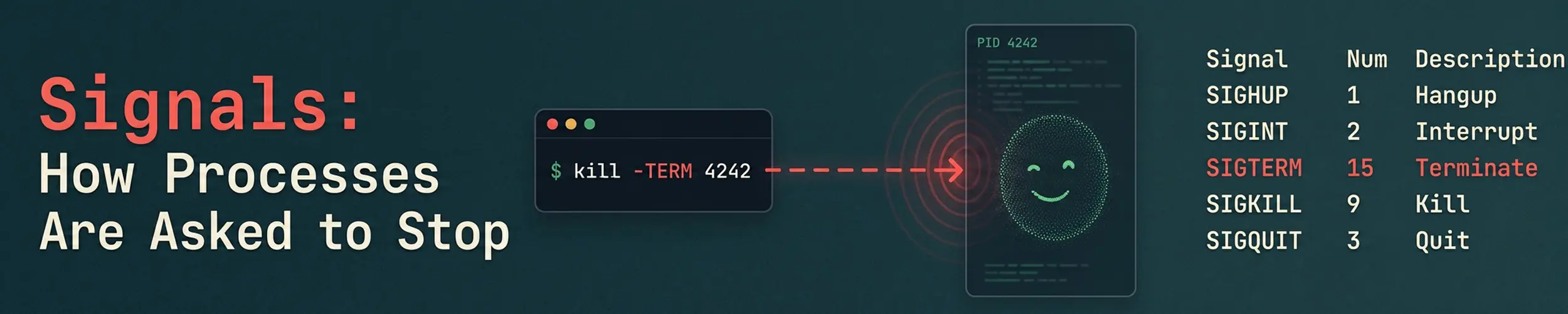
Pressing Ctrl+C, running kill, systemctl stop, and stopping a container are all the same thing underneath: a signal is delivered to a process. A signal is the smallest possible message — a number, no payload — and what happens next depends entirely on whether the receiving program has arranged to hear it.
That is why some things shut down neatly and others leave a mess behind, and why kill -9 is both the thing that always works and the thing you should reach for last.
What a signal actually is
The kernel marks the target process as having a signal pending. Next time that process is about to run, the kernel checks the mark and acts on it, doing one of three things:
- Runs a handler the program registered — whatever code it chose
- Applies the default action for that signal, usually terminating the process
- Does nothing, because the program blocked or ignored it
The program’s own code is interrupted mid-flow to do this, then resumes. Nothing is queued and nothing carries data: ten identical signals arriving while one is pending may be delivered as one.
The ones worth knowing
| Signal | Number | Default | Sent by |
|---|---|---|---|
| SIGTERM | 15 | Terminate | kill with no argument, systemctl stop |
| SIGINT | 2 | Terminate | Ctrl+C |
| SIGQUIT | 3 | Terminate, core dump | Ctrl+\ |
| SIGKILL | 9 | Terminate, cannot be caught | kill -9, the OOM killer |
| SIGSTOP | 19 | Suspend, cannot be caught | kill -STOP |
| SIGTSTP | 20 | Suspend | Ctrl+Z |
| SIGCONT | 18 | Resume | fg, bg |
| SIGHUP | 1 | Terminate | Terminal closing — but see below |
| SIGUSR1/2 | 10/12 | Terminate | Nothing — reserved for the application |
| SIGPIPE | 13 | Terminate | Writing to a closed pipe |
SIGHUP is the interesting one. Its original meaning was “your terminal has gone away”, but long-running daemons have no terminal, so by convention they reuse it to mean reload your configuration. systemctl reload nginx does not send it: on Debian and Ubuntu the unit runs nginx -s reload, a second nginx process that parses the configuration itself and then sends SIGHUP to the PID in /run/nginx.pid. And whether a reload drops connections is the program’s business, not the signal’s — nginx’s old workers finish the requests they are holding, while sshd’s SIGHUP handler re-execs the daemon and will kill it outright if the new configuration cannot bind.
SIGPIPE explains a pipeline mystery. head closes its input once it has ten lines, and the command upstream is then killed by SIGPIPE rather than running to completion — which is why yes | head terminates instead of running forever.
The two that cannot be argued with
kill -9 does not tell the program anything — it tells the kernel. SIGKILL and SIGSTOP are the only two signals a process cannot catch, block or ignore, because they are never delivered to it at all; the kernel simply removes the process. That is what makes them reliable, and it is exactly why they are the wrong first choice: the program never learns it is ending, so it does not flush its buffers, finish its current write, remove its lock file or close its database transaction. Send SIGTERM, wait a few seconds, and only then escalate. Reaching for -9 reflexively is how a clean shutdown becomes a corrupted file.
There is one case where even SIGKILL appears not to work: a process in uninterruptible sleep, shown as state D. It is blocked inside a kernel operation — usually I/O against a disk or an unresponsive NFS mount — and signals are not processed until that returns. Nothing you send will help; fix the storage.
Sending them
kill 1234              # SIGTERM, the polite default
kill -TERM 1234        # the same, said explicitly
kill -9 1234           # last resort
kill -HUP 1234         # reload configuration, by convention

pkill -f 'python worker.py'    # by command line, not PID
killall nginx                  # by exact process name

kill -l                # every signal name and number on this machine
kill -0 1234           # send nothing; just test whether it exists
kill -0 is the idiom scripts use to check a PID is alive, since it performs the permission check and delivers nothing.
pkill -f matches against the full command line, which is what you want for interpreted programs where every process is called python3. Check the match first with pgrep -af — a pattern that is broader than you thought is a fast way to kill things you did not mean to.
Ctrl+C does not signal one process. It signals the whole foreground process group of the terminal, which is why interrupting a pipeline stops every stage of it at once, and why a background job carries on when you press it.
What systemd does when you stop a service
systemctl stop is the escalation described above, automated:
[Service]
KillSignal=SIGTERM       # sent first
TimeoutStopSec=90        # how long it waits
KillMode=control-group   # signals every process in the unit, not just the main one
SendSIGKILL=yes # escalate when the timeout expiresIf a shutdown takes exactly ninety seconds and then completes, the service is ignoring SIGTERM and the timeout is what finished it — a common shape for a stop that feels mysteriously slow. Lowering the timeout hides the symptom; making the program handle SIGTERM fixes it.
KillMode=control-group matters for anything that forks. Killing only the main process leaves its children running as orphans; signalling the whole cgroup does not.
PID 1, and why containers ignore Ctrl+C
PID 1 is special: signals with default actions are not applied to it unless it has installed a handler. The kernel protects the init process from being killed by accident.
In a container, your application is usually PID 1. So if it has no SIGTERM handler, docker stop sends SIGTERM, nothing happens, and ten seconds later Docker sends SIGKILL — which is why so many containers take exactly ten seconds to stop and lose whatever was in flight.
Two related traps. Writing CMD npm start in shell form puts /bin/sh at PID 1, and a plain shell does not forward signals to its child at all; use the exec form (CMD ["npm", "start"]) so your program is PID 1 itself. And because PID 1 is also responsible for reaping orphans, an application that was never designed for the role accumulates zombies — which is what docker run --init and tini exist to solve.
Watching signals arrive
# which signals this process catches, blocks or ignores (bitmasks, in hex)
grep -E 'Sig(Cgt|Ign|Blk)' /proc/1234/status

# watch them being delivered
sudo strace -p 1234 -e trace=none -e signal=all

# what killed it, after the fact
systemctl status myapp | grep -i 'status='
echo $? # 128 + signal number, so 143 is SIGTERM and 137 is SIGKILLThose two exit codes are worth memorising. 143 means it was asked to stop and did. 137 means it was killed outright, either after a timeout or by the OOM killer — and a container exiting 137 is nearly always one of those two.
Symptoms and what they mean
| Symptom | What is happening | Check |
|---|---|---|
| Ctrl+C does nothing | Program handles SIGINT, or is in state D | ps -o stat=; try kill -TERM |
| Stop always takes exactly 90 seconds | SIGTERM ignored; the timeout finished it | TimeoutStopSec, then fix the handler |
| Container stops after exactly 10 seconds | PID 1 has no SIGTERM handler | Exec form in CMD, or --init |
| Exit code 137 | SIGKILL — timeout or OOM | dmesg | grep -i oom |
| Exit code 143 | SIGTERM, handled — a clean stop | Nothing to fix |
| Reload said it worked and the old config is still live | The unit’s ExecReload= finished successfully; that is a different event from the program adopting the file | systemctl status UNIT, then read the Process: … ExecReload= line — not CanReload, which says yes either way |
| Children survive after stopping a service | Only the main PID was signalled | KillMode=control-group |
Process survives kill -9 | Uninterruptible sleep in the kernel | State D — investigate the storage |
| Script dies partway through a pipeline | SIGPIPE from a closed reader | Normal; handle or ignore it |
The through-line is that a signal is a request, not a command — except for the two that are. Most shutdown problems are a program that never agreed to listen, and the fix belongs in the program rather than in a bigger hammer.
Related reading
- Processes and memory — process states, including
D - systemd explained — units, cgroups and the stop sequence
- Processes: ps, top and kill — the commands that send these
- systemctl — stop, restart and reload in practice
- The Life of a Reload — what a reload actually sends (usually not SIGHUP), and the five ways one can fail while reporting success.
- Docker basics — where the PID 1 problem bites hardest