

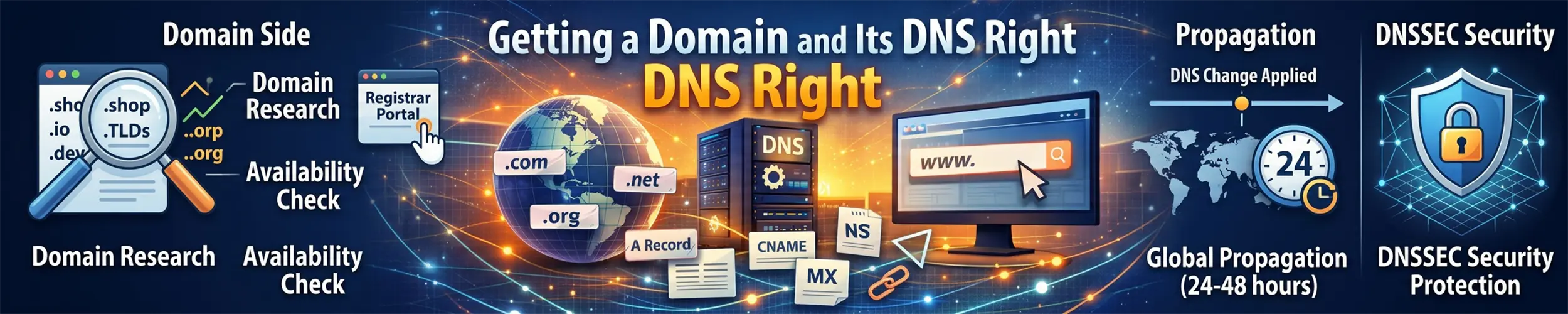
A domain is two separate things that people conflate: the registration, which is who owns the name, and the DNS, which is what the name points at. They can live with different companies, and understanding the split is what makes everything else here straightforward.
What this does not do. DNS does not make anything reachable — it only says where to look. A correct record pointing at a server with a closed firewall fails exactly like a wrong record, and the error message will be no help in telling them apart. DNS is also not access control: names are public, and pointing a record at an internal machine reveals its address to anyone who asks. And nothing here protects a domain you let expire, which is the single most common way people lose one.
Step 1: register the name, and separate the two jobs
Your registrar is who you buy the name from. Your DNS host runs the nameservers that answer questions about it. Most registrars offer DNS as well, which is convenient and often perfectly fine.
What to look for in a registrar, in order: transparent renewal pricing (the introductory year is not the price), free WHOIS privacy, two-factor authentication on the account, and no charge for a transfer out. That last one tells you a lot about a company’s attitude.
Do three things immediately after buying:
- Turn on auto-renew, and check the card on file has an expiry date beyond the renewal
- Turn on two-factor authentication — control of the registrar account is control of everything the domain touches, including your email and therefore your password resets
- Turn on registrar lock, which blocks transfers until you deliberately unlock
Verify: whois example.com shows an expiry date at least a year out and a status containing clientTransferProhibited. Put the expiry date in a calendar anyway — auto-renew fails silently when a card expires.
Step 2: understand what the nameservers do
The NS records at your registrar say which nameservers are authoritative. Everything else — every A record, every MX record — lives on those nameservers, not at the registrar.
This is the source of the most common confusion in DNS: you edit a record, nothing happens, and it is because you edited it at the registrar while the domain’s nameservers point at a hosting company. Find out where the answers actually come from before changing anything:
dig +short NS example.com          # who is authoritative
dig +short A example.com           # what the world currently gets
dig @ns1.provider.net example.com # ask that nameserver directlyOne caveat on the first of those commands. dig +short NS example.com asks your recursive resolver, which answers with the list your zone publishes — not the delegation your registry publishes. When the two disagree, which is exactly the case you would run it to detect, it shows you the one nobody uses. The list that decides which servers actually get asked comes from a parent nameserver: dig +norec @<a nameserver for the level above you> example.com A +noall +authority. The Life of a DNS Zone has the packet capture.
Verify: the NS records you see and the control panel you have been editing are the same provider. If they are not, that is your bug.
Step 3: create the records you actually need
| Type | Says | Typical use |
|---|---|---|
| A | This name is at this IPv4 address | example.com → 203.0.113.10 |
| AAAA | The same, for IPv6 | Add one if your server has IPv6 |
| CNAME | This name is an alias for that name | www → example.com |
| MX | Mail for this domain goes here | Your mailbox provider’s hosts |
| TXT | Arbitrary text, used for verification and mail policy | SPF, DKIM, DMARC, domain ownership proofs |
| CAA | Only these authorities may issue certificates | A cheap, underused safeguard |
A minimal, correct zone for one web server:
example.com.        A     203.0.113.10
example.com.        AAAA  2001:db8::10
www.example.com.    CNAME example.com.
example.com. CAA 0 issue "letsencrypt.org"Two rules that trip people up. You cannot put a CNAME at the apex — the bare example.com — because the standard forbids a CNAME coexisting with the other records that must exist there. Providers work around this with a synthetic type called ALIAS or ANAME; use that if you need the apex to follow a hostname. And a CNAME cannot sit alongside anything else at the same name, which is why www as a CNAME plus a TXT record on www is invalid.
If the domain sends email, the three records in the email guide — SPF, DKIM and DMARC — belong here too. And if it does not send email, publish that fact, so nobody can convincingly forge it. Worth adding a null MX (MX 0 .) alongside these two, which says the domain accepts no mail at all: it is the one refusal anywhere in email that is instant and unambiguous, and a sender bounces on it in a fraction of a second rather than retrying for five days.
example.com.         TXT   "v=spf1 -all"
_dmarc.example.com. TXT "v=DMARC1; p=reject;"Verify: dig +short A example.com and dig +short AAAA example.com return what you expect, and curl -I https://example.com reaches the right server. If DNS is right and curl fails, the problem is the firewall or the web server — the box at the top of this page.
Step 4: get TTL right before you need it
The TTL on a record is how long resolvers may cache the answer. It is the single most consequential number in DNS and nobody thinks about it until the day of a migration. Note that it governs records, though, and not the two changes that most often take a domain down: changing your nameservers runs on the parent’s delegation NS TTL, and any DNSSEC change on the parent’s DS TTL. Both are published by the registry, neither is editable by you, and both are routinely far longer than anything in your own zone. You can read them with a single query at a parent nameserver — The Life of a DNS Zone has the command, those two clocks, and the four others that run alongside them.
A TTL of 86400 means that when you change the record, some resolvers will keep serving the old answer for a full day. There is no way to flush the world’s caches; you can only wait.
So the procedure for any planned move is:
- At least one full old-TTL period in advance, lower the TTL to 300 seconds
- Wait for the old TTL to expire everywhere — if it was 24 hours, wait 24 hours
- Make the change; it now propagates in five minutes
- Once you are happy, put the TTL back up to an hour or a day
Lowering the TTL on the day of the move accomplishes nothing, because the resolvers holding the old record also cached the old TTL along with it.
dig example.com | grep -A1 'ANSWER SECTION'   # the number before IN is the TTL
dig @1.1.1.1 example.com +noall +answer       # what a public resolver has cached
dig @8.8.8.8 example.com +noall +answerVerify: run the same query twice a few seconds apart against a public resolver. The TTL counts down, which tells you it is serving from cache and how long is left on it.
Step 5: move a live site without a gap
The key insight is that during a change, some visitors reach the old server and some the new one, simultaneously, for the length of the TTL. Any plan that assumes an instant switch is wrong.
- Lower the TTL, as above, days ahead
- Build the new server completely and test it by IP, or with a
/etc/hostsentry that points the real name at the new address on your own machine only - Make the old server read-only, or accept that writes during the window will be split between two machines
- Change the record
- Leave the old server running for at least twice the old TTL — turning it off immediately is how you produce an outage for the people still being sent there
# test the new server under the real hostname, before changing DNS
# add to /etc/hosts on your own machine:
203.0.113.99 example.com www.example.comThat hosts trick is the most useful thing in this guide. It lets you verify TLS certificates, virtual host configuration and redirects against the real name, with no risk to anybody else.
Verify: watch the old server’s access log after the change. Traffic should fall away over the TTL period and stop. When it has stopped for a few hours, the move is genuinely finished.
Step 6: lock it down
Two things worth doing once and then forgetting.
CAA records restrict which certificate authorities may issue for your domain. Authorities are required to check them, so a single line meaningfully reduces the chance of a certificate being issued for your name by someone who should not have one.
DNSSEC signs your zone so that resolvers can detect tampered answers. Most DNS hosts now enable it with one click, which pushes the required record to your registrar automatically. That is worth doing. What is not worth doing is managing DNSSEC by hand across a provider migration — a mismatch between the signed zone and the registrar’s record makes the domain resolve nowhere, and it is one of the few DNS mistakes that takes a domain completely off the internet rather than merely pointing it somewhere wrong. Be careful how you sequence it, though, because “turning DNSSEC off” is not something you do to your own zone: it is removing a DS record from your parent’s zone, and it is not finished until that record’s TTL has expired in every validating resolver that has looked you up — on .com, a day. Remove the DS and migrate inside that window and the domain SERVFAILs for everyone who had cached the old DS while answering perfectly for everyone who had not: EDE: 9 (DNSKEY Missing) from one resolver and a correct answer from another in the same second, with every authoritative server healthy. Publish the new DS alongside the old, wait a full DS TTL, move the signing, and only then remove the old one — or publish CDS records in your own zone and let the registry handle the ordering for you. The Life of a DNS Zone has the measurement and the ordering rule.
Finally, prune. Old records for services you no longer run are a real risk: a subdomain still pointing at a cloud address you have released can be claimed by whoever is allocated that address next.
dig +short CAA example.com
dig +short DS example.com          # present means DNSSEC is set up at the registrar
delv example.com # validates the chain, if delv is installedVerify: list every record in the zone and account for each one. Anything you cannot explain should be removed — after checking it is not the verification record for something you still use.
Before you call it done
- Auto-renew on, card not expiring first, expiry date in a calendar
- Two-factor authentication on the registrar and DNS accounts
- Registrar lock on
- You know which nameservers are authoritative, and edit records there
- A and AAAA both set, if the server has both
- SPF, DKIM and DMARC set — or a null SPF and a reject policy if the domain sends no mail
- A CAA record naming your certificate authority
- TTLs deliberately chosen, and lowered in advance of any planned change
- No records pointing at addresses you no longer control
- A monitoring check on the domain resolving and the certificate’s expiry
Related reading
- The Life of a DNS Zone — the long one: what your parent publishes about your zone, and the six clocks that decide when a change is over
- How a name is actually resolved — the layers underneath all of this
- Sending email from your server — the three DNS records that let a receiver attribute your mail to you, which is a precondition for deliverability rather than the same thing
- The Life of an Outbound Email — the long one: what those records actually authenticate, which is never the address your recipient reads
- Server migration — the move this is one half of
- What a TLS certificate actually proves — why CAA matters
- Networking basics —
digand friends