

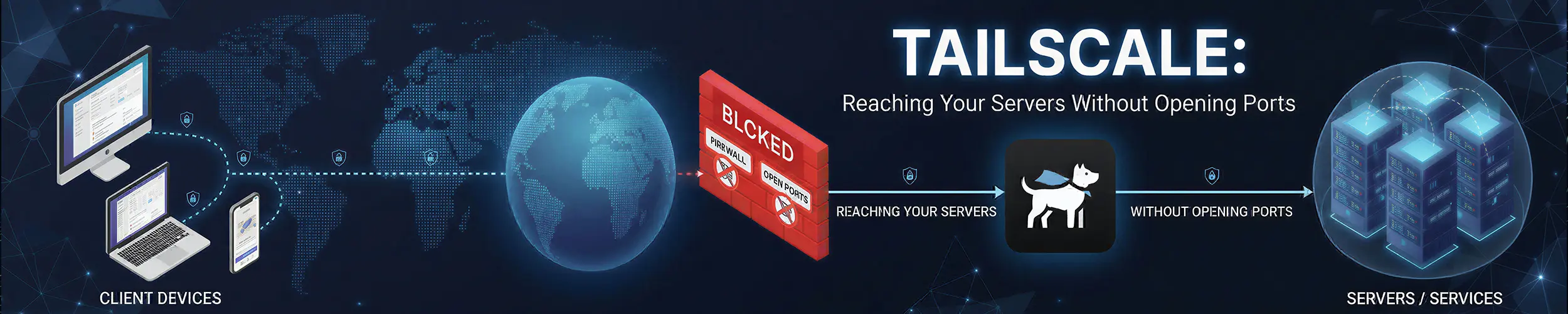
The traditional way to reach a machine you are not sitting next to is to expose a port to the internet, secure it properly, and accept that it will be scanned continuously from the moment it comes up. That works, and it is what securing a new server is largely about.
Tailscale takes a different approach: put every machine on a private encrypted network of its own, reachable from your other machines and from nowhere else. Nothing is published to the internet, so there is nothing to scan.
It works through NAT and firewalls without configuration, which is what makes it feel like magic the first time — a machine behind a home router, with no port forwarding and no static address, is simply reachable.
Is it worth your time?
Yes, if you administer machines in more than one place — a VPS, a home server, a Raspberry Pi, a laptop. It removes an entire category of firewall and port-forwarding work.
Especially yes for anything behind a home router or a connection with no public address, where the traditional answer is painful or impossible.
Understand the trade first. You are adding a dependency on a third-party coordination service, in exchange for removing your public attack surface. That is usually a good trade — but it is a trade, and the next section is about what you are actually agreeing to.
What it actually is
Tailscale is a management layer on top of WireGuard, the VPN protocol now built into the Linux kernel. WireGuard is fast and secure but leaves you to distribute keys and configure every endpoint by hand, which is tedious for two machines and unmanageable for twenty.
Tailscale handles that part. Each machine authenticates to a coordination server, which distributes public keys and tells machines how to find each other. After that, traffic goes directly between your machines, encrypted end to end.
| Traditional VPN | Tailscale | |
|---|---|---|
| Shape | Hub and spoke through a server | Mesh, peer to peer |
| Traffic path | Via the VPN server | Directly between machines |
| Works behind NAT | Needs port forwarding | Yes, automatically |
| Adding a machine | Certificates and config | One command, one login |
| Encryption | Varies | WireGuard, end to end |
| Needs a public IP | On the server | No |
| Third-party dependency | No | Yes, for coordination |
Your data does not pass through Tailscale’s servers in normal operation, and they never hold the private keys that could decrypt it — those stay on your machines. The exception is when a direct connection cannot be established at all, in which case traffic is relayed through their infrastructure, still encrypted, just slower.
What the coordination server does hold is the map: which machines you have, their names, and who may talk to whom.
Setting it up
# Install (the official script covers most distributions)
curl -fsSL https://tailscale.com/install.sh | sh

# Or from your package manager where available
sudo apt install tailscale
sudo dnf install tailscale
sudo pacman -S tailscale

# Connect - prints a URL to authenticate in a browser
sudo tailscale up

# What is on your network?
tailscale status

# This machine's address
tailscale ip -4Repeat on a second machine and they can reach each other immediately, by name:
ssh deploy@web-01
ping web-01
curl http://web-01:3000The names work because Tailscale runs a small DNS resolver for your network. That is the part that makes it pleasant to use day to day — no addresses to remember, and the name keeps working when the machine moves to a different network.
On a headless server, authenticate without a browser using a pre-authorised key generated from the admin console:
sudo tailscale up --authkey tskey-auth-xxxxx

# Servers should not expire and force you to re-authenticate
sudo tailscale up --authkey tskey-auth-xxxxx --sshDisable key expiry for servers in the admin console. By default a machine’s authorisation expires after some months, and on a headless box that means it silently drops off the network and you cannot reach it to fix it. This is the single most common Tailscale surprise.
The features worth knowing
| Feature | Does |
|---|---|
| MagicDNS | Reach machines by name |
| Subnet router | Expose a whole LAN to your network |
| Exit node | Route all internet traffic through one machine |
| ACLs | Control which machines may reach which |
| Tailscale SSH | SSH authenticated by Tailscale identity |
| Taildrop | Send files between your machines |
# Share a home LAN with the rest of your network
sudo tailscale up --advertise-routes=192.168.1.0/24

# Offer this machine as an exit node
sudo tailscale up --advertise-exit-node

# Use one
sudo tailscale up --exit-node=my-vps
sudo tailscale up --exit-node=          # stop using it

# Send a file to another machine
tailscale file cp report.pdf laptop:Both the subnet router and the exit node need approval in the admin console after you advertise them — advertising alone does nothing, which is a deliberate safety measure and a common source of “why is this not working”.
The subnet router is the more useful of the two in practice: one machine on your home network makes everything on that LAN reachable — the NAS, the printer, the router’s admin page — without installing anything on those devices.
The combination that matters
Tailscale’s real value on a server shows up when you use it to close the front door entirely. With SSH reachable over Tailscale, port 22 does not need to be open to the internet at all:
# Verify Tailscale SSH works BEFORE you do this
ssh deploy@web-01

# Then close public SSH, allowing it only on the tailnet
sudo ufw allow in on tailscale0 to any port 22 proto tcp
sudo ufw delete allow OpenSSH
sudo ufw status verboseThose thousands of failed password attempts in your logs stop, because there is no longer anything to attempt against. Linux firewalls covers the ufw side, and the usual warning applies with force: confirm the Tailscale route works before removing the public one, and keep your provider’s console access available in case it does not.
What you are agreeing to
This deserves stating plainly rather than buried at the end, because it is the one real objection.
- A third party coordinates your private network. They do not hold your traffic or your private keys, but they do know your machines exist and control who may join. If that is unacceptable for your work, it is unacceptable, and no amount of architecture detail changes it.
- Your identity provider becomes part of your infrastructure. Tailscale authenticates through Google, Microsoft, GitHub or similar — so losing access to that account means losing access to your network.
- Free plans change. The limits on the personal tier have been revised more than once; check the current terms rather than trusting an article, this one included.
- It is another daemon that can fail, on every machine you manage.
If the coordination dependency is the problem rather than the concept, Headscale is an open-source implementation of the coordination server that you run yourself, and the standard Tailscale clients work against it. You take on operating it, and you keep the mesh.
And plain WireGuard remains a perfectly good answer for a small, stable set of machines. It is in the kernel, it depends on nobody, and the configuration burden that Tailscale removes is genuinely manageable at three or four endpoints. What you lose is NAT traversal and easy onboarding.
Things that catch people out
| Symptom | Cause |
|---|---|
| Server silently left the network | Key expiry — disable it for servers |
| Advertised a subnet, nothing happened | Not approved in the admin console |
| Names do not resolve | MagicDNS off, or a conflict with local DNS |
| Connection is slow | Relayed rather than direct — check tailscale netcheck |
| Everything breaks after a reinstall | The machine re-registered as a new node |
| Locked out after closing port 22 | Tailscale was not verified working first |
| Not running after reboot | sudo systemctl enable --now tailscaled |
# Is this a direct connection or a relay?
tailscale status
tailscale netcheck

# Can I reach that machine, and how?
tailscale ping web-01

# The service itself
systemctl status tailscaled
sudo journalctl -u tailscaled -etailscale ping is the diagnostic worth remembering: it reports whether you got a direct connection or fell back to a relay, which explains most performance complaints. Reading Linux logs covers the journal side.
Quick reference
| You want | Command |
|---|---|
| Join the network | sudo tailscale up |
| Join headlessly | sudo tailscale up --authkey tskey-... |
| What is connected | tailscale status |
| This machine’s address | tailscale ip -4 |
| Direct or relayed? | tailscale ping HOST |
| Share a LAN | --advertise-routes=192.168.1.0/24 |
| Offer an exit node | --advertise-exit-node |
| Use an exit node | --exit-node=NAME |
| Send a file | tailscale file cp f.pdf host: |
| Leave the network | sudo tailscale down |
Related reading
- Linux firewalls — closing the public port once Tailscale works
- Securing a new server — the conventional approach this replaces
- ssh — still how you connect, just over a private network
- Networking basics — interfaces, routes and reading
ipoutput - systemctl — managing
tailscaled - Reading Linux logs — when a machine drops off