

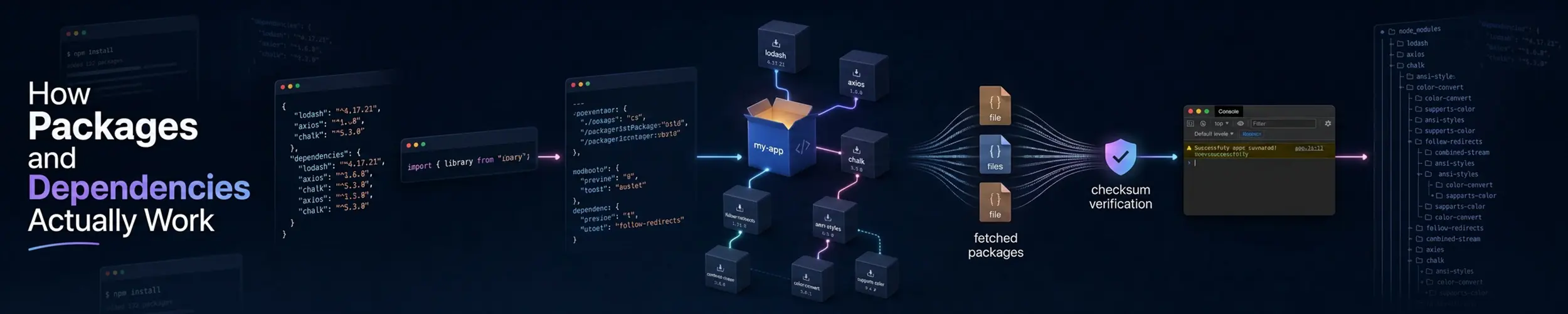
apt install nginx is four separate things happening: reading an index you downloaded earlier, solving a constraint problem, verifying signatures, and unpacking files into your filesystem while running scripts. Almost every package-related problem is one of those four steps going wrong, and they fail in distinguishable ways.
For the commands themselves — apt, dnf and pacman side by side — see Package Management. This page is what they are doing.
What a package actually is
An archive of files, plus metadata, plus scripts. That is all.
- The files and where they go — mirroring the filesystem hierarchy, which is why packaged software never lands in
/usr/local. - Metadata — name, version, architecture, what it needs, what it provides, what it conflicts with.
- Maintainer scripts — run before and after install and removal: creating a service account, reloading systemd, running a database migration.
dpkg -c package.deb          # list its contents without installing
dpkg -I package.deb          # its metadata and dependencies
rpm -qlp package.rpm         # the same, RPM side
rpm -qip package.rpm
dpkg -L nginx                # what an installed package put on disk
dpkg -S /usr/sbin/nginx      # which package owns this file
rpm -qf /usr/sbin/nginx
dpkg -S and rpm -qf are worth committing to memory. “Where did this file come from and should it be here” is a question that comes up constantly, and the package database answers it instantly.
Repositories, indexes and trust
A repository is a directory of packages plus an index describing all of them. Your machine downloads that index and solves against its local copy — which is exactly why apt update and apt upgrade are two commands. The first refreshes the index; the second acts on it. Running upgrade against a stale index produces the familiar 404 when the version it wants was replaced on the mirror.
The index is signed. Your machine holds the repository’s public key, checks the signature on the index, and the index carries a checksum for every package — so a tampered mirror is detected without trusting the transport. This is why an unsigned repository produces a loud warning, and why [trusted=yes] in a sources file is a bad habit.
One correction, because this is the most common error made about package management anywhere. What is described above is the Debian and Ubuntu model: the index is signed, and packages are reached through checksums carried inside it. Fedora and RHEL do it the other way round. Each .rpm carries its own signature — which is why rpm -K somefile.rpm is a meaningful question about a single file a vendor emailed you — but repo_gpgcheck defaults to false, so the repository metadata itself is not signature-checked at all and its integrity rests on TLS. Each family is unprotected exactly where the other is protected, and the consequence you can act on is that apt install ./package.deb verifies nothing whatsoever. The Life of a Package follows both chains end to end.
apt policy                       # every configured source and its priority
apt policy nginx                 # which versions exist, and which is preferred
dnf repolist
dnf repoquery --location nginxDependency resolution
The solver has to find a set of package versions that satisfies every constraint at once. It is a genuinely hard problem, which is why it occasionally proposes something startling — like removing a package you care about to satisfy a conflict elsewhere. Read the summary before pressing Y. “The following packages will be REMOVED” is where systems are lost.
| Relationship | Means |
|---|---|
Depends / Requires | Will not work without it. Installed automatically. |
Recommends | Almost always wanted. Installed by default on Debian; --no-install-recommends skips it. |
Suggests | Related, never installed automatically. |
Provides | A virtual name — several packages can provide mail-transport-agent. |
Conflicts / Breaks | Cannot be installed alongside, or not at that version. |
Replaces | Takes over files previously owned by another package. |
apt-cache depends nginx          # what it needs
apt-cache rdepends libssl3       # what would break if this went
dnf repoquery --requires nginx
dnf repoquery --whatrequires openssl-libs
apt install --no-install-recommends nginxWhy dependencies exist at all: shared libraries
Most Linux programs are dynamically linked. The binary contains no copy of OpenSSL or zlib — only a note saying it needs libssl.so.3, resolved at startup by the dynamic linker. One copy on disk, patched once, fixed for everything. That is the whole design, and packaging exists to keep it consistent.
The number in libssl.so.3 is the soname, and it is a compatibility promise rather than a version. It changes only when the library breaks compatibility — which is why libssl.so.1.1 and libssl.so.3 can coexist, and why a package built against one will not accept the other.
ldd /usr/sbin/nginx              # every library it needs, and where each resolved
ldd ./myprogram | grep 'not found'
objdump -p /usr/lib/x86_64-linux-gnu/libssl.so.3 | grep SONAME
sudo ldconfig -p | grep libssl # the linker's cache of what is availableversion 'GLIBC_2.34' not found is the error you get when a binary built on a newer distribution is run on an older one. glibc is backward compatible, not forward compatible — old binaries run on new systems, never the reverse. There is no flag that fixes it. Build on the oldest system you need to support, use a container, or use a statically linked binary.
The misreading: mixing sources is a system-level decision
A distribution release is a set of packages tested together against one set of library versions. Adding a repository built for a different release invites the solver to pull a newer core library, which then drags half the system with it. Debian users call the result FrankenDebian; it usually appears months later as a system that cannot be upgraded.
The ordinary sources of trouble, roughly in order of how often they bite:
- A third-party repository or PPA for the wrong release. Pin it so it can only supply its own packages, never core libraries.
sudo pip install— writes into the same directories the package manager manages, and the two disagree. Current distributions refuse it outright. Use a virtual environment, orpipxfor applications.make install— untracked by anything. Confine it to/usr/local, and usecheckinstallor astow-style layout if you want to remove it later.- Partial upgrades on a rolling release. On Arch, installing a package against a stale index without a full
-Syuis the single most common way to break the system.
# Debian/Ubuntu: let a repo supply only its own packages
# /etc/apt/preferences.d/thirdparty
Package: *
Pin: origin repo.example.com
Pin-Priority: 100The prompt everyone clicks through
Packages ship default configuration files, and you edit them. On upgrade the manager has to reconcile the two, and the families behave differently — which is why RPM systems appear to apply upgrades silently.
- dpkg stops and asks: keep yours, take theirs, or show a diff. Choosing
Dfor the diff first is almost always right. Automated runs need an explicit--force-confoldor--force-confnew. - RPM does not ask. If you edited the file it keeps yours and writes theirs alongside as
.rpmnew; for files it considers less critical it installs the new one and saves yours as.rpmsave.
sudo find /etc -name '*.rpmnew' -o -name '*.rpmsave'   # after any RPM upgrade
sudo find /etc -name '*.dpkg-dist' -o -name '*.dpkg-old'
rpm -Va          # every packaged file that differs from what was shipped
sudo debsums -c # the Debian equivalentSearching for .rpmnew files after an upgrade takes seconds and regularly turns up a configuration change you were supposed to merge months ago.
Flatpak, Snap and AppImage: the other answer
These formats sidestep the problem by shipping the dependencies with the application, in its own runtime. Nothing shared, so nothing to conflict — an application can require a library your distribution does not have, and the same build runs everywhere.
The cost is the mirror image of the benefit. Disk and memory are duplicated across applications. More importantly, a security fix in a bundled library is only yours when each application rebuilds — with system packages, patching once fixes everything at that soname. That trade is the real argument underneath the snap debate: sandboxing and universality on one side, a single patched copy and native integration on the other.
If you want the level below this one — the eight stages between apt install and working software, following both families at once, including which program owns which file and what that tells you when an install fails halfway — see The Life of a Package. It also collects the advice on this subject that has expired, of which there is an unusual amount: apt-key was removed rather than deprecated, /etc/apt/trusted.gpg is no longer trusted at all, and a third-party repository key that worked last year may have stopped being accepted on the first of February 2026.
Related
- Package Management — apt, dnf and pacman, translated
- The Linux Filesystem — where packages put things, and why
/usr/localis yours - Debian and Arch Linux — two opposite answers to how often packages should change
- Securing a New Server — including unattended security updates