

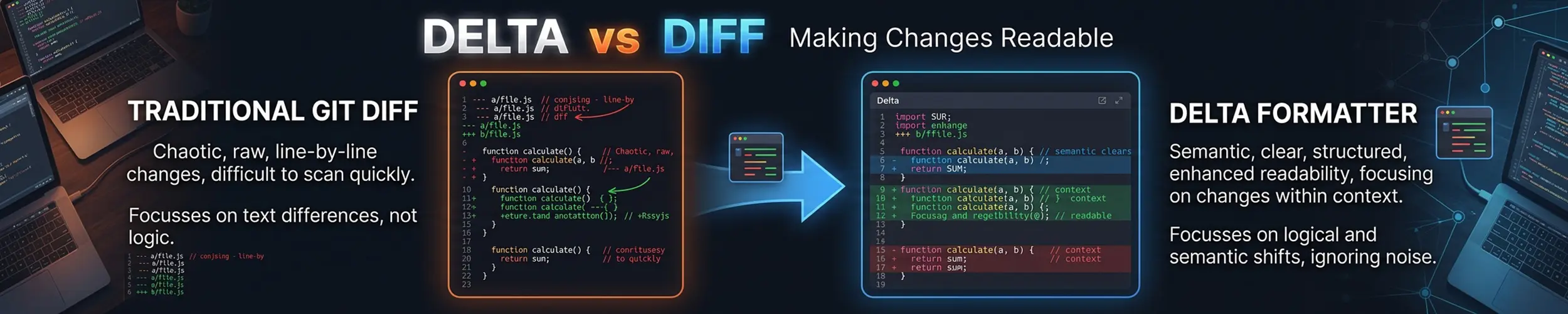
A unified diff is a format from 1990 designed to be applied by a program, not read by a person. Plus and minus signs at the start of lines, no syntax highlighting, no line numbers, and word-level changes hidden inside whole lines marked as replaced. delta takes that same output and renders it for human eyes.
The short verdict. Install it, put five lines in your .gitconfig, and every git diff, git show and git log -p becomes readable. But be clear about what it is: delta does not compute a diff. It is a pager — diff and git still do the work, delta only formats the result. Which is exactly why its output must never go anywhere near patch.
What it changes
Plain diff / git’s default pager | delta | |
|---|---|---|
| Syntax highlighting | None | Yes, by file type |
| Line numbers | Only the hunk header | Both sides, on every line |
| Changed words | Whole line marked | The changed span highlighted within the line |
| Side by side | No | Yes, with wrapping |
| Moving between files | Search in less | n / N jumps file to file |
| Merge conflicts | Raw markers | Rendered as a comparison |
| Output is a valid patch | Yes | No |
| Present on every system | Yes | No |
Installing it — mind the name
The package is git-delta; the command is delta. Installing a package called delta does not get you this tool. This trips people up on every distribution.
sudo apt install git-delta        # Debian, Ubuntu
sudo dnf install git-delta        # Fedora, RHEL family
sudo pacman -S git-delta          # Arch
cargo install git-delta           # anywhere
delta --version # confirm you got the right thingThe configuration that does the work
Almost all of delta’s value comes from wiring it into git properly, not from running it by hand. This is the whole setup:
# ~/.gitconfig
[core]
    pager = delta

[interactive]
    diffFilter = delta --color-only

[delta]
    navigate = true          # n and N move between files
    line-numbers = true
    side-by-side = false     # try true once you have a wide terminal

[merge]
    conflictStyle = zdiff3

[diff]
colorMoved = default # moved code shown as moved, not deleted and addedThree of those lines earn their place beyond the obvious:
interactive.diffFilteris what makesgit add -preadable. Staging hunks is where you most need to see exactly what changed, and it is the setting people most often leave out.diff.colorMovedis a git feature, not a delta one, but delta renders it well. A refactor that moves a function now looks like a move instead of a hundred deleted lines and a hundred added ones.merge.conflictStyle = zdiff3adds the common ancestor to conflict markers, so you can see what the original said. This one is worth setting whether or not you use delta.
Then check what you ended up with, and pick a theme that suits your terminal:
delta --show-config
delta --list-syntax-themes
git config --global delta.syntax-theme 'Monokai Extended'
git config --global delta.dark true # or lightUsing it outside git
| You want | Command |
|---|---|
| Compare two files | delta old.conf new.conf |
| Render an existing unified diff | delta < changes.patch |
| Render diff’s output | diff -u a.txt b.txt | delta |
| Highlight a search result | rg -n pattern | delta |
| Side by side, just this once | git diff | delta -s |
| Compare two directories | diff -ru dir1 dir2 | delta |
The ripgrep line is an underused one: piping rg -n output through delta gives you syntax-highlighted results with file headers, which makes reading matches across a codebase noticeably easier.
Where diff is still the right answer
- Producing a patch.
diff -u old new > fix.patchcreates somethingpatchandgit applycan consume. Delta’s output is decorated for a terminal and is not a patch — do not redirect it to a file and expect it to apply. - Scripts and CI.
diff‘s exit status is the interface: 0 identical, 1 differences, 2 trouble. Countless checks are built onif ! diff -q generated expected. Delta is a display layer and has no business in that pipeline. - Anything parsing the output. Colour codes and box drawing break every parser. Delta is smart enough to disable itself when not writing to a terminal, but do not rely on it — use
git --no-pager diffwhen you mean machine-readable. - Servers and containers. It will not be installed, and
diffalways is. Knowing how to read a unified diff unaided is not optional. - Binary files, and
cmp. Neither tool is for that;cmptells you the first differing byte.
One neighbour worth knowing: difftastic takes a different approach, parsing both files and comparing syntax trees, so reformatting shows as no change at all. It is excellent on a code review and slower on a large repository. Delta is the everyday choice; difftastic is the one to reach for when a diff is dominated by noise.
Quick reference
delta a.txt b.txt        # compare two files
delta -s                 # side by side
delta --color-only       # keep the diff structure, only add colour
delta --show-config      # what settings are actually in effect
n / N                    # next / previous file, when navigate = true
git --no-pager diff # bypass delta entirelyRelated
- bat vs cat — the same syntax-highlighting idea applied to reading files
- ripgrep vs grep — whose output delta can also render
- fzf — for picking the file or commit you want to look at
- vim and nano — where you end up after reading the diff