

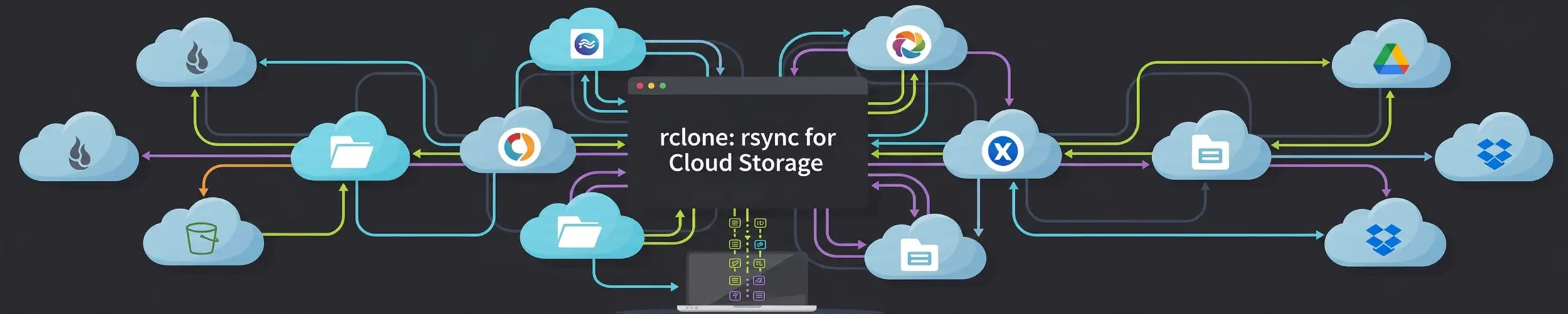
rsync moves files between machines you can SSH into. rclone does the same job for everything else — object storage, consumer cloud drives, WebDAV, FTP, and about seventy other back ends — with one consistent set of commands regardless of what is on the other end.
Is it worth your time? Yes, the moment you need to move data anywhere that is not an SSH host — it replaces a pile of provider-specific CLIs with one command you already understand. No if what you want is backups with history. rclone mirrors the current state of things; it has no snapshots and no easy “what did this look like last Tuesday”. Delete a file and sync, and it is gone at both ends. For real backups use restic — which can, usefully, use rclone as its transport and so reach all the same providers.
What it actually is
A single static binary and a configuration file of remotes. A remote is a named, configured connection — credentials, endpoint, options — and once one exists you refer to it as name:path anywhere a path would go. That naming is the whole design: after configuration, S3 and Dropbox and a directory on your NAS are the same kind of thing.
sudo apt install rclone        # or dnf, pacman — or the project's install script
rclone config                  # an interactive walkthrough, once per remote
rclone listremotes
rclone about b2: # quota and usage, where the provider reports itrclone config handles OAuth for the providers that need it, including opening a browser. On a headless server that will not work — run rclone authorize on a machine with a browser and paste the token across, which the configuration walkthrough prompts you to do.
The configuration file holds credentials in plain text unless you set a password on it. rclone config file tells you where it is; treat it exactly as you would an SSH private key, and consider rclone config encrypt on a laptop.
copy, sync, move — and the one that deletes
rclone sync makes the destination match the source, which means it deletes files at the destination that are not in the source. Point it at the wrong path, or run it when your source has not mounted yet, and it will faithfully empty the other end. This is the same hazard as rsync --delete with a much larger blast radius, because the destination is often the only copy in the cloud. Run every sync with --dry-run first, and read the deletions.
| Command | Does | Deletes anything? |
|---|---|---|
copy | Adds and updates at the destination | No — the safe default |
sync | Makes the destination identical | Yes, at the destination |
move | Copies, then removes from the source | Yes, at the source |
bisync | Two-way, like a file-sync service | Yes, both ends. Read its documentation properly |
check | Compares without transferring | No |
rclone copy /srv/data b2:mybucket/data --progress
rclone sync /srv/data b2:mybucket/data --dry-run       # look first. Always.
rclone sync /srv/data b2:mybucket/data --backup-dir b2:mybucket/deleted-$(date +%F)
rclone check /srv/data b2:mybucket/data
rclone ls b2:mybucket | head
rclone size b2:mybucket--backup-dir is the setting that makes sync survivable: instead of deleting, it moves the file aside into a dated directory. It costs a little storage and converts a category of disaster into an inconvenience.
The flags that matter
--progress            # a live transfer display. Use it interactively
--transfers 8         # parallel file transfers (default 4)
--checkers 16         # parallel comparisons — raise for many small files
--bwlimit 5M          # do not saturate the connection
--bwlimit "08:00,1M 22:00,off"    # slow during the day, full speed at night
--fast-list           # far fewer API calls on object storage. Uses more memory
--exclude '*.tmp' --exclude 'cache/**'
--max-age 30d         # only recent files
--log-file /var/log/rclone.log --log-level INFOTwo are worth understanding rather than copying. --fast-list fetches the whole remote listing in a few calls instead of walking directory by directory, which on S3-style storage with many objects is the difference between minutes and hours — and between a small bill and a surprising one, since providers charge per request.
And the scheduled --bwlimit is the answer to a nightly upload that makes video calls unusable. It accepts a timetable, not just a number.
Two features people miss
A crypt remote encrypts before upload. You wrap an existing remote in a crypt one, and from then on filenames and contents are encrypted on your machine — the provider stores ciphertext and cannot read any of it. You still use it as an ordinary remote.
rclone config       # create a "crypt" remote pointing at b2:mybucket
rclone copy /srv/private secret:            # encrypted on the way out
rclone ls secret: # readable to you, gibberish in the bucketLose the crypt passwords and the data is unrecoverable, with the same finality as a restic repository password. Store them somewhere that is not the machine doing the uploading.
rclone mount presents a remote as a directory. Useful for browsing and for occasional reads; poor for anything with real I/O, because every operation is a network round trip. Fine for pulling one file out of a bucket with ls and cp; not somewhere to put a database, a photo library you are editing, or a container’s data directory.
rclone mount b2:mybucket /mnt/bucket --vfs-cache-mode writes --daemon
fusermount -u /mnt/bucketGotchas
| Symptom | What is happening |
|---|---|
| Everything re-uploads every run | Modification times are not preserved by that back end — add --checksum, or --size-only |
| Slow, with thousands of API calls | Add --fast-list |
| Rate limited by the provider | Lower --transfers and --checkers; some back ends need --tpslimit |
| Files with odd names fail | Providers forbid different characters; rclone can encode them, see its docs per back end |
| A mount is unusably slow | It is a network filesystem. Copy the files instead |
| Consumer drives disconnect periodically | OAuth tokens expire; a headless server needs re-authorising occasionally |
| Costs more than expected | Object storage charges for requests and egress, not only for bytes stored |
Where it does not belong
- As your backup tool. No history, no deduplication, no point-in-time restore. A synced copy of a ransomware-encrypted directory is an encrypted copy.
- Between two SSH hosts. rsync is faster and simpler for that; rclone’s SFTP support exists for completeness.
- As live storage for an application. A mount is not a disk, whatever it looks like.
- Continuous two-way sync between laptops.
bisyncexists but Syncthing is built for it and handles conflicts better. - Unattended, with
sync, and no--backup-dir. One bad path in a cron job empties the destination at three in the morning.
Quick reference
rclone config                          # set up a remote
rclone listremotes
rclone copy src remote:path --progress # additive, safe
rclone sync src remote:path --dry-run  # look before you leap
rclone sync src remote:path --backup-dir remote:trash-$(date +%F)
rclone check src remote:path           # compare without transferring
rclone ls remote:path
rclone size remote:path
rclone mount remote:path /mnt/x --vfs-cache-mode writes --daemon
rclone cleanup remote: # remove old versions, where supportedRelated
- rsync — the right tool between machines you can SSH into
- restic — for backups with history, and able to use rclone as its transport
- Automated Backups — where an offsite copy fits into the whole picture
- systemd Timers — for scheduling it with alerts when it fails