

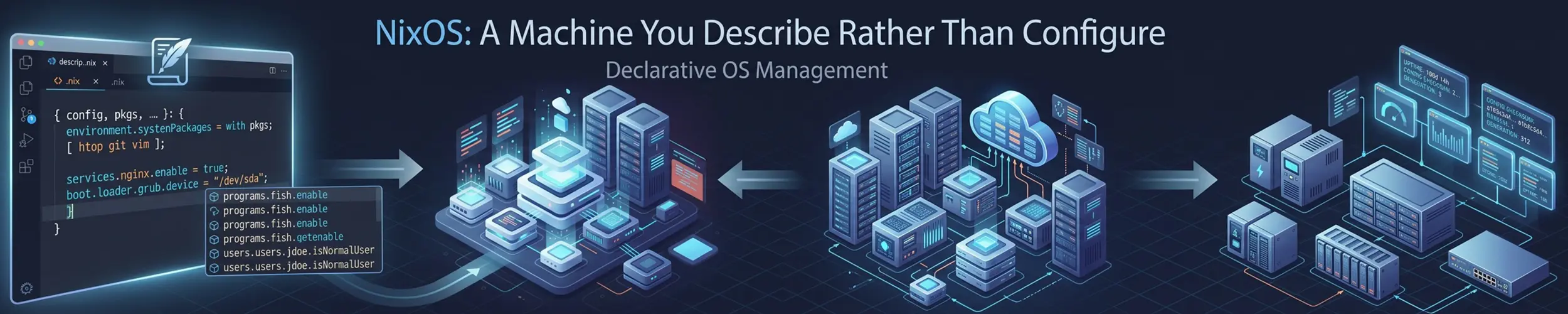
Every other distribution is configured by changing it: install a package, edit a file in /etc, and the machine is now in a state that exists only because of the sequence of things you did to it. NixOS inverts that. You write down what the machine should be, and a tool makes it so — from the same description, on any machine, with the same result.
One file, and generations
# /etc/nixos/configuration.nix
{ config, pkgs, ... }:
{
  networking.hostName = "web1";
  time.timeZone = "Europe/London";

  services.openssh.enable = true;
  services.openssh.settings.PasswordAuthentication = false;
  services.nginx.enable = true;

  users.users.alice = {
    isNormalUser = true;
    extraGroups = [ "wheel" ];
    openssh.authorizedKeys.keys = [ "ssh-ed25519 AAAA..." ];
  };

  environment.systemPackages = with pkgs; [ git tmux ripgrep ];
  system.stateVersion = "26.05";
}That is a whole server: hostname, SSH with passwords disabled, a web server, a user with a key, some tools. Put it in version control and the machine is reproducible. Apply it with one command.
sudo nixos-rebuild switch      # build it, boot into it by default, apply now
sudo nixos-rebuild boot        # apply at the next reboot, not now
sudo nixos-rebuild test        # apply now, but do NOT make it the boot default
sudo nixos-rebuild switch --rollbacktest is the one that deserves attention, especially on a remote machine: it applies the change to the running system without touching what boots. Break the network and a reboot puts you back. That is a safety net no conventional distribution offers.
Every rebuild creates a generation, and every generation stays in the boot menu. Rolling back a bad change is choosing the previous entry — not repairing anything, not remembering what you altered.
Not the same kind of “immutable”
NixOS gets filed alongside Fedora Silverblue and openSUSE Aeon and it does not really belong there. Those ship you the same image everyone else has. NixOS ships you the same result from the same description.
The mechanism is that every package is built in isolation and stored in /nix/store under a path derived from a hash of everything that went into it — sources, dependencies, build flags. Two versions of the same library are two directories, so they coexist without conflict. Nothing shares a mutable /usr/lib, so installing one thing cannot break another, and there is no such thing as a dependency conflict.
That is a genuinely different answer to the problem described in How Packages Work, and it is the reason people put up with everything below.
Releases
Two releases a year, in May and November, numbered by year and month. The current stable is 26.05, codenamed Yarara, from May 2026. Each release is supported for about seven months — roughly one month past the next one — so staying current is not optional: an annual upgrade cadence leaves you unsupported for months at a time. There is also nixos-unstable, which is rolling and always maintained.
Upgrading between releases is the same rebuild command against a new channel, and the release notes list the incompatible option renames. It is a considerably less alarming operation than a distribution upgrade elsewhere, because a failed one is a boot menu entry away from being undone.
The flakes question
Flakes are still officially an experimental feature, and are also what most people use. They add a lock file pinning exact dependency versions — the missing piece that makes a configuration genuinely reproducible across machines and time — and they have not been stabilised. In the project’s own 2025 community survey, roughly four in five respondents said they use them. So you will meet documentation written both ways, tutorials that assume one and answers that assume the other, and an --experimental-features flag on commands that everybody runs. Newcomers find this the single most confusing thing about the ecosystem, and it is a fair reaction.
# enable them permanently, in configuration.nix
nix.settings.experimental-features = [ "nix-command" "flakes" ];

# or per command
nix --experimental-features 'nix-command flakes' flake updateThe practical advice: if you are starting now, turn them on. The documentation you will find online mostly assumes them, and the lock file is the thing that makes the reproducibility claim true rather than aspirational.
Temporary environments, which are the gateway drug
nix-shell -p ffmpeg jq            # a shell where these exist. Nothing installed
nix-shell -p python3 --run 'python3 --version'
nix shell nixpkgs#nodejs_22       # the newer CLI, same idea
nix develop # enter a project's declared dev environmentThis works on any Linux distribution with Nix installed — you do not need NixOS. Needing a tool once, using it, and leaving no trace on the system is a genuinely better answer than installing it and forgetting, and it is the easiest way to try the ideas without committing a machine.
Home Manager is the same approach applied to your user environment — dotfiles, shell configuration, per-user packages, declared in a file. It is a separate community project rather than part of NixOS, versioned to match each release, and usable on other distributions too.
Disk, and the garbage collector
Keeping every generation means keeping everything each generation references. /nix/store grows without bound until you clean it up, and “NixOS filled my disk” is a rite of passage.
nix-collect-garbage --delete-older-than 30d    # sensible: keeps a month of rollbacks
sudo nix-collect-garbage -d                   # deletes ALL old generations
du -sh /nix/storeThe mechanic to understand: a package cannot be deleted while any generation still references it, so garbage collection frees nothing until the old generations go first. That is also why -d is more destructive than it sounds — it removes the rollback history you may want. Schedule the thirty-day form on a timer and forget about it.
The thing that will actually frustrate you
Downloading a binary and running it does not work. Not usually — almost never. Ordinary Linux executables expect a dynamic linker at /lib64/ld-linux-x86-64.so.2 and libraries in /usr/lib; on NixOS neither path exists, because everything lives in the store under hashed paths.
This is not a bug, it is the design working, and it affects a great deal of ordinary life: vendor tools, downloaded release binaries, language package managers that ship compiled wheels or native modules, anything with an installer script. The workarounds are real but they are workarounds — steam-run to run something in a conventional-looking environment, nix-ld to provide the expected linker, buildFHSEnv for a normal-shaped filesystem, or patching the binary with autoPatchelfHook.
If your work involves a lot of prebuilt binaries you did not package, be honest with yourself about how much of that you want to do.
The other costs
- It is a language, not a configuration format. Nix is a lazily-evaluated functional language, and past a certain point you are programming in it. That is a genuine learning curve on top of learning the distribution.
- Error messages are poor, and the project knows it — in its own community survey, error messages and documentation were among the most-requested improvements, behind only flakes themselves.
- Documentation is scattered across a manual, a wiki, a package search, and a great deal of accumulated forum knowledge. Finding the option you need is often harder than setting it.
- Everything is different. No
apt, no/usr, no editing/etcby hand and expecting it to stick. Existing Linux knowledge transfers less than you would like.
One piece of context worth having: the project has been through a multi-year governance transition, from its founder stepping back from the board in 2024 to an elected steering committee today, with continued friction over the boundary between that committee and community moderation. Two independent implementations of Nix — Lix and Aux — emerged from that period. None of this affects whether your machine boots, but it is the sort of thing worth knowing before adopting a technology for a decade.
Who should run NixOS
- Anyone who wants a machine that can be rebuilt exactly, from a file in version control, on new hardware, in a year.
- Teams who want development environments that are identical for everyone without using containers for it.
- People maintaining several machines that should share configuration — the same module, imported by each.
- Anyone who has been burned enough times by upgrades to find “pick the previous boot entry” genuinely compelling.
Who should not
- Anyone new to Linux. Almost nothing you learn here transfers, and almost nothing you read elsewhere applies. Learn Linux on Debian or Mint first.
- Anyone whose work depends on downloaded binaries or vendor installers. See above; it is a daily tax, not an occasional one.
- Teams where one person would understand it. A NixOS fleet nobody else can modify is a liability dressed as an achievement.
- Anyone who wants reproducible servers without a new language. Ansible on Debian gets most of the benefit for a fraction of the learning, and every colleague can already read it.
- People who want to try the idea rather than commit. Install Nix on the distribution you already run and use
nix-shell. That costs nothing and is genuinely useful on its own.
Related
- Immutable and Atomic Distributions — the image-based approach, and why this is not that
- How Packages Work — the dependency problem NixOS answers differently
- Ansible — declarative configuration without changing distribution
- Debian — where to learn the Linux that NixOS assumes you already know