

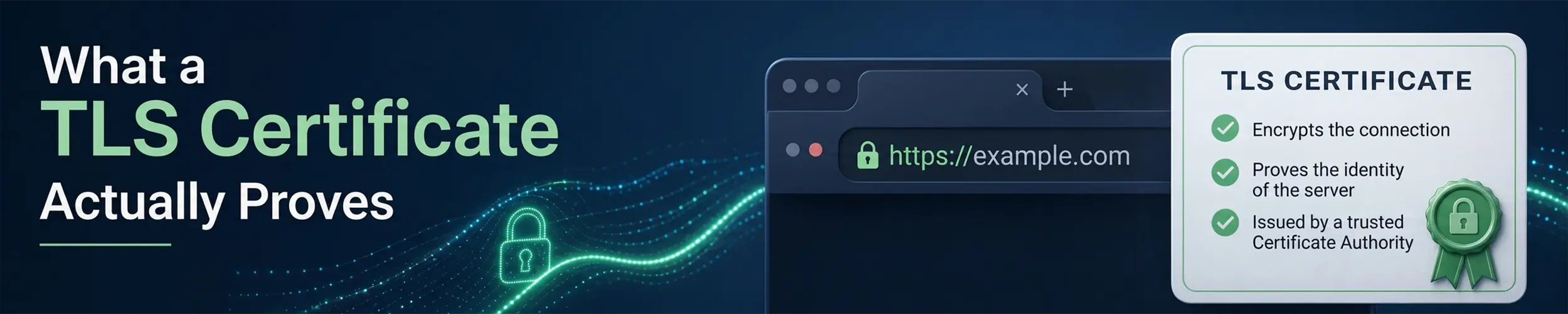
A TLS certificate is a small file containing a public key, one or more names, a validity period, and a signature from somebody else. That is the entire object. Everything people believe about certificates — that the site is safe, that the company is real, that the connection is private — either follows from that narrowly, or does not follow at all.
The chain of trust
Your machine ships with a store of root certificates belonging to certificate authorities. A server presents a leaf certificate for its own name, signed by an intermediate, which is signed by a root you already trust. Your client walks that chain upwards; if it reaches a root in its store, and every signature checks out, and the dates are valid, and one of the names matches what you asked for, the certificate is accepted.
ls /etc/ssl/certs | head              # the trust store, on Debian family
trust list | head                     # on Fedora and RHEL family
awk -v c=0 '/BEGIN CERT/{c++} END{print c" roots trusted"}' \
/etc/ssl/certs/ca-certificates.crtThat count is usually somewhere north of a hundred. Every one of those organisations can issue a certificate for any name in the world that your machine will accept without question. That is the actual trust model, and it is worth knowing rather than assuming something stronger.
The misreading: the padlock is not a safety rating
A valid certificate proves one thing: whoever you are talking to holds the private key for that name. It does not say the site is honest, that the company behind it exists, or that your data is handled well. Anyone who controls a domain can get a free certificate for it in about thirty seconds — including someone who has just registered a convincing misspelling of your bank. The padlock means the conversation is private and you are talking to that name. Whether that name deserves anything is a separate question no certificate answers.
Certificates that claimed to verify an organisation’s identity — the ones that once turned the address bar green — are still sold, but browsers stopped displaying them differently years ago, because there was no evidence anyone read the distinction. In practice there is now one kind: proof of control over a domain name.
The diagnostic
# What a server actually presents, and whether it verifies
openssl s_client -connect example.com:443 -servername example.com </dev/null

# Just the dates
openssl s_client -connect example.com:443 -servername example.com </dev/null 2>/dev/null \
  | openssl x509 -noout -dates -subject -issuer

# Which names it is valid for
openssl s_client -connect example.com:443 -servername example.com </dev/null 2>/dev/null \
  | openssl x509 -noout -ext subjectAltName

# A local file
openssl x509 -in cert.pem -noout -text

# curl's verdict, in one line
curl -vI https://example.com 2>&1 | grep -E 'SSL|subject|issuer|expire'-servername is not optional. Most servers host many sites on one address and choose which certificate to send based on the name the client asks for. Leave it out and you get whichever certificate is the default, then spend twenty minutes investigating a mismatch that does not exist.
The line to look for in s_client output is Verify return code. Zero is success; anything else names the problem, and the number is worth reading rather than skipping to the certificate details.
Works in a browser, fails from curl
This is the single most common certificate problem in production, and the cause is almost always the same: the server is not sending the intermediate certificate.
Browsers hide the fault. They cache intermediates they have seen before, and they will fetch a missing one from the URL in the certificate. Command-line clients, language runtimes and mobile applications generally do neither — they verify what they are given and fail. So the site looks fine to you and breaks for an API client, which makes it look like the client’s problem.
openssl s_client -connect example.com:443 -servername example.com -showcerts </dev/null \
| grep -c 'BEGIN CERTIFICATE' # 1 means only the leaf — that is the bugThe fix is on the server: give it the full chain rather than only your own certificate. With Let’s Encrypt that is fullchain.pem, not cert.pem — picking the wrong one of those two files is how most of these cases start. A reverse proxy with automatic certificates gets this right without you thinking about it, which is a good reason to use one.
The failures, and what each one means
| Error | What is actually wrong |
|---|---|
| unable to get local issuer certificate | Missing intermediate, or a private CA not in the trust store |
| certificate has expired | Expiry — or the client’s clock is wrong |
| hostname mismatch | The name is not in the certificate’s SAN list |
| self-signed certificate | Exactly that; nothing vouches for it |
| self-signed certificate in chain | Something is intercepting — corporate proxy, or worse |
| Works everywhere except one old device | Its trust store predates the CA’s root |
| Works everywhere except in a container | The image has no ca-certificates package |
| Intermittent failures | Load balancer members with different configurations |
Two of those deserve expanding. The Common Name field is dead — modern clients ignore it entirely and check only Subject Alternative Names, so a certificate issued with just a CN fails everywhere with a mismatch error even though the name looks correct in the output.
And a wrong clock breaks TLS completely. A machine whose battery has died and boots thinking it is 2016 will reject every valid certificate on the internet as not-yet-valid. Before debugging a certificate, run timedatectl.
Trusting your own CA, properly
Internal services often use a private certificate authority. Add its root to the system store rather than disabling verification everywhere:
# Debian, Ubuntu — the file MUST end in .crt
sudo cp internal-ca.crt /usr/local/share/ca-certificates/
sudo update-ca-certificates

# Fedora, RHEL, Rocky, Alma
sudo cp internal-ca.crt /etc/pki/ca-trust/source/anchors/
sudo update-ca-trustNote that many runtimes keep their own trust stores and ignore the system one — Java has a keystore, Node has a compiled-in list plus NODE_EXTRA_CA_CERTS, Python’s certifi ships its own bundle. Adding a CA to the system does not automatically fix an application, which is why the same certificate can work from curl and fail from your service on the same machine.
The browsers are the exception that catches people out on Linux, and they are exceptions in two different ways. Chrome has used its own root store on Linux since Chrome 114 and does not consult /etc/ssl/certs at all — so update-ca-certificates succeeding tells you nothing about whether Chrome will trust the CA you just added. It reads the NSS shared database instead, which since M146 defaults to ~/.local/share/pki/nssdb rather than the ~/.pki/nssdb every older tutorial names. Firefox has never used the system store on Linux at all: it needs p11-kit-trust.so loaded as a security device, which Fedora wires up for you through /etc/alternatives/libnssckbi.so and Debian does not.
Do not reach for curl -k, verify=False or their equivalents as a fix. They turn off the check that makes the connection worth anything, and they have a way of persisting into production long after the certificate was corrected. If verification fails, something is genuinely wrong; find out what.
Expiry is an operational problem, not a security one
Certificates from ACME providers such as Let’s Encrypt last ninety days, deliberately: short lifetimes limit the damage from a stolen key and force renewal to be automated. Automated renewal fails silently far more often than it fails loudly — a changed DNS record, a firewall rule, a proxy that no longer serves the challenge path.
# days remaining, for a monitoring check
end=$(openssl s_client -connect example.com:443 -servername example.com </dev/null 2>/dev/null \
  | openssl x509 -noout -enddate | cut -d= -f2)
echo $(( ( $(date -d "$end" +%s) - $(date +%s) ) / 86400 )) days leftAlert at thirty days and at seven, from outside the machine, and check the certificate the server actually serves rather than the file on disk — renewal that writes a new file but never reloads the web server is a real and common failure. Monitoring a Server covers wiring the alert up.
There is a much longer version of the browser half of this page. What Happens When You Type a URL follows the whole path from a keystroke to a response, and its densest stage is this one taken a level deeper: how revocation actually works now that Let’s Encrypt has switched its OCSP responders off, why Chrome and Firefox each answer “do I trust this” differently from the system store and from each other, why a certificate can now fail for having too few Certificate Transparency signatures, and the published schedule that has already cut the maximum public certificate lifetime to 200 days and takes it to 47 in 2029.
Related
- SSH Keys — the same public-key idea, with trust established a completely different way
- A Reverse Proxy with Automatic TLS — which removes most of this page from your life
- curl and wget —
-v, and what its certificate output is telling you - Nginx — where the full chain has to be configured