

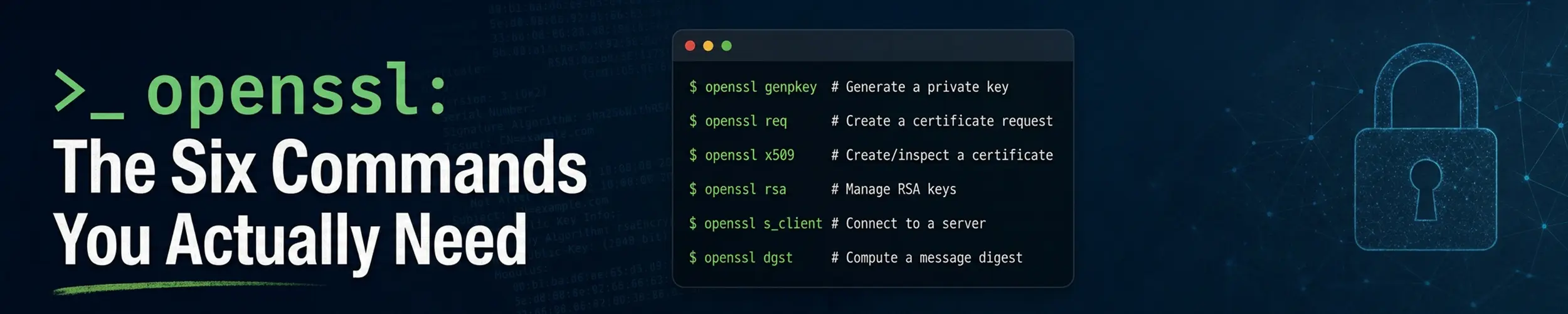
Almost nobody needs openssl in general. What people need is to answer a specific question at a specific moment: when does this certificate expire, why is the browser complaining, does this key match this certificate, what is actually being served on port 443.
Each of those is one command. Here they are, with the traps.
1. What is in this certificate file?
openssl x509 -in cert.pem -noout -textThat prints everything, which is a lot. Usually you want three specific things:
# who it is for, who signed it, and when it dies
openssl x509 -in cert.pem -noout -subject -issuer -dates

# every hostname it actually covers
openssl x509 -in cert.pem -noout -ext subjectAltNameThe Common Name in the subject is not what browsers check. Every current browser validates the hostname against the Subject Alternative Name extension and ignores CN entirely. A certificate whose CN says example.com but whose SAN list does not include it will be rejected, and the error message will not say why. When a certificate “looks right” but the browser disagrees, check subjectAltName first — it is the answer far more often than anything else.
To check expiry in a script rather than by eye:
# exits non-zero if it expires within 30 days
openssl x509 -in cert.pem -noout -checkend 25920002. What is this server actually serving?
This is the one that solves most real problems, because it inspects what is deployed rather than what you think you deployed.
openssl s_client -connect example.com:443 -servername example.com < /dev/null-servername sends SNI. Without it, a server hosting several sites hands you its default certificate and you spend twenty minutes debugging the wrong one. Always include it, and always make it match the hostname.
Redirecting /dev/null into it is what makes the command exit instead of sitting there waiting for you to type HTTP by hand.
Piping the output back into x509 gives you the dates directly:
openssl s_client -connect example.com:443 -servername example.com < /dev/null 2>/dev/null \
| openssl x509 -noout -subject -dates -ext subjectAltNameTwo things to read in the raw s_client output. Verify return code: 0 (ok) at the bottom means the chain validated against your system trust store; anything else is the actual problem. And the Certificate chain block at the top should list your certificate and at least one intermediate — if it shows only one entry, the server is not sending its intermediate, which works in your browser (which has cached it) and fails everywhere else. That is the classic “it works on my machine” TLS bug.
There is a third thing worth reading, and it is the serial number. Compare openssl s_client … | openssl x509 -noout -serial against openssl x509 -in /etc/letsencrypt/live/example.com/cert.pem -noout -serial and you have the one check that proves a renewal reached the running server. A renewal can succeed, write new files and leave the old certificate on the wire, because nothing reloaded — and certbot renew --dry-run cannot catch that, by design. The Life of a Certificate follows one through all six stages from an ACME account to the bytes your server is actually serving.
For mail servers and anything else that upgrades to TLS mid-conversation:
openssl s_client -connect mail.example.com:587 -starttls smtp3. Does this key match this certificate?
When nginx or Apache refuses to start with a key mismatch, this is how you find out which pair is wrong. Compare the moduli — if the two hashes match, the files belong together.
openssl x509 -in cert.pem -noout -modulus | openssl sha256
openssl rsa  -in key.pem  -noout -modulus | openssl sha256

# and if there is a CSR in play too
openssl req -in req.csr -noout -modulus | openssl sha256That works for RSA. For an elliptic-curve key there is no modulus, so compare the public keys instead:
openssl x509 -in cert.pem -noout -pubkey | openssl sha256
openssl pkey -in key.pem -pubout | openssl sha256The pkey form works for RSA keys too, so if you only want to remember one pair of commands, remember that one.
4. Generate a key and a CSR
Most certificates now come from an ACME client that does all of this invisibly. You still need it when a commercial CA or an internal PKI asks you for a CSR.
openssl req -newkey rsa:2048 -nodes -keyout example.key \
-out example.csr \
-subj "/CN=example.com/O=Example Ltd/C=GB" \
-addext "subjectAltName=DNS:example.com,DNS:www.example.com"-nodes means “no DES” — do not encrypt the private key with a passphrase. That is what you want for a web server, because a passphrase-protected key cannot start unattended after a reboot. -addext is what puts the SAN entries in; leave it out and you get a CSR that produces a certificate browsers will reject, per the box above.
Check what you generated before you send it anywhere:
openssl req -in example.csr -noout -text | head -20
chmod 600 example.keyFor a self-signed certificate on an internal box, one command does both:
openssl req -x509 -newkey rsa:2048 -nodes -days 365 \
-keyout internal.key -out internal.crt \
-subj "/CN=box.internal" \
-addext "subjectAltName=DNS:box.internal"A self-signed certificate encrypts the connection but proves nothing about identity, so every client will warn. It is fine for a machine only you use; it is not a substitute for a real certificate on anything other people touch.
5. Convert between formats
Certificate formats are mostly the same data in different envelopes. PEM is the base64 text with -----BEGIN lines that Linux uses; DER is the binary form; PKCS#12 (.p12, .pfx) is a password-protected bundle of key plus certificates that Windows and Java tools like.
| From → to | Command |
|---|---|
| DER → PEM | openssl x509 -inform der -in c.der -out c.pem |
| PEM → DER | openssl x509 -outform der -in c.pem -out c.der |
| PEM → PKCS#12 | openssl pkcs12 -export -out b.p12 -inkey k.pem -in c.pem -certfile chain.pem |
| PKCS#12 → PEM | openssl pkcs12 -in b.p12 -out all.pem -nodes |
| Look inside a PKCS#12 | openssl pkcs12 -in b.p12 -info -noout |
A .crt, .cer or .pem extension tells you nothing reliable about the contents. If a command complains about the format, look at the file: if it starts with -----BEGIN it is PEM, otherwise try -inform der.
6. The small utilities
openssl rand -base64 32 # a genuinely random password or secret
openssl rand -hex 16 # the same, as hex
openssl s_client -connect example.com:443 -tls1_2 < /dev/null # does it still do TLS 1.2
openssl verify -CAfile chain.pem cert.pem # does this chain validateopenssl rand -base64 32 is worth committing to memory. It is the fastest way to produce a strong secret for a config file, and it is available on every machine that has openssl, which is all of them.
Common problems
| Symptom | Likely cause | Check |
|---|---|---|
| Browser says the name does not match | Hostname missing from SAN | -ext subjectAltName |
| Works in your browser, fails from curl or a phone | Intermediate not being served | Chain length in s_client |
s_client hangs and never returns | No input redirect | Append < /dev/null |
| Wrong certificate returned entirely | SNI not sent | Add -servername |
| Web server will not start, key mismatch | Key and certificate are from different requests | Compare public key hashes |
| Service will not start unattended after reboot | Key has a passphrase | Regenerate with -nodes |
unable to load certificate | File is DER, not PEM | Add -inform der |
Certificate looks valid but verify return code is not 0 | Missing or untrusted issuer | openssl verify -CAfile |
Quick reference
# inspect a file
openssl x509 -in cert.pem -noout -subject -issuer -dates
openssl x509 -in cert.pem -noout -ext subjectAltName
openssl x509 -in cert.pem -noout -checkend 2592000
# inspect a live server
openssl s_client -connect example.com:443 -servername example.com < /dev/null
# key matches certificate?
openssl x509 -in cert.pem -noout -pubkey | openssl sha256
openssl pkey -in key.pem -pubout      | openssl sha256
# new key and CSR, with SANs
openssl req -newkey rsa:2048 -nodes -keyout example.key -out example.csr \
-subj "/CN=example.com" -addext "subjectAltName=DNS:example.com,DNS:www.example.com"
# a strong random secret
openssl rand -base64 32Related reading
- How TLS certificates actually work — chains, trust stores and what is being proved
- The Life of a Certificate — where that file came from, and why the renewal that “worked” can still be serving the old one
- A reverse proxy with automatic TLS — the setup where you rarely touch any of this
- curl and wget —
curl -vis often the quicker first look - Nginx — where the certificate and key paths are configured
- SSH keys explained — the other place public-key cryptography turns up daily