

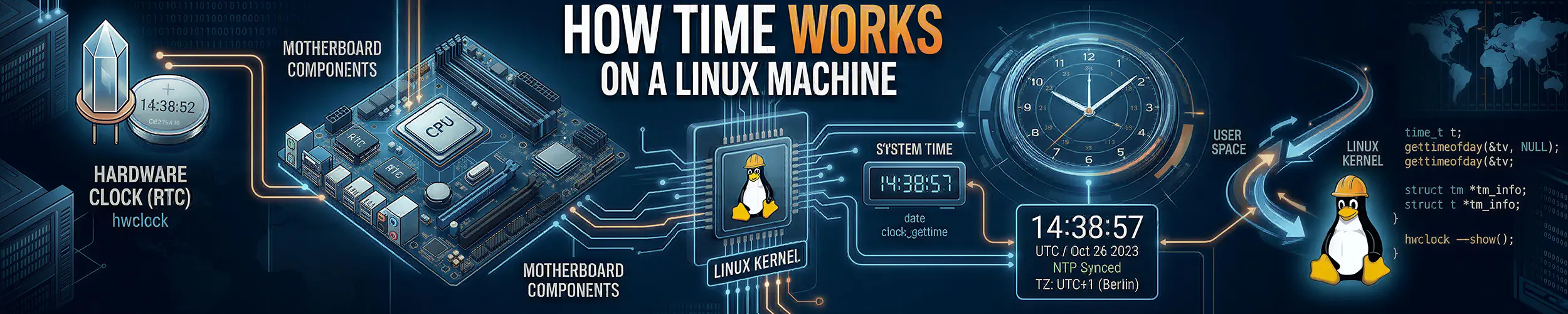
A small VM comes back from a reboot during a maintenance window, and some hours later one scheduled job starts failing with certificate is not yet valid. The certificate is fine from every other machine. On the failing one, timedatectl says System clock synchronized: yes, and it will go on saying so until nearly the end of the working day, because that line is a latch on a kernel field and not a statement about the world. The clock came up behind, nothing corrected it, and nothing on the machine recorded that it had ever been wrong. When the wall clock moves, nothing writes it down.
This site’s own timedatectl reference says that UTC “is monotonic, it never shifts, and every machine agrees on it”, and all three claims are false. monotonic is not a loose word on Linux. It is the name of a clock, and the name of the clock that the one rendered as UTC is not: on a machine set to Etc/UTC, with nobody’s hand on it, the kernel doing what a leap second is, half a second of monotonic time passed and the wall clock read half a second earlier. There is more than one clock on the machine, they belong to different people, and the one everything timestamps with is the one anybody with the right capability may edit at any moment without telling you. This page follows that from the first number the machine believes to the moment somebody else’s machine judges a timestamp yours produced. What a program pays to read a clock is The Life of a System Call‘s; timers and the twice-run job are The Life of a Scheduled Job‘s.
The seven stages, and the one command that says which one you are in.
- The clock nobody is keeping — where the first guess comes from, and who provided it.
- Which clock, and who may move it.
- Discipline — step, slew, and the ceilings nobody quotes.
- The latch that says it worked.
- What a step does to what is already running.
- What the log recorded — and what a timestamp is a claim about.
- Somebody else’s tolerance — where the reader’s problem actually ends.
The diagnostic hinge. One ls, on a path that exists on every Linux with working timekeeping, needing no package and working inside a container and inside a VM:
ls -l /sys/class/rtc/Read the arrow, not the name. Each entry is a symlink, and its target names the device that is supposed to know what time it is while this machine is switched off. That device is never yours.
| What comes back | Whose reference it is | Go to |
|---|---|---|
a target under devices/pnp0/…/rtc/rtc0 | the motherboard, and a coin cell somebody soldered in at a factory | Stage 1 |
a target naming a hypervisor platform device — QEMU…, VMBUS…, vmw…, xen… | the hypervisor. There is no battery; the “hardware clock” is a value your host computes and hands you, and it is recomputed across a live migration | Stage 1, then 3 |
| a target under an I²C bus — a DS3231 or similar | somebody who added a chip deliberately, whose battery is now several years old | Stage 1 |
an entry exists, but its hctosys reads 0 | the kernel found it and declined to believe it | Stage 1, then 2 |
No such file or directory, or an empty directory | nobody. This machine wakes with no idea what time it is and will accept the first number it is given | Stage 1, then 2 — and this is the branch the page is really for |
The first four rows are shapes to recognise rather than transcript: the machine this page was written on has no RTC at all, so it can only show you the last row. That is not a hole in the hinge — it is loud. ls fails outright rather than printing something reassuring, and the failure is the answer.
Stage 1: The clock nobody is keeping
Run the hinge here, and then run the tool that is supposed to read what it finds:
$ ls -l /sys/class/rtc/
ls: cannot access '/sys/class/rtc/': No such file or directory

$ hwclock --verbose --show
hwclock: Cannot access the Hardware Clock via any known method.
System Time: 1788538767.232614
Trying to open: /dev/rtc0
Trying to open: /dev/rtc
Trying to open: /dev/misc/rtc
No usable clock interface found.Three device paths, tried in order, all absent. This is a microVM, and the same is true of most ARM single-board computers without an add-on module, of every container, and of a great many cloud instances. “Every machine has a battery-backed hardware clock” is a sentence from the era when every machine was a PC under a desk.
So where did the number come from? The kernel says so at boot, and only in the kernel log:
[    0.000026] clocksource: kvm-clock: mask: 0xffffffffffffffff ...
[    0.171881] clocksource: refined-jiffies: ...
[    0.465869] clocksource: tsc-early: ...
[    0.834216] clocksource: Switched to clocksource kvm-clock
[    0.945944] clocksource: Switched to clocksource tsc
[ 0.947587] platform rtc_cmos: registered platform RTC device (no PNP device found)The kernel changed its mind about which counter to trust twice before userspace existed, and the last line is it registering an RTC driver that then found no device. None of these counters knows the date; a clocksource counts, it does not remember. On a machine with no RTC the wall clock’s starting value comes from somewhere else: the hypervisor handing one over, a filesystem superblock’s last-mounted time acting as a floor, or a file something wrote on shutdown. If none of those is present, the first number the machine believes is whatever the first thing to speak to it says, which is stage 3’s subject. Nothing in timedatectl, date or uptime mentions any of this; it is in dmesg and nowhere else.
Verify: ls -l /sys/class/rtc/, then dmesg | grep -i clocksource. If the first is empty and the second shows a switch, you now know two things about this machine that no status command will ever tell you.
Stage 2: Which clock, and who may move it
There is not one clock. There are several, they are separate objects in the kernel, and the useful column is not what they measure but who is allowed to move them.
| Clock | What it counts | Who moves it |
|---|---|---|
CLOCK_REALTIME | seconds since 1970, rendered as the date | anything holding CAP_SYS_TIME — your NTP daemon, your init system, root with date -s, and a leap second |
CLOCK_MONOTONIC | time since an arbitrary point, never going backwards | nobody. It is slewed in rate along with REALTIME, but never stepped |
CLOCK_MONOTONIC_RAW | the same, without even the rate correction | nobody, and nothing |
CLOCK_BOOTTIME | monotonic, but it also counts time spent suspended | nobody — but a time namespace can offset what a container sees |
CLOCK_TAI | REALTIME plus a leap-second offset held in the kernel | whatever last wrote that offset, which is usually nothing at all |
CLOCK_REALTIME_COARSE, CLOCK_MONOTONIC_COARSE | the same two, to the last tick rather than the nanosecond | as their non-coarse versions |
Move the wall clock back an hour and read all of them at once. Only two entries change:
                       before          after -3600 s
CLOCK_REALTIME         16:23:40        15:23:40      <- moved
CLOCK_TAI              16:23:40        15:23:40      <- moved (it is REALTIME plus an offset)
CLOCK_MONOTONIC         1240.117        1240.121
CLOCK_MONOTONIC_RAW     1240.115        1240.119
CLOCK_BOOTTIME          1240.117        1240.121
CLOCK_PROCESS_CPUTIME_ID 0.002 0.002That is the distinction that lets a page call UTC “monotonic” without anybody noticing. Before this one, the word appeared on three of this site’s pages: correctly on two, and on the timedatectl page describing UTC, where it is wrong.
Who may move it
Reading a clock needs nothing. Writing one needs CAP_SYS_TIME, and the split is exact:
as uid 65534:  clock_settime(CLOCK_REALTIME)  -> EPERM
as root:       clock_settime(CLOCK_REALTIME)  -> OK
as uid 65534: ntp_adjtime(read-only) -> OKWhich is the whole reason date -s behaves differently in a container: the capability is usually dropped there, so it fails; in a privileged container it is present, and what it then moves is the host’s clock, because there is only the one.
A container has no wall clock of its own
This site already got this right, in Containers, All the Way Down:
The time namespace is the one to be careful about: it virtualises CLOCK_MONOTONIC and CLOCK_BOOTTIME and their variants, and explicitly does not virtualise CLOCK_REALTIME … You cannot give a container a different wall-clock date this way.
$ unshare --time --fork --boottime 86400 -- sh -c 'cut -d" " -f1 /proc/uptime'
86970.09                        # the host, at the same instant: 570.09

$ unshare --time --fork -- sh -c 'echo "0 100 0" > /proc/self/timens_offsets'
WRITE FAILED for clock id 0 (CLOCK_REALTIME)A container’s uptime is whatever its namespace was told to say. Its wall clock is the host’s, byte for byte, and cannot be otherwise. So the timedatectl page’s row, “container time differs from the host … set TZ in the container”, is one clause short. If the time looks different, only the rendering can be, and TZ is the right answer. If it genuinely is different, you are looking at the host’s clock and the container is innocent.
And CLOCK_TAI is not atomic time
It is CLOCK_REALTIME plus an offset that lives in the kernel and is only there because something put it there. On the machine here it read tai=0 at baseline, meaning CLOCK_TAI was exactly UTC and therefore thirty-seven seconds from the thing it claims to be; after the leap experiment it read tai=1. Nothing has ever set it to 37. chrony can load a real leap table (leapsectz right/UTC), while systemd-timesyncd speaks SNTP, which carries no leap table at all, so on a machine running only timesyncd CLOCK_TAI is silently UTC.
Verify: read CLOCK_REALTIME and CLOCK_MONOTONIC once each, note the difference, and read them again tomorrow. If the difference has changed, somebody moved the wall clock and this page’s subject is your subject.
Stage 3: Discipline — step, slew, and the ceilings
A time daemon has two ways to fix a wrong clock. It can step it, writing a new value so the clock jumps, or slew it, telling the kernel to run slightly fast or slow until the error is gone. “Let NTP correct it gradually rather than stepping it yourself” is good advice given without the number, and the number is the entire point. The kernel’s own phase-locked loop will not exceed 500 parts per million. Ask for more and it keeps 500:
requested freq = 1000 ppm   ->  kernel reports  500.000 ppm
requested freq = 400 ppm -> kernel reports 400.000 ppmReal daemons escape that ceiling through a second knob, ADJ_TICK, which changes the length of a tick rather than the frequency correction. Its range on this kernel is 9000 to 11000 microseconds — ten per cent either way — and 12000 is rejected. chrony’s documented default ceiling, built on that, is 83 333.333 ppm, one twelfth. Which turns the advice into arithmetic:
| Error to remove | Kernel PLL alone, 500 ppm | chronyd at its default ceiling |
|---|---|---|
| 0.5 s | 17 minutes | 6 seconds |
| 1 s | 33 minutes | 12 seconds |
| 60 s | 1.4 days | 12 minutes |
| 1 hour | 83 days | 12 hours |
| 1 day | 5.5 years | 12 days |
An hour of error, corrected the way everyone recommends, takes half a day. During all of it every timestamp the machine writes is wrong by a decreasing amount, and nothing anywhere says so. The clock is not broken and it is not right; it is arriving, and no status command has a word for that state.
Which is why daemons step as well as slew, and why the condition under which they do it is worth reading rather than assuming. Ubuntu ships this in its default chrony.conf:
makestep 1 3Step the clock if the error exceeds one second, but only for the first three clock updates after the daemon starts. On the fourth and afterwards, an hour of error means twelve hours of slewing. The number most people remember from that line is the 1; the one that decides how your afternoon goes is the 3. There is a separate clamp on how large a single phase adjustment may be; the frequency clamp above is the one that was measured, and the two should not be confused.
Verify: read your own makestep line, and know which of its two numbers you are relying on. Then ask the daemon what it thinks it is doing — chronyc tracking, or timedatectl show-timesync --all under timesyncd — rather than asking the machine whether it is happy, which is stage 4.
Stage 4: The latch that says it worked
Everyone’s first check is timedatectl, and the line everyone reads is this one:
System clock synchronized: yesIt is not a statement about whether a daemon is running, or whether it has ever spoken to anything. systemd calls adjtimex() and returns whether the kernel’s maxerror field is below sixteen seconds, and its source says in a comment that it deliberately ignores the kernel’s own STA_UNSYNC flag, the flag whose entire job is to say “nobody is disciplining this clock”.
So what happens to maxerror when the daemon dies? The kernel grows it on its own, at the maximum frequency error it is willing to assume, and nothing else touches it. Here is that growth, measured by behaving like a time daemon, clearing the flag and zeroing the field, and then not existing any more:
immediately after 'sync'   ret=0(TIME_OK) status=0x0001 [synced] maxerror=0 us
+10s (daemon now DEAD)     ret=0(TIME_OK) status=0x0001 [synced] maxerror=5000 us
+20s (daemon now DEAD)     ret=0(TIME_OK) status=0x0001 [synced] maxerror=10000 us
+30s (daemon now DEAD) ret=0(TIME_OK) status=0x0001 [synced] maxerror=15000 usExactly 500 microseconds per second, as the kernel source says it should be, which makes the arithmetic short: 16 000 000 ÷ 500 = 32 000 seconds = 8 hours, 53 minutes and 20 seconds. Kill your NTP daemon at nine in the morning and timedatectl will print System clock synchronized: yes until nearly six in the evening. It is answering a narrower question than the one you asked, and the narrow question has a latch on it.
The other direction is worse and takes one syscall. Anything with CAP_SYS_TIME can set maxerror to zero and clear the flag, and the line then says yes on a machine that has never spoken to a time server in its life; the program that did it for the transcript above is fifteen lines long, and it is the same program a badly written provisioning script is.
Verify: ask the daemon, not the flag. chronyc tracking names an upstream server and a stratum, and both belong to somebody who is not you. If the daemon is not running, that command fails, which is the honest answer and the reason it is a better check than a line that keeps its composure for nearly nine hours.
Stage 5: What a step does to what is already running
This is the event the whole page is about, and the one the corpus has no verb for. A process is sleeping, or waiting on a timer, and the wall clock moves underneath it. What is told? Five ways of waiting, each in its own process, with the clock stepped an hour backwards a second and a half in:
1. sleep(3)                                    -> slept 3.000 s
2. clock_nanosleep(CLOCK_REALTIME, rel 3s)     -> slept 3.000 s
3. clock_nanosleep(CLOCK_REALTIME, ABS now+3s) -> STILL BLOCKED after 12 s, killed
4. timerfd CLOCK_REALTIME ABS now+30s          -> fired after 8.008 s, read ok
5. timerfd + TFD_TIMER_CANCEL_ON_SET -> fired after 1.501 s, read = -1 (ECANCELED)And the same five with the clock stepped an hour forwards:
1. sleep(3)                                    -> slept 3.000 s
2. clock_nanosleep(CLOCK_REALTIME, rel 3s)     -> slept 3.000 s
3. clock_nanosleep(CLOCK_REALTIME, ABS now+3s) -> woke after 1.501 s
4. timerfd CLOCK_REALTIME ABS now+30s          -> fired after 1.500 s, read ok
5. timerfd + TFD_TIMER_CANCEL_ON_SET -> fired after 1.501 s, read = -1 (ECANCELED)Relative sleeps run on a monotonic base and never see the step at all; three seconds is three seconds whatever the date does, which is why most code survives this without knowing. Absolute waits on CLOCK_REALTIME fire an hour early or wait out an extra hour, silently and with a successful return. Case 3 backwards is the one to look at twice: a program asked to wake in three seconds, and at twelve seconds it had to be killed. Nothing failed. It was still waiting for a moment that had been moved into the future.
And exactly one of the five was told. TFD_TIMER_CANCEL_ON_SET is the only mechanism on the machine that says “the clock you were waiting against has been set”, and it says it by making your read() fail with ECANCELED. There is no signal, no log line, no counter, and nothing in dmesg. When the wall clock moves, nothing writes it down.
And two answers to “when did this machine boot?”
The machine keeps that answer twice, and only one of them is recomputed from the wall clock:
before      uptime -s -> 2026-09-04 16:00:21     who -b -> Sep  4 16:07
clock -2h   uptime -s -> 2026-09-04 14:00:21     who -b -> Sep  4 16:07
restored uptime -s -> 2026-09-04 16:00:21 who -b -> Sep 4 16:07uptime -s is derived from /proc/stat‘s btime, which the kernel recomputes as “now minus how long I have been up” — so it moves with the clock, and a machine whose clock was corrected reports a boot time that never happened. who -b reads a record written into a file at boot and never touched again, so it stays put and is wrong in the other direction. Neither is a lie and they cannot both be right.
Verify: compare uptime -s against who -b on a machine that has been up a while. If they disagree, the gap between them is roughly how far the clock has been moved since boot — which is the only place on the machine that number is recorded, and it is recorded by accident.
Stage 6: What the log recorded
A timestamp is not a fact about when something happened. It is a receipt: a record of what some clock said when some process asked. The journal keeps two of them for every entry, the sending process’s own claim and journald’s reading when it received the line; both are real, and the second is the only one journald can vouch for. Ordinary output shows you one of them and does not say which.
Which is the missing clause in this site’s own journalctl row, “timestamps disagree with a remote system: use --utc on both”. --utc is a renderer. If the two machines’ clocks differ by four minutes, --utc on both leaves them differing by four minutes, in a format that now looks authoritative on both ends. The honest comparison is not on either machine; it is stage 7.
The zone is cached, but not when you think
The timedatectl page is right that long-running services keep the old zone after you change it, and wrong about why — it says they “cached it at startup”. They cache it at the first call to tzset(), which in practice means the first time they format a time. Three processes, one zone change:
| Process | After /etc/localtime changes |
|---|---|
| Already formatting times before the change | keeps the old zone, across two further changes |
Started with TZ= in its environment | ignores /etc/localtime entirely, permanently |
| Started before the change, but had not yet formatted a time | picks up the new zone |
“Cached at startup” predicts that the third case is impossible. It is not: two workers forked from the same unit in the same second can render different zones for the rest of their lives, decided by which of them happened to log first.
One place a 64-bit machine still keeps 32-bit seconds
On a fully 64-bit build, time_t, timespec.tv_sec and a file’s st_mtim.tv_sec are all eight bytes. Three time fields are four, on purpose, and glibc’s own header says why:
/* The ut_session and ut_tv fields must be the same size when compiled
   32- and 64-bit.  This allows data files and shared memory to be
shared between 32- and 64-bit applications. */utmp, utmpx and lastlog, which is to say what last, who, w and lastlog read, carry a 32-bit seconds field on a machine where nothing else does. What each of those tools does on the far side of 2038 was not tested here.
Verify: take one log line you care about and ask what it is a receipt for — which clock, read by which process, at a moment nobody recorded the provenance of. If you cannot answer, that is the normal case, and it is why the next stage exists.
Stage 7: Somebody else’s tolerance
Every page on this subject ends when the clock is right. That is where the mechanism ends. The reader’s problem ends somewhere else: when somebody else accepts a timestamp their machine produced, and the tolerance that decides it is chosen by the other party, is different for every protocol, and is not readable from the machine being judged.
Here is the strictest of them, measured by moving a verifier’s clock across a certificate’s notBefore one second at a time:
verifier clock at notBefore -3600s : error 9 ... certificate is not yet valid
verifier clock at notBefore   -60s : error 9 ... certificate is not yet valid
verifier clock at notBefore    -1s : error 9 ... certificate is not yet valid
verifier clock at notBefore +0s : c.pem: OKZero tolerance. One second early is a hard failure, and the error names the certificate rather than the clock that judged it. That is how this whole class of problem presents: as a fault in the thing being examined, reported by a machine whose own clock is not in the message.
Against that, what everybody else allows:
| Who is judging | Tolerance | Where the number lives |
|---|---|---|
X.509 / TLS notBefore, notAfter | none | RFC 5280 — a hard window |
| Kerberos v5 | 300 s | clockskew in the KDC’s krb5.conf |
| TOTP | one 30-second step, usually ±1 | RFC 6238, and the verifier’s choice |
| AWS SigV4 request signing | 300 s | the service, as RequestTimeTooSkewed |
JWT exp / nbf | whatever leeway the library chose | somebody else’s dependency |
SAML NotOnOrAfter | whatever the identity provider set | their configuration |
| Raft and lease-based systems | none — deliberately not on the wall clock | the design, on purpose |
Not one of those numbers is printed anywhere on the machine being judged. You can make your clock as correct as you like and still not know whether the party you are about to talk to will accept it, because acceptance is not a property of your clock. It is a property of the gap between two clocks, and you can only see one end.
The oldest tool on the system has been saying so for decades, and says it about your own machine judging your own files:
make: Warning: File 'in' has modification time 7199 s in the future
make: warning: Clock skew detected. Your build may be incomplete.make compares an mtime it read against a clock it read, and the most it can honestly say is skew; it cannot tell you which of the two is wrong. Neither can anything else.
Verify: you cannot, from here, and that is the finding. The closest you can get is to ask the party that will judge you what it allows, and to know your own error well enough to compare: ask the daemon what it thinks your offset is, and treat that number as the thing you are managing.
A worked diagnosis: the certificate from the future
Back to the VM from the top of the page: rebooted in a maintenance window, monitoring green, and hours later one scheduled job failing with certificate is not yet valid against a certificate issued that morning that a laptop, the CI runner and the load balancer all accept. The obvious hypotheses all fail: the chain is complete, the trust store has the issuer, and openssl s_client from the failing box shows the same certificate everyone else is happy with. The machine’s own status is reassuring:
$ timedatectl | grep -i sync
System clock synchronized: yesRun the hinge:
$ ls -l /sys/class/rtc/
ls: cannot access '/sys/class/rtc/': No such file or directoryNobody kept the time across the reboot. That routes to stage 2, and from there the descent is two commands. systemctl status chrony shows the daemon failed to start, because a firewall change in the same window closed outbound UDP 123. And the reassuring line is stage 4’s latch: the daemon had run long enough after boot to zero maxerror and then died, so synchronized: yes was true about a field and false about the world, and would have stayed true until nearly the end of the working day.
The clock had come up behind, taken from a value the hypervisor handed over, and had never been corrected. The certificate’s notBefore was that morning; the machine believed it was still the previous evening. From stage 7: the tolerance is zero, and the error names the certificate.
Three things generalise. The hinge answered by naming an owner, nobody, and the whole diagnosis follows from a machine that has no memory of the time. Every observable on that box was true: the chain really was complete, the store really did have the issuer, and the clock really did satisfy the test timedatectl applies. And the sentence this page turns on: when the wall clock moves, nothing writes it down. Every timestamp on the machine is true, and no two of them are necessarily comparable.
Symptoms, and which stage they belong to
| Symptom | Stage | What is actually true |
|---|---|---|
hwclock cannot find a clock at all | 1 | Plenty of machines have no RTC; the first guess came from elsewhere |
| The clock is wrong immediately after a reboot | 1 | Nothing kept it, and it took the first number offered |
| A VM’s time jumps after a live migration | 1, then 3 | The “hardware clock” was a value the host computed |
| An RTC exists and the kernel ignored it | 1, then 2 | hctosys is 0 — the kernel found it and declined to believe it |
date -s fails in a container | 2 | CAP_SYS_TIME is dropped; there is no container wall clock to set |
| A container shows a different time from the host | 2 | Only the rendering can differ; if the clock differs it is the host’s |
CLOCK_TAI is not 37 seconds ahead of UTC | 2 | The offset is whatever last wrote it, and usually nothing has |
| A corrected clock takes hours to become right | 3 | Slewing has a ceiling; an hour of error is about twelve hours |
| chronyd stepped the clock at boot and refuses to now | 3 | makestep 1 3 — the 3 is the number that decides it |
System clock synchronized: yes and the time is wrong | 4 | A latch on maxerror, good for 8 h 53 min 20 s after the daemon dies |
| A timer fired an hour early, and nothing failed | 5 | An absolute CLOCK_REALTIME wait; only TFD_TIMER_CANCEL_ON_SET is told |
| A three-second sleep took twelve seconds and was still going | 5 | Absolute wait, clock stepped backwards, no error anywhere |
uptime -s and who -b disagree | 5 | One is recomputed from the wall clock, one was written at boot |
| Two workers from one unit render different time zones | 6 | The zone is cached at the first tzset(), not at startup |
Two machines’ logs disagree and --utc did not help | 6 | --utc is a renderer; the clocks still differ |
last or who shows an impossible date | 6 | utmp keeps 32-bit seconds on a 64-bit machine, deliberately |
certificate is not yet valid on one machine only | 7 | Zero tolerance, and the error names the certificate |
RequestTimeTooSkewed, or a rejected TOTP code | 7 | Somebody else’s tolerance, not published to you |
Clock skew detected. Your build may be incomplete. | 7 | Two readings compared; neither can be shown to be the wrong one |
Before you trust a timestamp
ls -l /sys/class/rtc/                 # who keeps the time while it is off
dmesg | grep -i clocksource           # which counter the kernel settled on
chronyc tracking || timedatectl show-timesync --all   # ask the daemon, not the flag
grep -E 'makestep|rtcsync' /etc/chrony/chrony.conf    # and know which number you rely on
uptime -s; who -b # two answers; the gap is how far the clock movedRelated reading
- timedatectl — the command reference, and the page these seven stages correct in six places.
- The Life of a System Call — what a program actually pays to read a clock, why
straceundercounts it, and wherecurrent_clocksourcecomes in. - From Power-On to a Login Prompt — the eight handoffs this page’s stage 1 is the missing half of.
- Containers, All the Way Down — the time namespace, stated correctly and in full.
- The Life of a Certificate — for the validity window whose edges stage 7 walks across.
- The Life of a Scheduled Job — scheduling: why the job that runs twice on cron runs once on a systemd timer, twenty-five hours after the last one.