

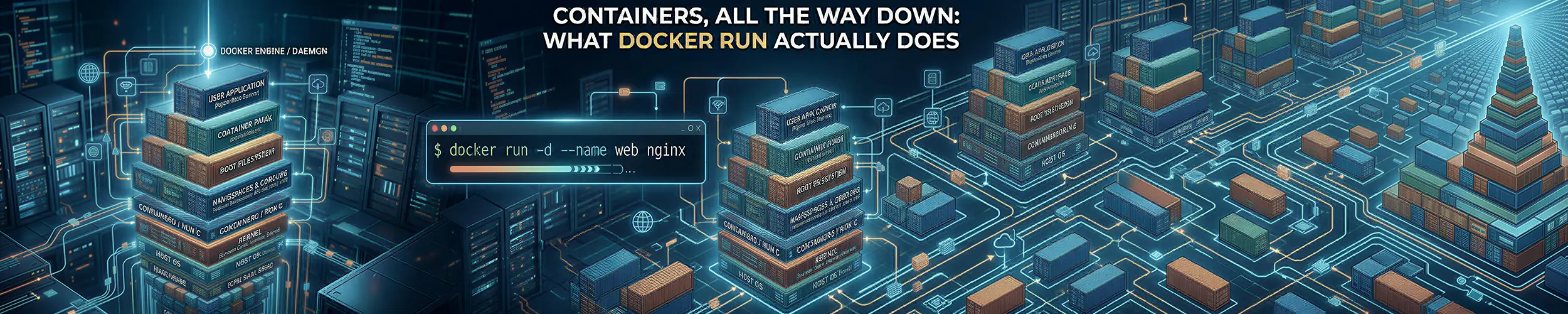
A service that has run in production for eighteen months starts failing after its host is rebuilt on a newer OS with a newer Docker. The image is byte-identical, pinned by digest. It logs one line, Operation not permitted, and exits. The first instinct, comparing file ownership in the volume, is the wrong half of the chain entirely: the program ran, so the image, the layers, the mount, the namespaces and the cgroup were all fine, and something in the sandbox refused it a system call the old host allowed. There is no container() system call, no container object in the kernel, and no single boundary you can point at. A running container is an ordinary Linux process that had nine separate things done to it before it started, any of which can be the reason yours is not working, and five of the nine happen before the kernel has been asked to isolate anything at all: they are HTTP requests, JSON documents, tar archives and mount options. Three more are process attributes you can read out of /proc. The last is an ordinary execve.
This page follows a single docker run the whole way down. If you have not read containers explained, start there; it covers what containers are for and when to use them. This one is about the machinery, and it assumes you already accept the premise. What the build put into the image, and what happens to it after you push, are Building a container image‘s and What ships in your container image‘s; this page starts where those end, at the pull.
The nine stages. Every section on this page is one of them, in order.
- The CLI sends an HTTP request. Nothing container-shaped happens in
dockeritself. - A name becomes a digest. The registry is asked for an index, then a manifest, then a config.
- Layers are pulled. Each is a compressed tar archive of a filesystem difference.
- A root filesystem is assembled. Usually an overlay mount; increasingly not.
- A bundle is handed to a runtime. A directory and a
config.json, per the OCI specification. - Namespaces are created. Eight kinds, and you rarely use all of them.
- A cgroup is created and joined. This is where limits live, and nothing else.
- The sandbox is closed.
pivot_root, mounts, seccomp, capabilities, the user. execve. Your program replaces the runtime’s helper and becomes PID 1.
The diagnostic hinge: ask whether your program ever ran.
docker inspect -f '{{.State.Pid}} {{.State.ExitCode}} {{.State.Error}}' mycontainerA live PID, or an exit code your own program chose, means stages 1 to 8 all completed. The image resolved, the layers unpacked, the rootfs mounted, the runtime ran, the namespaces exist, the cgroup exists and the sandbox closed — none of those can be your problem. Whatever is wrong is your program, or something the sandbox is refusing it.
No PID, no exit code of your own, and an error string from the runtime instead means the opposite: the kernel was never asked to isolate anything, and the fault is in a registry, a filesystem or a config file. One command tells you which half of the chain to stop thinking about.
Which programs are actually involved
Before the stages, the cast. Typing docker run on a default Linux install sets four separate programs in motion:
| Program | What it is | Lives as long as |
|---|---|---|
docker | An HTTP client | The command |
dockerd | The daemon: images, networks, volumes, the API | The machine |
containerd | The container supervisor: pulls, snapshots, lifecycle | The machine |
containerd-shim-runc-v2 | One per container: holds its stdio, reaps it | The container |
runc | The OCI runtime: runs once, then exits | Milliseconds |
The shim is the piece people are surprised by. Its job is to be the parent that stays: it holds the container’s standard streams, reaps orphans, and — the point of the design — survives a containerd restart, with containerd reconnecting to it over a socket afterwards. That is why you can restart the Docker daemon without killing every container on the box.
Podman deletes the first three rows. There is no daemon and no supervisor: podman run does the work itself in the calling process, leaves a small conmon per container in place of the shim, and calls the runtime directly, which is why Podman integrates with systemd naturally and Docker does not.
And on Red Hat, the runtime is not runc: RHEL 10 removed runc outright and ships crun, and Podman’s documented search order puts crun first everywhere, so on Fedora and RHEL that is what you are running.
The misreading worth correcting first: a container is not a thing.
There is no container in the kernel. Nothing in /proc tells you a process is “in a container”, because from the kernel’s point of view there is no such state. What exists is a process whose namespace links happen to point somewhere unusual, whose cgroup path happens to be somewhere unusual, and whose capability and seccomp state happen to be reduced. Nothing joins those facts together.
# Everything a "container" is, read off an ordinary process
PID=$(docker inspect -f '{{.State.Pid}}' mycontainer)

ls -l /proc/$PID/ns/           # the namespaces it is in
cat /proc/$PID/cgroup          # the cgroup it is in
grep Cap /proc/$PID/status     # its capability sets
grep Seccomp /proc/$PID/status # 0 disabled, 2 filtered

# And from the other direction
lsns -p $PID
sudo nsenter -t $PID -a /bin/shYou can assemble the same thing by hand with unshare and a directory, and you can take it apart with nsenter. A container runtime is a program that makes those calls in a fixed order from a JSON file. That is the whole trick, and knowing it is what lets you debug one.
Stage 1 — The CLI sends an HTTP request
docker run nginx does no container work. It serialises your flags into JSON and POSTs them to /var/run/docker.sock, a Unix socket speaking HTTP. Everything after that happens in a daemon running as root.
# Talk to the socket yourself
curl --unix-socket /var/run/docker.sock http://localhost/version
curl --unix-socket /var/run/docker.sock http://localhost/containers/json

# Which is why this is enough to own the machine
curl --unix-socket /var/run/docker.sock http://localhost/images/jsonMembership of the docker group is equivalent to root. Not “close to”, not “a risk” — equivalent. Anyone who can write to that socket can ask the daemon to run a container that bind-mounts / with --privileged, and the daemon is root. Permissions and privilege covers why no amount of capability trimming inside the container changes it.
Relative paths are resolved by the daemon, not by you. A bind mount source is interpreted in the daemon’s filesystem view; over a remote context or with Docker Desktop, where the engine runs inside a VM, that is not your view, and it is where “the mount is empty” comes from.
Stage 2 — A name becomes a digest
nginx is shorthand for docker.io/library/nginx:latest. Resolving it is a sequence of ordinary HTTPS GETs against a registry API, and every step is inspectable.
- The tag is fetched, returning an index (
application/vnd.oci.image.index.v1+json) — a list of descriptors, one per platform. - The descriptor matching your architecture is followed to a manifest (
...image.manifest.v1+json). - The manifest names exactly one config blob and an ordered list of layer blobs.
- The config blob carries the entrypoint, environment, working directory, and
rootfs.diff_ids.
# Look at all of it without pulling anything
skopeo inspect --raw docker://docker.io/library/nginx:latest | jq .
skopeo inspect --raw docker://alpine:latest | jq '.manifests[].platform'

# Or with the tools you already have
docker manifest inspect nginx:latest
docker image inspect nginx:latest --format '{{json .RootFS.Layers}}' | jqWhat “the digest of an image” refers to is the thing most often got wrong. The sha256:... in docker pull image@sha256:... is the digest of the top-level JSON document — the manifest, or for a multi-architecture image the index. It is not a hash of the filesystem, which is why one digest can be correct on both amd64 and arm64: the index is identical and points at different manifests.
A second distinction bites when you compare things: a layer’s descriptor digest is the hash of the compressed blob, while its diff_id in the config is the hash of the uncompressed tar. Same layer, two hashes of two byte streams. If two images “contain the same layer” but show different digests, compare diff_ids before concluding anything.
Stage 3 — What a layer actually is
A layer is a tar archive of the difference between one filesystem state and the next, usually gzip-compressed. The only non-obvious part is how a layer says “this file is gone”, because tar has no way to record a deletion.
The specification answers it with naming conventions:
| In the tar | Means |
|---|---|
.wh.somefile | Delete somefile as inherited from a lower layer |
.wh..wh..opq | Hide all children of this directory from lower layers |
Two rules make this safe: a whiteout only ever applies to lower layers, never to entries in its own, and the whiteout file itself is hidden after it has been applied, so you never see a .wh. file in a running container.
On disk, the same deletion looks completely different. OverlayFS represents a whiteout as a character device with device number 0/0, or as a zero-length file carrying the trusted.overlay.whiteout extended attribute. The .wh. filename exists only inside the archive; unpacking translates it.
# Pull an image to a directory and look inside the layers
skopeo copy docker://alpine:latest dir:/tmp/alpine
ls /tmp/alpine
tar tzf /tmp/alpine/<blob-digest> | grep '\.wh\.'

# Find whiteouts in unpacked storage
sudo find /var/lib/docker/overlay2 -type c -size 0 2>/dev/null | headThis is where the practical advice about image size comes from. A layer that deletes a file does not make the image smaller, because the earlier layer containing it is still shipped; removing a build dependency in a later RUN adds a whiteout and adds bytes. Size is only half of the consequence. That earlier layer is also still readable, by anyone who can pull the image, with one command and no privileges: a secret fetched in one RUN and deleted in the next is published permanently, and so is anything set with ENV or passed as --build-arg, which is not in a layer at all. What ships in your container image extracts a key back out of a registry and covers the rest.
Stage 4 — Assembling a root filesystem
Unpacked layers are stacked into one directory tree by OverlayFS, which takes three kinds of directory:
| Option | What it is |
|---|---|
lowerdir | The read-only image layers, colon-separated, topmost first |
upperdir | The container’s writable layer — everything it changes lands here |
workdir | Staging space for atomic operations; must be on the same filesystem as upperdir |
# See the real mount for a running container
findmnt -t overlay
mount | grep overlay

# Everything the container has written since it started
docker inspect -f '{{.GraphDriver.Data.UpperDir}}' mycontainer
docker diff mycontainerdocker diff is underused. It lists exactly what is in the upper directory — every file the container has added, changed or whited out — which is the fastest way to find out that an application is writing gigabytes into its own writable layer instead of the volume you gave it.
The performance rule that follows from the design: modifying an existing file copies it up in full first. Overlay works at file granularity, so appending one line to a 2 GB file inherited from an image copies 2 GB before the append happens. Databases and log files belong on volumes for this reason; The life of a write covers what happens below the mount once the copy-up is done.
Unprivileged overlay inside a user namespace works on kernel 5.12 and newer, using the userxattr mount option, which switches overlay from the trusted.overlay. extended attribute namespace to user.overlay.; that one option is why fuse-overlayfs is no longer the rootless storage story.
And overlay is no longer the only answer. containerd 2.3, the current LTS, ships a native EROFS snapshotter: layers become EROFS images rather than unpacked directories, and per-layer fs-verity becomes possible. composefs ships as a Technology Preview in RHEL 10. If you last looked at container storage when the choice was overlay2 versus devicemapper, that landscape has moved.
Stage 5 — The bundle, the shim and the runtime
What containerd hands the runtime is not an image and not a container. It is a bundle: a directory containing the assembled rootfs and a single config.json conforming to the OCI Runtime Specification. That file is the contract, and it is worth reading once.
# Generate a default bundle config and read it
mkdir -p /tmp/bundle/rootfs && cd /tmp/bundle && runc spec
jq '.process.capabilities, .linux.namespaces, .linux.seccomp.defaultAction' config.json

# The generated config for a live container
sudo cat /run/containerd/io.containerd.runtime.v2.task/moby/$ID/config.json | jq .

# List containers behind Docker's back
sudo ctr --namespace moby containers listThe specification mandates a split that explains a lot of otherwise confusing behaviour. create must build the entire runtime environment but must not run your program; start then runs it. So runc create does all the expensive work and parks a helper called runc init inside the finished container, blocked on a pipe; runc start writes one byte to that pipe, and runc init execves your entrypoint, replacing itself. That is why PID 1 in your container is your process and not a runtime helper.
Which runtime runs is a genuine question. runc remains Docker’s default; crun, in C, is the default on Fedora and the only option on RHEL 10; youki, in Rust, is still 0.x. All three read the same config.json, which is the entire point of having a specification.
Stage 6 — Namespaces
Now the kernel gets involved. A namespace makes one global resource appear private to a set of processes. There are eight kinds, and there have been eight since Linux 5.6; if you learned this list a few years ago it is still complete.
| Namespace | Flag | Makes private |
|---|---|---|
| Mount | CLONE_NEWNS | The mount table |
| UTS | CLONE_NEWUTS | Hostname and NIS domain |
| IPC | CLONE_NEWIPC | System V IPC, POSIX message queues |
| PID | CLONE_NEWPID | Process IDs |
| Network | CLONE_NEWNET | Interfaces, routes, ports, firewall rules |
| User | CLONE_NEWUSER | UID/GID mappings and capabilities |
| Cgroup | CLONE_NEWCGROUP | The visible cgroup root |
| Time | CLONE_NEWTIME | Boot and monotonic clocks |
They are independent, and a default container does not use all of them. --network host means the network namespace is not created; --pid host means the PID namespace is not; a rootful Docker container by default does not use a user namespace at all, which is why root inside it is root outside it.
The time namespace virtualises CLOCK_MONOTONIC and CLOCK_BOOTTIME and explicitly does not virtualise CLOCK_REALTIME. You cannot give a container a different wall-clock date this way.
Two ordering facts explain most hand-rolled namespace confusion. CLONE_NEWPID and CLONE_NEWTIME do not move the caller, which is why unshare --pid needs --fork. And creating a user namespace together with any other namespace in a single unshare() call does not require CAP_SYS_ADMIN, because the new user namespace grants a full capability set within itself. That one sentence in unshare(2) is the mechanism that makes rootless containers possible at all.
# Build a container's isolation by hand, one flag at a time
sudo unshare --uts --pid --fork --mount-proc /bin/sh
hostname isolated
ps aux            # only what is inside

# Namespaces on the system, and who is in them
lsns
lsns -t net

# Two processes in the same namespace show the same inode
readlink /proc/self/ns/net
readlink /proc/1/ns/netJoining a namespace is setns(2), which is what nsenter and docker exec do. Since Linux 5.8 it accepts a pidfd, which lets you join several namespaces in one atomic call. Joining a PID namespace still affects only children, never the caller.
Stage 7 — The cgroup
Namespaces control what a process can see. Cgroups control what it can use. They are separate mechanisms that people routinely blur together, and the consequence is direct: a container with no limits set has none. Isolation is not limitation.
docker run --memory=512m --cpus=1.5 --pids-limit=100 myimage

# Where that actually landed
systemd-cgls
cat /sys/fs/cgroup/system.slice/docker-$ID.scope/memory.max
cat /sys/fs/cgroup/system.slice/docker-$ID.scope/cpu.max
cat /sys/fs/cgroup/system.slice/docker-$ID.scope/memory.eventsmemory.events is the file to reach for when something is being killed: its oom_kill counter is the only unambiguous evidence that the cgroup’s limit, rather than the host running out of memory, is what ended your process.
memory.high and memory.max are not two names for the same idea. max is a hard limit: reach it, fail to reclaim, and the OOM killer runs inside the cgroup. high is a throttle that never invokes the OOM killer. Docker’s --memory sets max; if you want a container slowed rather than shot, high is the file, set through systemd or by hand.
The state of cgroup v1 has three different answers and blurring them produces confident wrong statements.
| Layer | Status of cgroup v1 |
|---|---|
| Kernel | Not removed. Deprecated, emits warnings, removal staged per controller |
| systemd | Removed in v258 (Sept 2025) — legacy and hybrid are gone, unified is always mounted |
| Podman | Removed in 6.0 (June 2026) |
| Docker | Deprecated, supported until at least May 2029 (RHEL/Rocky/Alma 8 EOL) |
| Kubernetes | KEP-5573 Beta in v1.35; kubelet refuses to start on v1 |
The practical version: since systemd 258 there is effectively no current distribution booting legacy or hybrid, so if you meet cgroup v1 in 2026 you are on an enterprise 8-series host. No v1 controller has been confirmed deleted from the kernel as of 7.2.
Stage 8 — Closing the sandbox
This is the stage with the most steps and the most surprises. Reading runc’s own initialisation code, the order inside the container process is roughly: mounts and pivot_root; hostname, AppArmor, sysctls, masked paths; the sync that makes runc create return; then seccomp; then capabilities, setuid and no_new_privs; then execve.
The root switch is pivot_root(2), not chroot(2), and the difference is the point. chroot leaves the old root mounted and reachable, and a process holding an open directory descriptor from outside can fchdir() back to it, which is the classic escape. pivot_root moves the old root somewhere that can then be unmounted, after which it is gone rather than merely un-navigated.
Its constraints explain several “invalid argument” failures when people build containers by hand: the new root must itself be a mount point, and the parent mount must not be shared, which is why a runtime makes the container’s mounts private first. From power-on to a login prompt covers the other root switch.
Seccomp is always installed before execve. Where it sits relative to dropping capabilities is conditional, and almost every article gets it wrong in one direction or the other. Without no_new_privs, installing a seccomp filter is a privileged operation, so it must happen before capabilities are dropped; with no_new_privs set it is deferred until as late as possible, so that as few syscalls as possible run under the filter before your program starts.
Docker’s default seccomp profile is an allowlist with a default action of SCMP_ACT_ERRNO, described as blocking “around 44” syscalls out of 300-plus. Treat 44 as a floor; the published table no longer matches the shipped profile, and it has grown since:
- Docker 25.0.0 blocked
io_uring_setup,io_uring_enterandio_uring_register, citing container-escape concerns; containerd removed io_uring from its default allowlist in 2.0. - Docker 29.0.0 blocked
AF_ALGsockets and thesocketcall(2)multiplexer, with the documented side effect that this can break 32-bit programs.
And which errno is the whole story. SCMP_ACT_ERRNO carries a number of the policy author’s choosing, and that number decides whether a program that never asked for the blocked call keeps working. Block clone3 and answer ENOSYS, and glibc falls back to clone; answer EPERM, and every pthread_create in the container fails. Docker’s default profile changed to ENOSYS in 20.10.10; hand-written and vendored profiles still carry the old one, which is why containers that have run for years break on a base-image bump. The Life of a System Call owns that mechanism.
Docker keeps 14 capabilities. Podman keeps 11. The three-item difference is most of the security argument between them.
Docker’s default set: CHOWN, DAC_OVERRIDE, FSETID, FOWNER, MKNOD, NET_RAW, SETGID, SETUID, SETFCAP, SETPCAP, NET_BIND_SERVICE, SYS_CHROOT, KILL, AUDIT_WRITE.
Podman drops exactly three of those by default: MKNOD, NET_RAW and AUDIT_WRITE. NET_RAW is the one that matters — it permits raw sockets, and therefore ARP spoofing and packet crafting from inside a container that has no business doing either. Do not write that Docker removed it; it did not. A long-standing request to drop it is still open, and it is still in the default set today.
# What this container actually holds
docker run --rm alpine grep CapEff /proc/self/status
docker run --rm --cap-drop=ALL alpine grep CapEff /proc/self/status

# Decode it
capsh --decode=00000000a80425fb

# The sane default for anything you wrote yourself
docker run --cap-drop=ALL --cap-add=NET_BIND_SERVICE \
--security-opt no-new-privileges myimageAnd the one that undoes all of it: --privileged is not “a few more capabilities”. It grants the full set, disables seccomp and AppArmor, and exposes the host’s devices. A privileged container is a root process with a different filesystem view.
Stage 9 — execve, and being PID 1
runc init calls execve and ceases to exist. Your program is now PID 1 in its namespace, a role it was almost certainly not written for, and PID 1 does not get default signal handlers: for every other process a signal with no installed handler takes the kernel’s default action, but for PID 1 it is ignored. This is a deliberate protection for the real init and it applies inside every PID namespace.
The consequence is the ten-second pause everyone has seen and few have explained. docker stop sends SIGTERM; a shell script or a language runtime that installs no handler ignores it; ten seconds later Docker sends SIGKILL. Your process never received a signal it was willing to act on. PID 1 also inherits every orphan in the namespace and must reap it.
# Shell form: your process is a child of sh, and sh ignores SIGTERM
CMD npm start

# Exec form: your process IS PID 1 and receives signals
CMD ["npm", "start"]

# Or let Docker supply a real init that forwards and reaps
docker run --init myimageThe shell versus exec form of CMD is not a style preference. Shell form wraps your program in /bin/sh -c, which becomes PID 1, ignores SIGTERM and does not forward it. The process’s exit status is the container’s: 137 is 128 + 9, SIGKILL, usually the OOM killer or the end of a docker stop timeout, and memory.events is how you tell which.
Rootless changes stages 6, 7 and 8
Rootless containers are the same nine stages with one extra namespace created first. A user namespace maps your UID to root inside it, and every subsequent privileged-looking operation is performed with capabilities that are real inside that namespace and meaningless outside it.
Mapping more than a single ID needs help, because writing a multi-ID mapping to /proc/self/uid_map is privileged. That help is the setuid pair newuidmap and newgidmap, which consult /etc/subuid and /etc/subgid. Missing or too-small entries there are the single most common rootless failure, and the errors are unhelpful, so check that first, every time:
# A user needs at least 65536 subordinate IDs
grep $USER /etc/subuid /etc/subgid
# kevin:100000:65536

# What the mapping ended up as
podman unshare cat /proc/self/uid_map
podman info --format '{{.Host.IDMappings}}'

# After editing subuid/subgid, this is mandatory
podman system migrateRootless networking has changed in both ecosystems, in different directions, and “rootless containers use slirp4netns” is now wrong twice over. Podman made pasta the default in 5.0 and removed slirp4netns in 6.0; Docker made gvisor-tap-vsock the default in v29.5.0 and no longer ships slirp4netns at all.
Binding a port below 1024 rootless needs setcap cap_net_bind_service=ep on rootlesskit or a lower net.ipv4.ip_unprivileged_port_start; publishing 8080 behind a reverse proxy is usually the better answer. What still does not work rootless: resource limits on cgroup v1, source-IP preservation through the default port forwarder, sharing images between users, NFS home directories, and device nodes even in a privileged container.
The cgroup delegation dance is a case where the documentation is behind reality. runc’s docs still tell you to add Delegate=cpu cpuset io memory pids under /etc/systemd/system/user@.service.d/; on current systemd the cpu controller is delegated to user@.service by default (reported as systemd 252), and cpuset may still need the drop-in.
# What your user session actually has delegated
cat /sys/fs/cgroup/user.slice/user-$(id -u).slice/user@$(id -u).service/cgroup.controllers

# If cpu is missing, this is the drop-in
# /etc/systemd/system/user@.service.d/delegate.conf
# [Service]
# Delegate=cpu cpuset io memory pidsA worked diagnosis
Back to the service from the top of the page: eighteen months in production, a host rebuilt on a newer OS with a newer Docker, an image byte-identical by digest, and one line logged before it exits:
fatal: failed to initialise async I/O backend: Operation not permitted“Operation not permitted” with an unchanged image and a changed host reads like a permissions problem, and the first instinct was to compare file ownership in the volume. That was the wrong half of the chain, and the hinge said so immediately:
$ docker inspect -f '{{.State.Pid}} {{.State.ExitCode}}' svc
0 1The PID was 0 only because the container had already exited — but it had exited with the application’s own status code 1, not a signal, which means the program ran. Stages 1 to 9 all completed, and the file ownership question was irrelevant. Something inside the sandbox refused a syscall to a program that was otherwise running normally.
Inside the sandbox there are only three candidates: capabilities, seccomp, and an LSM profile. They can be separated in three runs:
docker run --rm --cap-add=ALL svc:pinned                        # still fails
docker run --rm --security-opt apparmor=unconfined svc:pinned   # still fails
docker run --rm --security-opt seccomp=unconfined svc:pinned # worksSeccomp, then, and specifically the default profile, since nobody had written a custom one. The application’s async I/O backend was io_uring, and Docker added the three io_uring syscalls to the default blocklist in 25.0.0. The old host ran Docker 24. Nothing about the image had changed; the sandbox around it had.
The fix was a minimal custom profile derived from the default with those three syscalls permitted, applied to that one service, with a note recording why. seccomp=unconfined was the diagnostic, not the remedy.
Three things generalise. The hinge did its work in one command by proving the failure was inside the sandbox and not in the image or the storage. Bisecting a sandbox is three runs, because there are only three mechanisms. And an identical image is not an identical environment: the container is the image plus the host’s runtime policy, and upgrading a host changes the second half silently. Which is the thing to remember when something makes no sense at all: there is no container. There is a process, and everything a runtime did to create it, you can read off that process and do by hand.
Where things go wrong, by stage
| Symptom | Stage | Likely cause | Where to look |
|---|---|---|---|
| “Cannot connect to the Docker daemon” | 1 | Daemon down, or you are not in the docker group | systemctl status docker |
| Bind mount is empty inside the container | 1 | Path resolved in the daemon’s view, not yours | docker inspect -f '{{json .Mounts}}' |
| Old client suddenly cannot talk to the engine | 1 | Docker 29 raised the minimum API to v1.44 | docker version |
| “exec format error” | 2 | Wrong architecture pulled or built | docker manifest inspect |
| Same tag behaves differently on two hosts | 2 | Tags move — and a digest pins a document, not a filesystem | docker inspect -f '{{.Image}}' |
| Image is huge despite deleting files | 3 | Deletions add whiteouts; earlier layers still ship — and stay readable | docker history |
| A build re-runs steps you expected to be cached | — not a stage on this page | Invalidation follows the build graph, not the order of lines in the file | Building a Container Image |
| Container writes are enormously slow | 4 | Copy-up of a large file into the overlay upper layer | docker diff |
| Disk full but images look small | 4 | Writable layers, not images | docker system df -v |
| “no space left on device” with free disk | 4 | Inodes, or a full workdir filesystem | df -i |
| Container exits instantly, no logs | 5 | Entrypoint not found or not executable in the image | docker run --entrypoint sh -it |
| Runtime differs from what you expected | 5 | RHEL 10 removed runc; crun is the default | podman info --format '{{.Host.OCIRuntime}}' |
| Container sees the host’s processes | 6 | --pid host, explicitly or in a compose file | lsns -p $PID |
| Published port not reachable | 6 | Bound to 127.0.0.1 inside the namespace | ss -ltnp in the namespace |
| Root in the container owns host files as root | 6 | Rootful Docker uses no user namespace by default | cat /proc/$PID/uid_map |
| Container killed with exit code 137 | 7 | Cgroup memory limit, or docker stop timeout | memory.events oom_kill |
| One container starves the host | 7 | No limits were set, so there are none | systemd-cgls |
| Rootless container cannot set limits | 7 | Controllers not delegated to user@.service | cgroup.controllers in your user slice |
| “Operation not permitted” from a working program | 8 | Seccomp or a dropped capability | Three runs: caps, apparmor, seccomp |
| Worked on the old host, fails on the new one | 8 | Runtime policy changed, not the image | Compare Docker versions first |
| 32-bit program broke after a Docker upgrade | 8 | Docker 29 blocks socketcall(2) | seccomp=unconfined to confirm only |
| Ports below 1024 refused rootless | 8 | No CAP_NET_BIND_SERVICE on rootlesskit | ip_unprivileged_port_start |
docker stop always takes ten seconds | 9 | PID 1 ignores unhandled signals | Use exec-form CMD, or --init |
| Zombie processes accumulate | 9 | PID 1 is not reaping children | docker run --init |
| Logs empty although the app writes files | 9 | Docker captures stdout and stderr, not log files | docker logs |
Related reading
- What ships in your container image — this page read backwards: what the build put in an image, who can move its name, and when its digest stops resolving.
- Building a container image — the page before both of those: what the builder does with your Dockerfile, and why a green build log says nothing about the image.
- Containers explained — what they are for, and when not to use one.
- Containerising a service — adopting a published image for an existing service, UID first, with a cutover you can undo.
- Permissions and privilege, properly — capabilities, user namespaces and why the
dockergroup is root. - The life of a packet — what happens after a packet leaves the network namespace.
- The Life of a System Call —
ENOSYSagainstEPERM, and the seccomp diagnosis it produces. - Signals — the PID 1 rule, and why
docker stopwaits.